You fire up your scraper, ready to pull some data—and boom, your IP gets banned. You switch to a different IP, run it again, and get banned again. By the end of the day, you've collected almost nothing, but you've definitely aged a few years.
Quick Answer
For web scraping workflows, residential proxy selection should be based on request pacing, rotation control, session needs, validation logs, and usable result cost.
Basic Facts Table
Item
Practical Meaning
Business Check
Proxy behavior
Static residential addresses provide continuity; dynamic residential addresses provide distributed coverage.
Choose by workflow, not by proxy label alone.
Best fit
Stable sessions, public data checks, regional review, or evidence collection depending on the task.
Define session length, target region, and success condition before scaling.
Review logs, screenshots, status codes, and completed workflow cost.
IPIPD boundary
Static residential addresses and dynamic residential addresses
Adjacent proxy types are comparison context, not IPIPD product claims.
Source / Evidence Note
This update uses the article's original content, IPIPD's current static and dynamic residential address product scope, and Google Search Console page data. Proxy performance varies by target website, region, session duration, browser profile, request pacing, and compliance requirements, so the page avoids fixed success-rate claims.
Data Anchor
Google Search Console snapshot before this combined CTR and GEO update: 0 clicks, 1 impressions, CTR 0.0%, average position 2.0. Review again after 7 and 14 days for impressions, clicks, CTR, average position, Google indexing status, and AI answer mentions.
Here's the thing: you've been hammering target websites with your real IP address, and their anti-bot systems are catching on.
The fix? Use a proxy server.
But most people get proxies wrong. This guide cuts through the noise and breaks down everything you actually need to know about proxy servers for web scraping.
1. What Is a Proxy Server, Anyway?
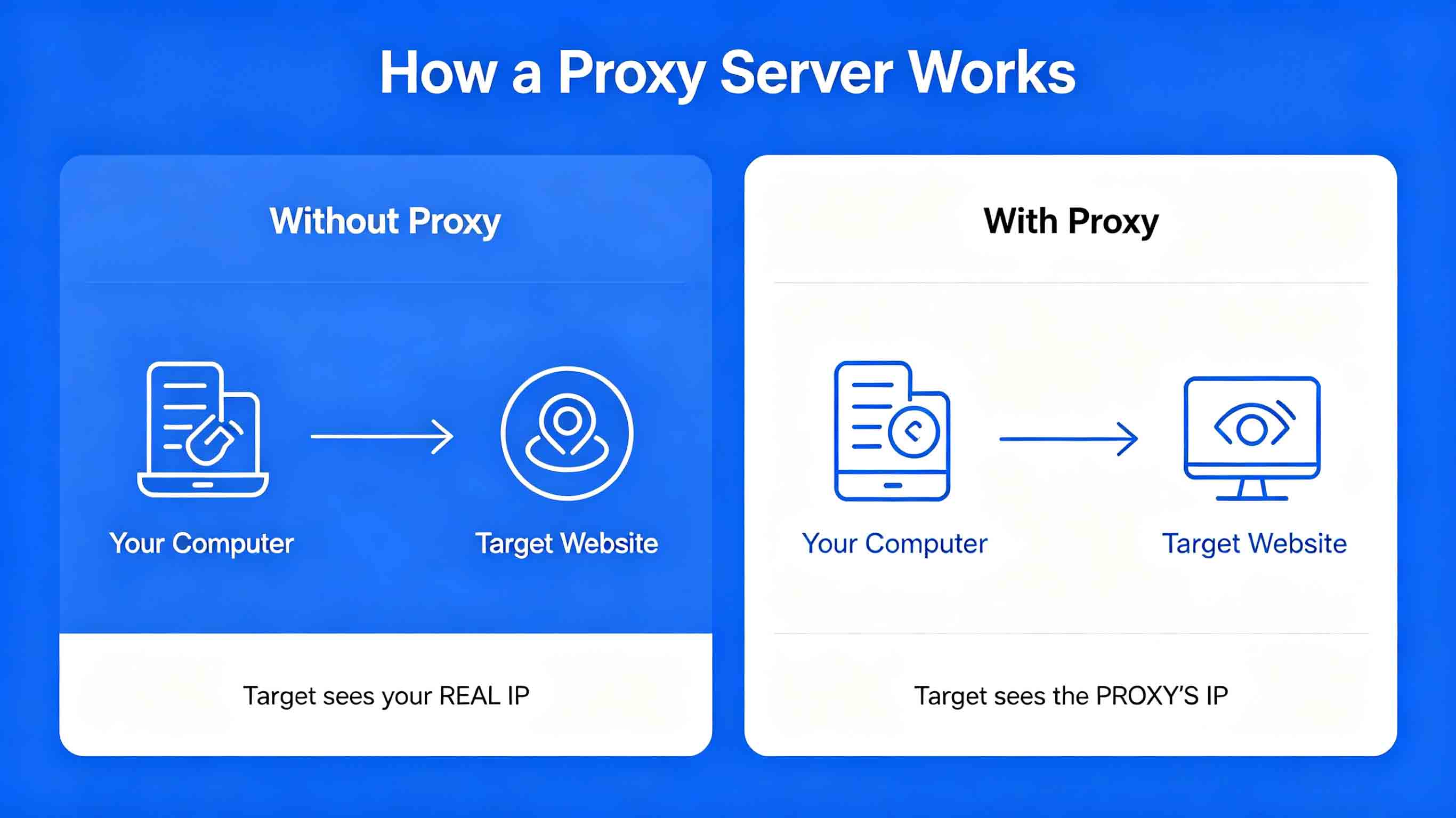
A proxy server sits between your device and the website you're trying to access.
Think of it as a middleman.
Without a proxy:
Your computer → Target website
(The website sees your real IP)
With a proxy:
Your computer → Proxy server → Target website
(The website only sees the proxy's IP)
The proxy forwards your request to the target site, gets the response, and sends it back to you. The whole time, the target site has no idea what's going on with your actual IP address.
2. Why Does Web Scraping Need Proxy Servers?
Reason 1: Keep Your IPs From Getting Banned
This is the big one.
Most sites run anti-bot checks. Hit them with a flood of requests from one IP, and they'll flag you—IP banned, access gone.
When that happens:
That IP can't touch the target site anymore
Your scraper grinds to a halt
All that time and effort? Wasted.
With a proxy, you're hitting the target site through hundreds or thousands of different IPs. Each IP only handles a handful of requests, so nothing gets flagged.
Reason 2: Bypass Regional Restrictions
Some sites gate content based on where you're browsing from:
Some data is only visible to US visitors
Certain features are locked to local users
Prices shift depending on your location
Without the right regional IP, you're locked out. Proxies let you pick IPs from specific countries so you can browse like a local.
Reason 3: Speed Up Your Data Collection
Single-IP scraping is slow by design. You have to throttle your requests to avoid triggering anti-bot systems.
That means:
Scraping 1,000 records could take days
Your concurrent capacity is capped
Real-time data? Forget about it.
With proxies, you can run multiple IPs at once. Parallel scraping—10x faster or better.
3. Types of Proxy Servers You Should Know
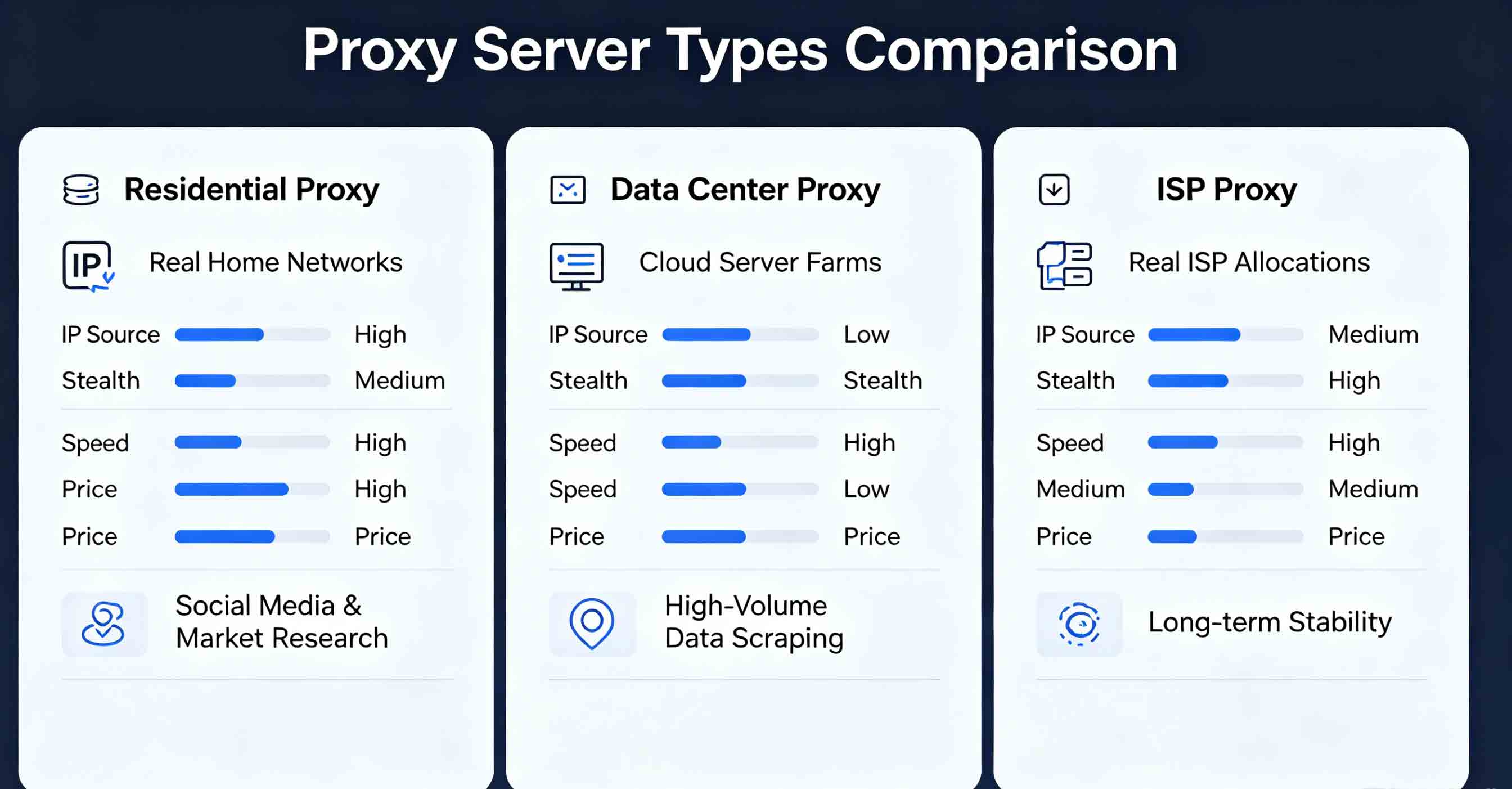
Type 1: Residential Proxies
Residential proxies come from real home internet connections—your home broadband, office fiber, anything allocated to regular consumers.
These IPs are assigned by ISPs (Internet Service Providers) to actual households.
What makes them tick:
Real IP origins: These look like normal users to websites
Strong stealth: Sites struggle to flag them as proxies
A proxy server for web scraping is a middleman between your scraper and target websites. It forwards your requests using its own IP address, hiding your real IP. This way, target sites only see the proxy's IP, not yours.
Why does web scraping need proxy servers?
Three reasons: 1) Avoid IP bans—rotate through different IPs so nothing gets flagged; 2) Bypass regional restrictions—access location-specific data; 3) Speed up collection—run multiple IPs in parallel.
What's the difference between residential and data center proxies?
Residential proxies come from real home networks—they have high stealth and low ban rates, perfect for high-security sites. Data center proxies come from cloud servers—they're fast and cheap, but easy to detect, better for low-security sites.
Can proxy servers guarantee I won't get banned?
No proxy can promise zero bans. But quality residential proxies with smart rotation strategies can keep ban rates under 5%.
How many proxy IPs do I need for web scraping?
It depends on scale: small (under 1K daily requests) needs 10-50 IPs; medium (1K-10K) needs 50-200; large (over 10K) needs 200+ IPs.
7. Summary
What proxy servers do for your scraping:
Hide your real IP to avoid bans
Rotate through tons of IPs to spread the load
Pinpoint specific regions for localized data
Enable parallel scraping for serious speed gains
The takeaway:
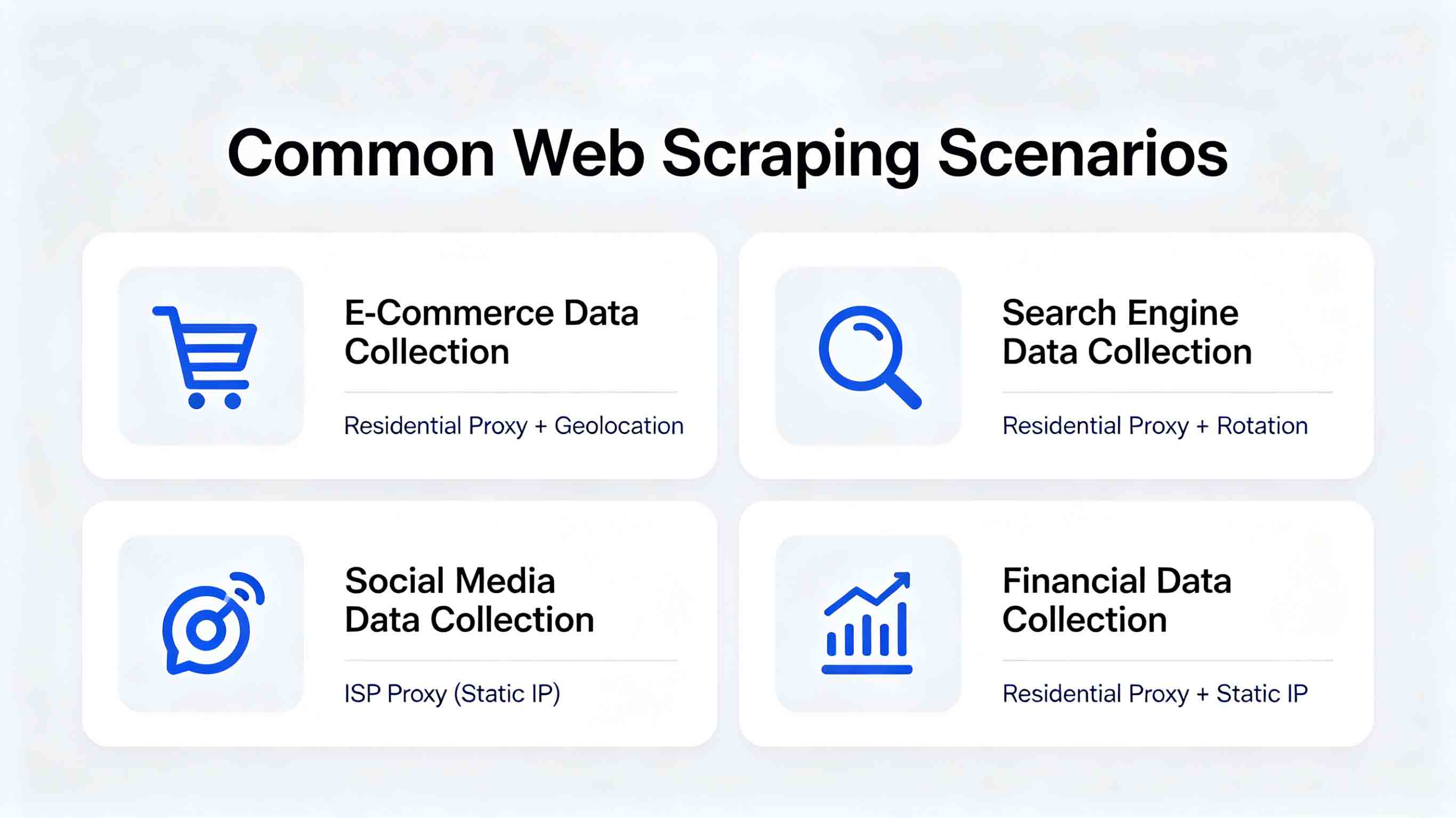
High-security sites → Residential proxy
Low-security + tight budget → Data center proxy
Long-term stability needs → ISP proxy
💡 Looking for reliable proxies? Check out IPIPD Residential Proxy—195+ countries, 50M+ IPs in the pool, 95%+ API success rate.