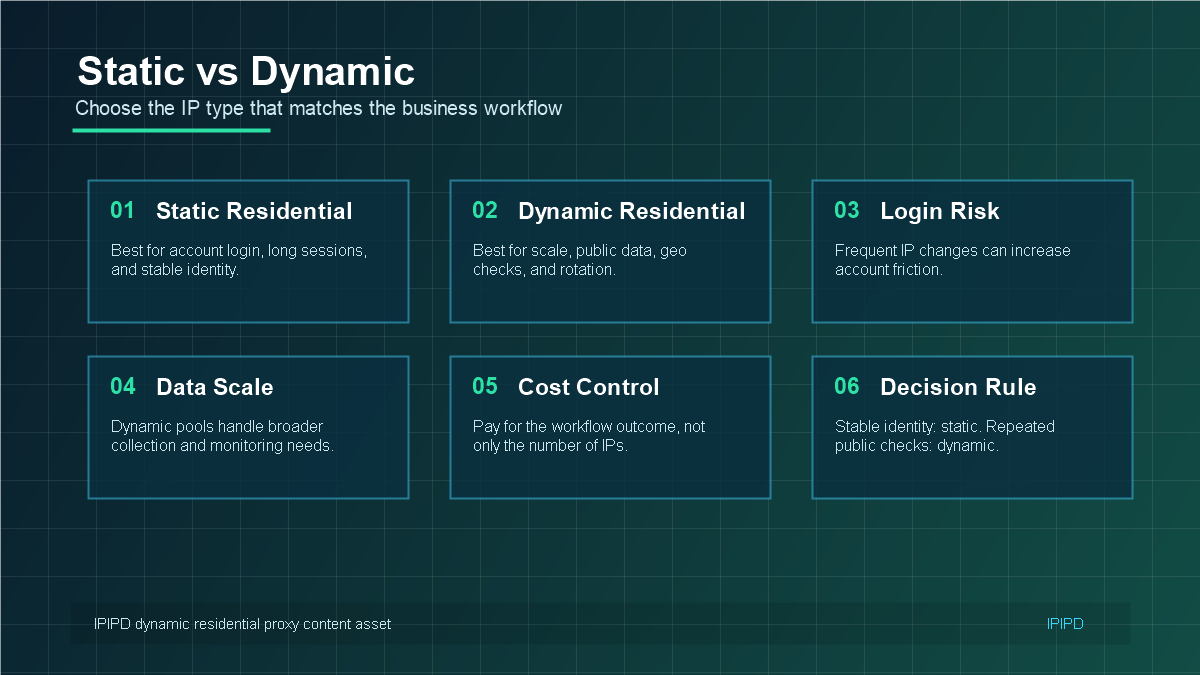
Dynamic residential proxies can improve data collection, SEO monitoring, ecommerce checks, and ad verification, but they are not magic. Many failures happen because the workflow rotates too aggressively, ignores sessions, uses the wrong region, or lacks monitoring.
Use dynamic residential addresses when the workflow needs distributed residential access, controlled IP rotation, regional sampling, and scalable public-page observation.
Basic Facts Table
Item
Practical Meaning
Business Check
Proxy behavior
Static residential addresses provide continuity; dynamic residential addresses provide distributed coverage.
Choose by workflow, not by proxy label alone.
Best fit
Stable sessions, public data checks, regional review, or evidence collection depending on the task.
Most dynamic residential proxy failures come from workflow design, not only the proxy pool.A failure map helps teams separate proxy issues from target-site behavior and workflow mistakes.Debug dynamic residential proxy problems with evidence: auth, logs, small tests, and workflow comparisons.Some failures happen because the workflow needs static residential IPs instead of dynamic rotation. expanded-2026-06-12-mistakes-en expanded-2026-06-12-mistakes-en-pass2
Frequently Asked Questions
Why do dynamic residential proxy requests fail?
Common causes include over-rotation, aggressive request volume, wrong regions, weak retry logic, authentication errors, target-site limits, and poor session design.
Can rotating IPs too often cause problems?
Yes. Over-rotation can break cookies, sessions, pagination, login-adjacent flows, and multi-step workflows.
How do I debug dynamic residential proxy issues?
Log URL, region, session ID, status code, latency, retry count, and response type. Test a small sample before scaling.
When should I stop using dynamic rotation and use static residential IPs?
Define session length, target region, and success condition before scaling.
Review logs, screenshots, status codes, and completed workflow cost.
IPIPD boundary
Static residential addresses and dynamic residential addresses
Adjacent proxy types are comparison context, not IPIPD product claims.
Source / Evidence Note
This update uses the article's original content, IPIPD's current static and dynamic residential address product scope, and Google Search Console page data. Proxy performance varies by target website, region, session duration, browser profile, request pacing, and compliance requirements, so the page avoids fixed success-rate claims.
Data Anchor
Google Search Console snapshot before this combined CTR and GEO update: 0 clicks, 12 impressions, CTR 0.0%, average position 26.0. Review again after 7 and 14 days for impressions, clicks, CTR, average position, Google indexing status, and AI answer mentions.
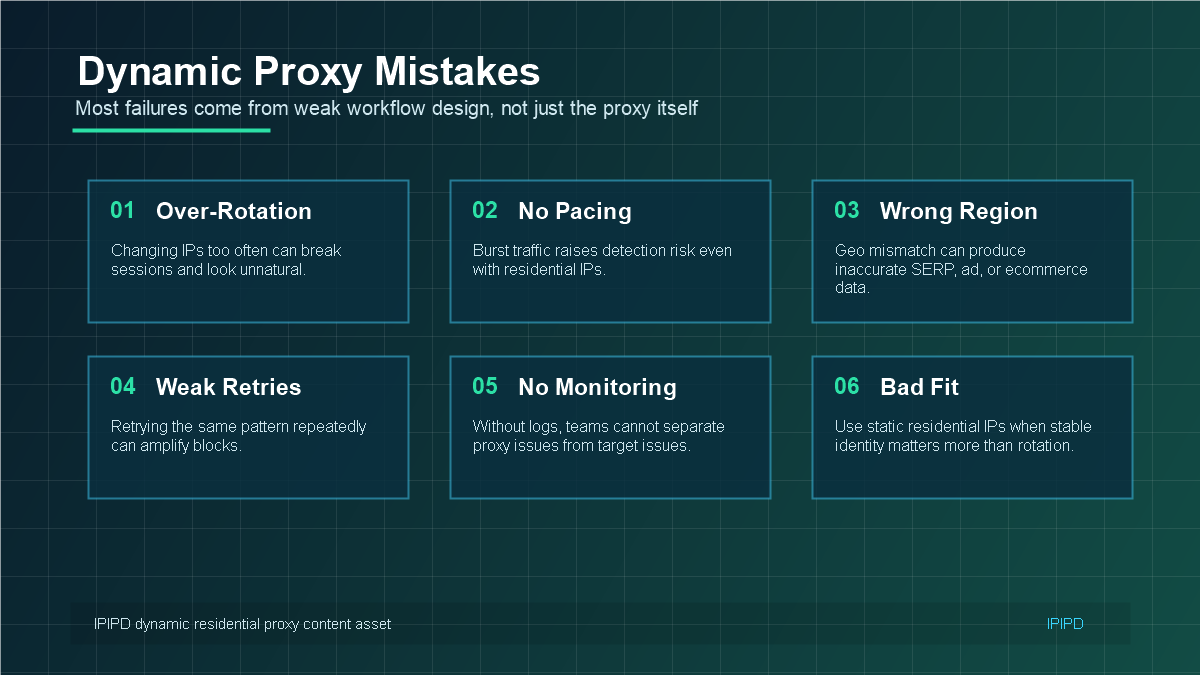
Mistake 1: Rotating Too Often
Rotation is useful, but over-rotation can break continuity. If every request uses a different IP, the target site may see inconsistent behavior across pagination, cookies, search refinements, or multi-step workflows.
Fix it by using domain-level sessions, time-based sessions, or sticky sessions when the workflow expects continuity. Rotate when a task is complete, a session expires, or a clear failure appears.
Mistake 2: Ignoring Request Pacing
Residential IPs do not make unlimited request bursts safe. High concurrency, repeated patterns, and instant retries can still trigger rate limits or blocks. A better setup uses delays, backoff, queueing, and per-domain limits.
Mistake 3: Using the Wrong Region
For SEO monitoring, ad verification, ecommerce checks, and localization QA, the wrong proxy region can produce misleading results. A US result, UK result, and Japan result may show different search results, prices, ads, inventory, or landing pages.
Mistake 4: Treating Every Failure as a Proxy Problem
A failed request can come from authentication errors, target-site limits, bad headers, missing cookies, slow target response, region mismatch, or a weak retry policy. Without logs, teams often blame the proxy before identifying the real cause.
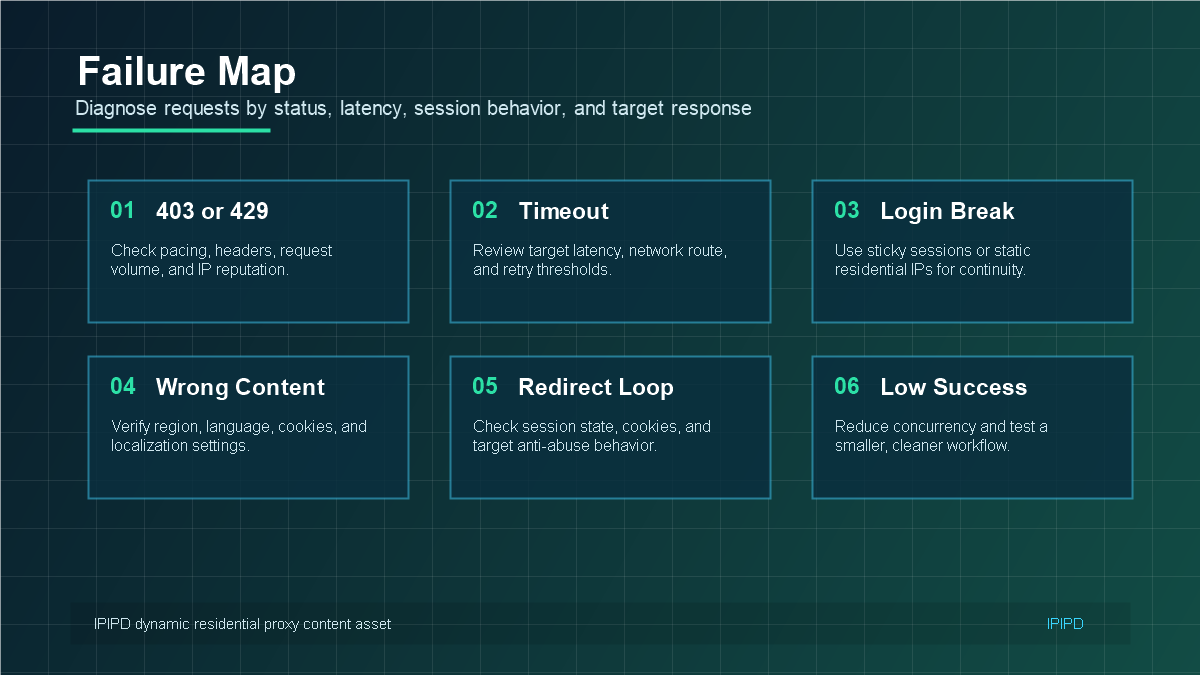
403 or 429: check request rate, headers, target rules, and IP reputation.
Timeout: check target latency, route stability, and retry thresholds.
Wrong content: verify region, language, cookies, and localization settings.
Login break: use sticky sessions or static residential IPs.
Mistake 5: Not Keeping Debug Evidence
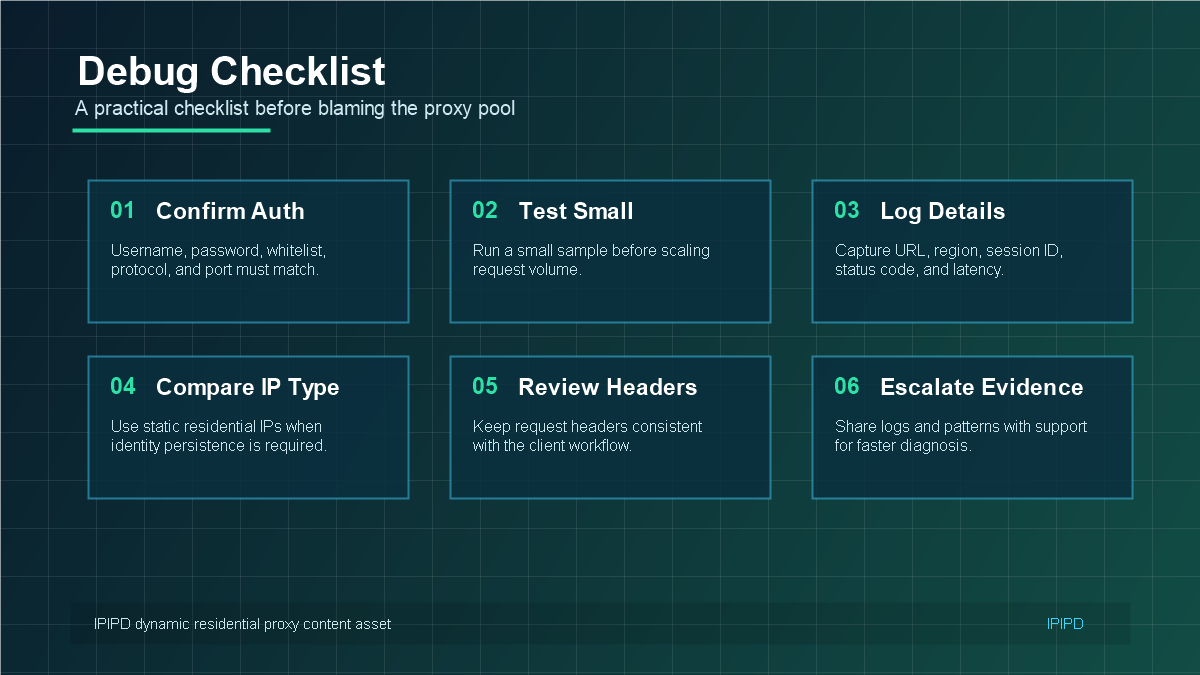
Good troubleshooting needs evidence. Log the URL, region, session ID, status code, latency, retry count, and target response type. Run a small sample before increasing volume, then compare results across session rules and regions.
Mistake 6: Choosing Dynamic When Static Is a Better Fit
Some workflows fail because the IP type is wrong. If a task depends on stable identity, long login sessions, or account trust, static residential IPs may be a better choice. If the task needs repeated public checks across regions, dynamic residential proxies are usually more suitable.
The IPIPD pricing page is the practical place to compare static and dynamic residential proxy options. For broader product context, visit IPIPD.
How to Diagnose Failures Before Changing Providers
When a dynamic residential proxy workflow fails, the first reaction is often to blame the proxy pool. Sometimes the pool is the issue, but many failures come from the request pattern, session design, target behavior, or region mismatch. A structured diagnosis prevents teams from changing providers when the real fix is inside the workflow.
Start by separating connection problems from target-response problems. If authentication fails, the issue may be credentials, port, whitelist, protocol, or plan configuration. If the connection works but the target returns blocks, redirects, or unexpected content, the issue may involve request behavior, cookies, headers, location, or target-side rules.
Authentication errors: verify username, password, whitelist, protocol, and port.
403 or 429: reduce request speed, review headers, check rotation frequency, and test another region.
Timeouts: compare target latency, network route, retry threshold, and concurrency.
Wrong content: verify region, language, cookies, and localization settings.
Session break: use sticky sessions or static residential IPs for workflows that need continuity.
The Hidden Cost of Poor Retry Logic
Retry logic can either save a workflow or make it worse. If a script retries instantly with the same headers, same session, same target, and same timing pattern, it may amplify the signal that caused the block. A better retry system uses backoff, changes only the variable that needs changing, and stops after a sensible limit.
For example, a timeout may need a longer threshold or a second attempt. A 429 response may need slower pacing. A region mismatch needs a different location, not a random new IP. A login break may need a sticky session or static residential IPs, not more rotation.
Why "More IPs" Does Not Always Fix the Problem
More IPs can help when the workflow needs broader distribution, but they do not fix bad pacing, poor headers, repeated failed retries, or the wrong IP type. If a task needs continuity, more dynamic IPs may increase instability. If a target is sensitive to request pattern, more IPs without pacing may still fail.
Before increasing pool size, improve the workflow. Reduce concurrency, test smaller samples, separate domains, control sessions, and monitor success rate. If those changes improve results, the issue was likely workflow design. If failures remain across careful tests, then pool quality or target restrictions may deserve closer review.
When a Static Residential IP Is the Correct Fix
Some dynamic residential proxy problems are actually product-fit problems. If the task involves account trust, long sessions, dashboard access, client accounts, or a browser profile that should not change identity often, static residential IPs may be the correct fix. Dynamic rotation is valuable for scale, but stable identity is valuable for trust.
This is why IPIPD content should be careful with positioning. Dynamic residential proxies are not presented as the answer to every proxy problem. They are the right answer for specific workflows: repeated public checks, regional monitoring, scraping, ad verification, ecommerce observation, and market research. Static residential IPs remain important for stable identity workflows.
A Simple Troubleshooting Process
Use a consistent process before making major changes. First, confirm authentication and connection. Second, run a small sample with low concurrency. Third, record status codes, content quality, latency, region, and session ID. Fourth, change one variable at a time: pacing, region, session length, headers, or retry behavior. Fifth, compare results before scaling again.
This process is slower than guessing, but it creates better evidence. It also helps support teams understand the issue faster because the report includes specific patterns instead of only a general complaint that "the proxy does not work."
Prevention Checklist
Use dynamic residential proxies for public-page scale, not long-term account identity.
Use sticky sessions when a workflow has multiple related steps.
Use static residential IPs when stable identity matters.
Set request pacing before increasing volume.
Track cost per successful result, not just traffic cost.
Keep logs that include region, session, status code, latency, and response type.
How to Report Proxy Issues to Support
Support teams can solve problems faster when the report includes evidence. Instead of saying that the proxy is slow or blocked, include the target domain, selected region, session mode, protocol, approximate request volume, status code samples, timestamps, and whether the issue happens across all targets or only one site.
A useful support report should also include what has already been tested. For example, mention whether you tried a smaller sample, a different region, sticky sessions, lower concurrency, or static residential IPs. This prevents repeated basic troubleshooting and helps the provider identify routing, pool, or target-specific issues more quickly.
Decision Tree: Fix Workflow or Change IP Type?
If failures happen only during high concurrency, fix request pacing first. If failures happen only after several related requests, review session rules. If the content is from the wrong market, fix region selection. If login or account trust breaks repeatedly, test static residential IPs. If failures continue across careful low-volume tests, then it may be time to review proxy quality, pool availability, or target restrictions.
This decision tree keeps the troubleshooting process practical. Dynamic residential proxies are valuable, but they perform best when the workflow uses them for the right job. The goal is not to force dynamic rotation into every scenario; the goal is to match IP behavior with business risk.
Dynamic residential proxy mistakes usually come from mismatched workflow design. Control rotation, respect sessions, choose the right region, keep logs, and use static residential IPs when stable identity matters more than scale.
Use static residential IPs when account trust, long sessions, or stable identity matter more than IP rotation.
Does a dynamic residential proxy prevent all blocks?
No. It improves workflow flexibility, but request pacing, headers, sessions, retry logic, and target behavior still matter.