For web scraping workflows, residential proxy selection should be based on request pacing, rotation control, session needs, validation logs, and usable result cost.
Basic Facts Table
Item
Practical Meaning
Business Check
Proxy behavior
Static residential addresses provide continuity; dynamic residential addresses provide distributed coverage.
Choose by workflow, not by proxy label alone.
Best fit
Stable sessions, public data checks, regional review, or evidence collection depending on the task.
Define session length, target region, and success condition before scaling.
Review logs, screenshots, status codes, and completed workflow cost.
IPIPD boundary
Static residential addresses and dynamic residential addresses
Adjacent proxy types are comparison context, not IPIPD product claims.
Source / Evidence Note
This update uses the article's original content, IPIPD's current static and dynamic residential address product scope, and Google Search Console page data. Proxy performance varies by target website, region, session duration, browser profile, request pacing, and compliance requirements, so the page avoids fixed success-rate claims.
Data Anchor
Google Search Console snapshot before this combined CTR and GEO update: 0 clicks, 10 impressions, CTR 0.0%, average position 24.0. Review again after 7 and 14 days for impressions, clicks, CTR, average position, Google indexing status, and AI answer mentions.
The other hits 50%. Firefighting every single day.
What's the difference?
It's not the tool. It's not luck.
It's methodology.
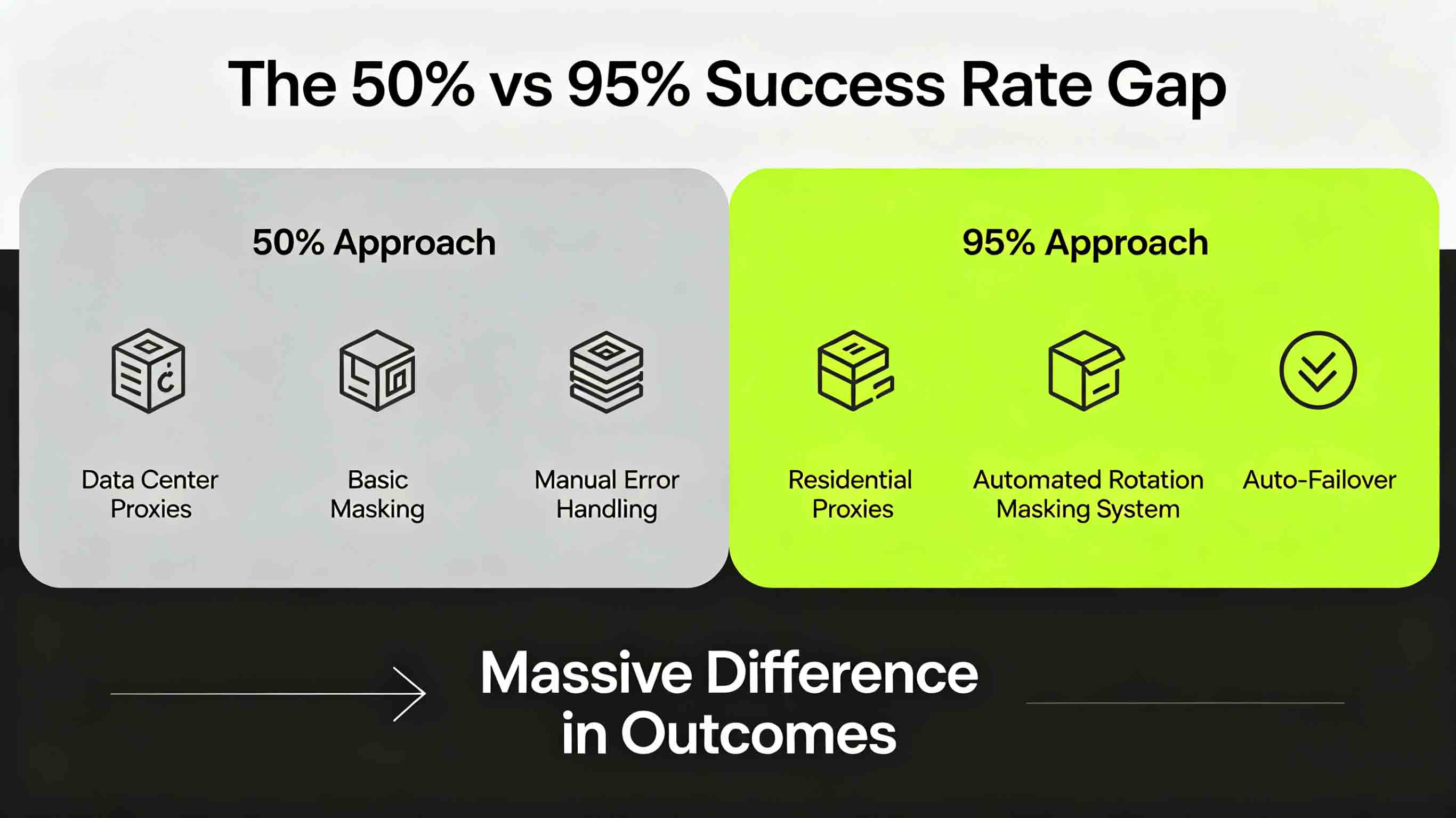
This guide tears apart exactly what separates the 95% crowd from the 50% crowd.
1. First, Let's Look at Some Real Numbers
Before diving into methodology, here's what we're working with:
Metric
50% Success Approach
95% Success Approach
Proxy type
Data center proxies
Residential proxies
IP rotation
Occasional, manual
Fully automated
Request masking
Barely any
Complete system
Error handling
Manual intervention
Auto-failover
Daily collection
~500 records
5,000+ records
Maintenance time
2+ hours daily
10 minutes weekly
That's how the gap compounds.
2. Gap #1: Proxy Type Selection
The 50% Approach: Cheap Gets It Done
"Data center proxies are cheaper. Let's try those first."
First, assess the target site's anti-bot difficulty. Then choose:
Site Type
Recommended Proxy
Why
Amazon, Google, Facebook
Residential
Top-tier anti-bot—need maximum stealth
News sites, real estate
Residential
Moderate bot protection—play it safe
Government sites, academic DBs
Data center
Barely any protection—save money
Mixed high + low difficulty
Residential + DC combo
Different tools for different jobs
Core logic:
High-difficulty sites → Residential proxies → High success → Complete data
Low-difficulty sites → Data center proxies → Save money → Good enough
It's not about paying more. It's about matching smarter.
3. Gap #2: IP Rotation Strategy
The 50% Approach: Rotate When You Remember
Manual IP switching:
Gets banned → Switch IP → Keep going
Gets banned again → Switch again → Keep going
When does it end? Nobody knows.
Result: Hours every day spent on damage control.
The 95% Approach: Automated Rotation with Smart Triggers
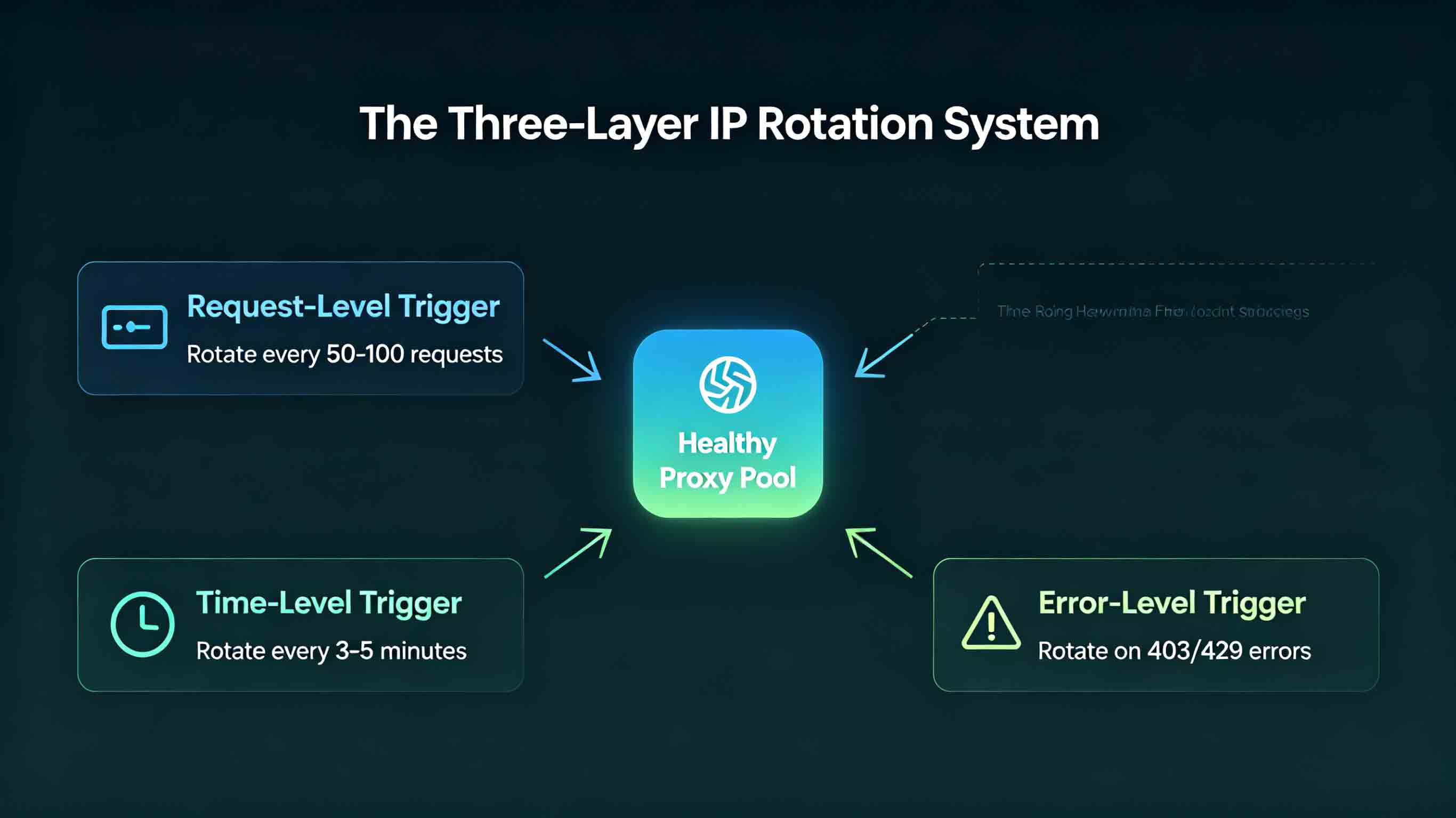
Build a three-layer rotation system:
Layer 1: Request-Level Trigger
Auto-switch every 50-100 requests
Trigger: Request counter hits threshold
Goal: Rotate proactively, not after getting banned
Layer 2: Time-Level Trigger
Force switch every 3-5 minutes
Trigger: Time interval hits threshold
Goal: Rotate regularly even with low request volume
Layer 3: Error-Level Trigger
Switch immediately on 403/429 errors
Trigger: Abnormal response status code
Goal: React instantly when ban signals appear
All three layers stacked. Any trigger rotates.
Result: Always switching IPs before bans happen.
4. Gap #3: Request Masking Depth
The 50% Approach: Change the User-Agent, Call It Done
headers = {
    'User-Agent': 'Mozilla/5.0...'
}
Result: User-Agent changed, but:
Request intervals too consistent (0.5 seconds apart—classic bot)
No Referer header (direct access to target page)
Zero browser fingerprint spoofing
Site: "This is obviously a bot."
The 95% Approach: Full-Blown Masking System
Layer 1: User-Agent Management
# Maintain 50+ UAs, refresh from real browsers regularly
user_agents = [
    'Mozilla/5.0 (Windows NT 10.0; Win64; x64)...',
    'Mozilla/5.0 (Macintosh; Intel Mac OS X 10_15_7)...',
    # ... more
]
Layer 2: Random Request Delays
import random
time.sleep(random.uniform(1, 3))  # Random 1-3 seconds
Layer 3: Referer Header Simulation
headers = {
    'User-Agent': random.choice(user_agents),
    'Referer': 'https://www.google.com/',  # Simulate navigation from Google
    'Accept-Language': 'en-US,en;q=0.9',
    'Accept': 'text/html,application/xhtml+xml,...'
}
Layer 4: Browser Fingerprints
Canvas fingerprint randomization
WebGL fingerprint handling
Timezone and language matching
Result: Sites can't tell if it's a bot or a human.
5. Gap #4: Error Handling Approach
The 50% Approach: Deal With It When It Happens
try:
    response = requests.get(url, proxies=proxy)
except:
    # Grab another proxy and retry
    proxy = get_another_proxy()
Problems:
No status tracking: Is this IP banned or just a network hiccup?
No batch processing: One failure at a time
No preventive measures: Same issues keep repeating
if status == 'banned':
mark_proxy_banned(proxy) # Flag as banned, remove from pool
rotate_proxy() # Switch immediately
elif status == 'rate_limited':
add_to_cooldown(proxy) # Add to cooldown queue
wait(random.uniform(10, 30)) # Wait, then retry
elif status == 'server_error':
retry_later(proxy) # Temporary issue, retry later
Layer 3: Auto-Recovery
# Check if banned IPs have recovered
def check_recovery():
for proxy in banned_proxies:
if time_since_banned(proxy) > cooldown_period:
if test_proxy(proxy):  # Test if IP works again
move_to_available(proxy)
Result: The system handles 99% of exceptions automatically. Zero manual intervention.
6. Gap #5: Proxy Pool Management
The 50% Approach: Buy a Batch and Run It to Death
"Bought 100 IPs. Should last a month."
Result:
Some IPs overused and banned frequently
Some IPs barely touched—wasted resources
No lifecycle management—the pool shrinks over time
The 95% Approach: Full Proxy Pool Lifecycle Management
Stage 1: Allocation
proxy = available_pool.get()
proxy.assign_time = now
proxy.request_count = 0
Stage 2: Usage
proxy.request_count += 1
if proxy.request_count > max_requests_per_ip:
move_to_rotation(proxy)  # Used up, rotate to end of queue
if is_banned(proxy):
move_to_banned(proxy)   # Banned, move to banned pool
Stage 3: Recovery
if time_in_banned(proxy) > ban_duration:
if test_proxy(proxy):
move_to_available(proxy)  # Ban period over, tested, back in rotation
Stage 4: Retirement
if proxy.total_failures > max_failures:
remove_from_pool(proxy)  # Too many failures, permanently retired
Result: The proxy pool stays healthy. Never shrinks to nothing.
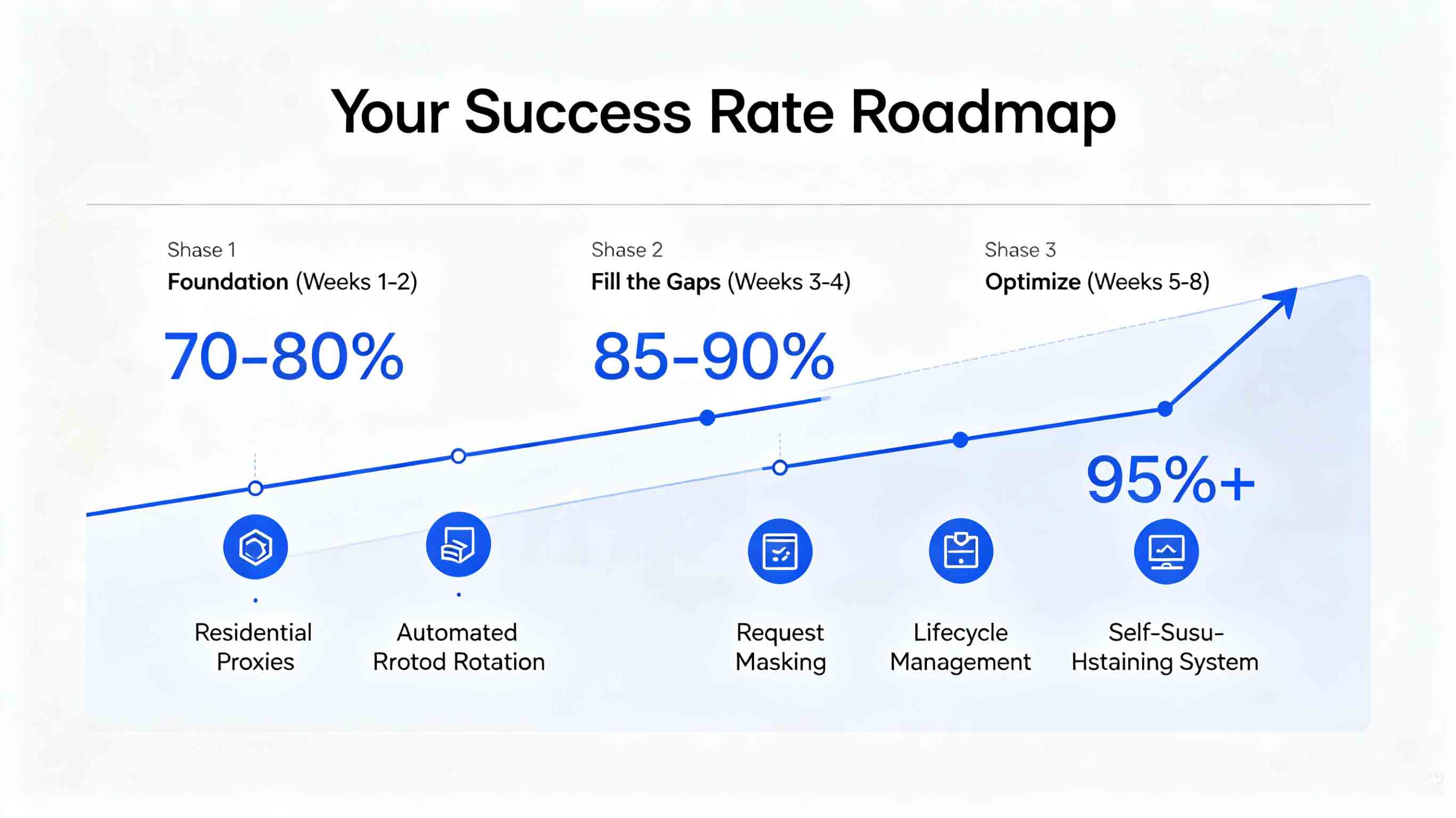
7. Your Success Rate Roadmap
If you're sitting at 50% right now and want to hit 95%, here's the path:
Phase 1: Foundation (Weeks 1-2)
[ ] Switch to residential proxies (for high-difficulty sites)
[ ] Implement automated IP rotation
[ ] Add User-Agent rotation
Phase 2: Fill the Gaps (Weeks 3-4)
[ ] Add random request delays
[ ] Add Referer header spoofing
[ ] Build categorized error handling
Phase 3: Optimize (Weeks 5-8)
[ ] Implement proxy pool lifecycle management
[ ] Add health check auto-recovery
[ ] Add browser fingerprint handling
Milestone Checkpoints
Phase
Target Success Rate
Key Indicator
After Phase 1
70-80%
Automated rotation working
After Phase 2
85-90%
Masking system complete
After Phase 3
95%+
Self-sustaining system
8. Common Mistakes to Avoid
Mistake #1: "More IPs Means No Rotation Needed"
❌ Wrong: Bought 1,000 IPs. Just rotate through them.
✅ Right: Even with lots of IPs, rotate them. Same IP used too much gets banned anyway.
Mistake #2: "Faster Requests = Better"
❌ Wrong: 0.1 second intervals = maximum efficiency.
✅ Right: Too fast = instant ban. Random 1-3 second delays are safe.
Mistake #3: "Banned IPs Will Recover on Their Own"
❌ Wrong: Let it sit, it'll unbann itself.
✅ Right: Banned IPs stay on record. Even after recovering, they'll get flagged fast. Test and confirm before reusing.
Mistake #4: "Cheap Proxies Are Good Enough"
❌ Wrong: Data center proxies are cheap, let's use those.
✅ Right: Failure costs more than you save. High-difficulty targets need residential proxies from the start.
9. Summary
The 95% vs 50% gap comes down to these 5 dimensions:
Gap Dimension
50% Approach
95% Approach
Proxy type
Cheap first
Matched to target
IP rotation
Manual, occasional
Automated, three-layer
Request masking
UA tweak only
Full-blown system
Error handling
Deal with it later
Complete fault tolerance
Pool management
Use to death
Full lifecycle
Remember this:
Proxy servers for scraping aren't "buy and go." They're "configure right to perform."
💡 Recommended solution: Need high success rate proxies? Try IPIPD Residential Proxy—195+ countries, 50M+ IPs, 95%+ success rate. Pair with the right methodology and you're unstoppable.
Why is there such a huge gap in scraping success rates?
The gap comes from 5 dimensions: 1) Proxy type matching your target; 2) Automated vs manual IP rotation; 3) Request masking depth; 4) Error handling system; 5) Proxy pool lifecycle management. Nail all five, and you can jump from 50% to 95%+.
What should I do when a proxy IP gets banned?
Three steps: 1) Detect—figure out if it's a ban or another error type; 2) Flag—remove banned IPs from the available pool; 3) Switch—immediately move to the next working proxy. After the ban period, test before reusing.
What are the key elements of request masking?
Four essentials: 1) User-Agent rotation—maintain 50+ and refresh regularly; 2) Random delays—1-3 seconds; 3) Referer header spoofing—simulate navigation from Google or other pages; 4) Browser fingerprints—Canvas/WebGL fingerprint handling.
What rotation strategies should I use?
Three-layer trigger system: 1) Request-level—rotate every 50-100 requests; 2) Time-level—force rotate every 3-5 minutes; 3) Error-level—rotate immediately on 403/429 errors. Stack all three for best results.
How do I manage a proxy pool properly?
Four-stage lifecycle: 1) Allocation—pull from available, mark start time; 2) Usage—track requests, rotate when hitting limits; 3) Recovery—test after ban period expires; 4) Retirement—remove IPs with too many failures. Keep the pool healthy and self-sustaining.