After people understand the basic proxy concepts, the next question is usually not “what is it?” The harder question is “how do I actually use it well?”
You may already know that this type of proxy is better for stable sessions. You may also know that residential proxies and data center proxies have their own advantages. But once the discussion becomes practical, the questions become more specific: Which region should I choose? Do I need session persistence? How large should the plan be? How do I know whether the setup is working?
When should a business use an ISP proxy server workflow?
A business should use an ISP proxy server workflow when it needs a stable residential-looking IP for long sessions, dashboards, account continuity, manual review, or workflows where frequent rotation would create risk. In IPIPD positioning, this is closest to static residential IP usage rather than broad dynamic rotation.
ISP proxy server workflow table
Need
Why static residential IPs fit
What to verify
Long account session
The same network identity reduces session noise
Login stability, verification rate, recovery time
Manual review
Reviewers need a repeatable browser context
Region, browser profile, screenshot evidence
Dashboard access
Frequent IP changes can disrupt cookies and trust signals
Session length, page stability, security prompts
Public market checks
Static identity is not always the best fit
Use dynamic residential addresses when coverage matters more
Frequently Asked Questions
Is an ISP proxy server the same as a static residential IP?
In many buying discussions, ISP proxy and static residential IP overlap because both emphasize stable residential ISP identity and long sessions.
When is dynamic rotation a better fit?
Dynamic residential addresses are better for public coverage, location sampling, repeated checks, and workflows that do not need one stable identity.
What should teams test before using ISP proxy workflows?
Test login stability, region accuracy, session length, verification rate, response time, and manual recovery effort.
Can static residential IPs replace workflow discipline?
Related IPIPD reading
Use these related IPIPD pages to compare static residential IPs, dynamic residential addresses, pricing, and adjacent workflows without leaving the same topic cluster.
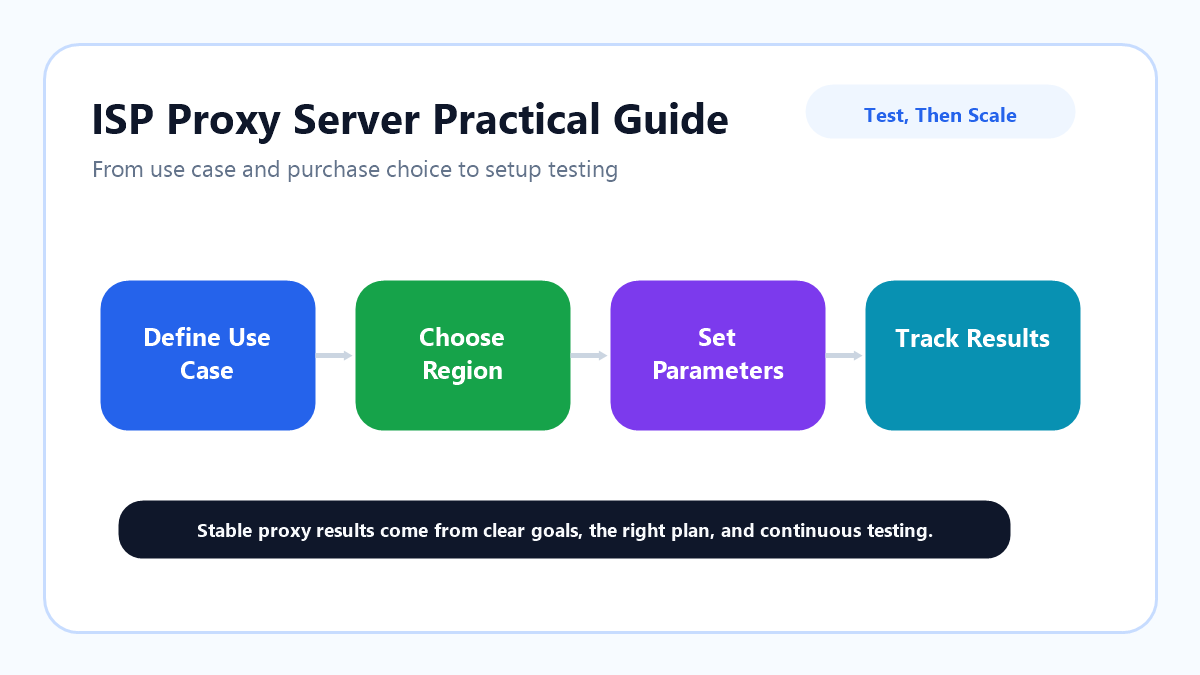
This guide focuses on real-world use. It explains how to evaluate a workflow, choose a plan, configure the proxy, run a small test, and decide whether to scale.
Before using this kind of stable proxy setup, do not start with price.
Start with the problem your workflow is trying to avoid.
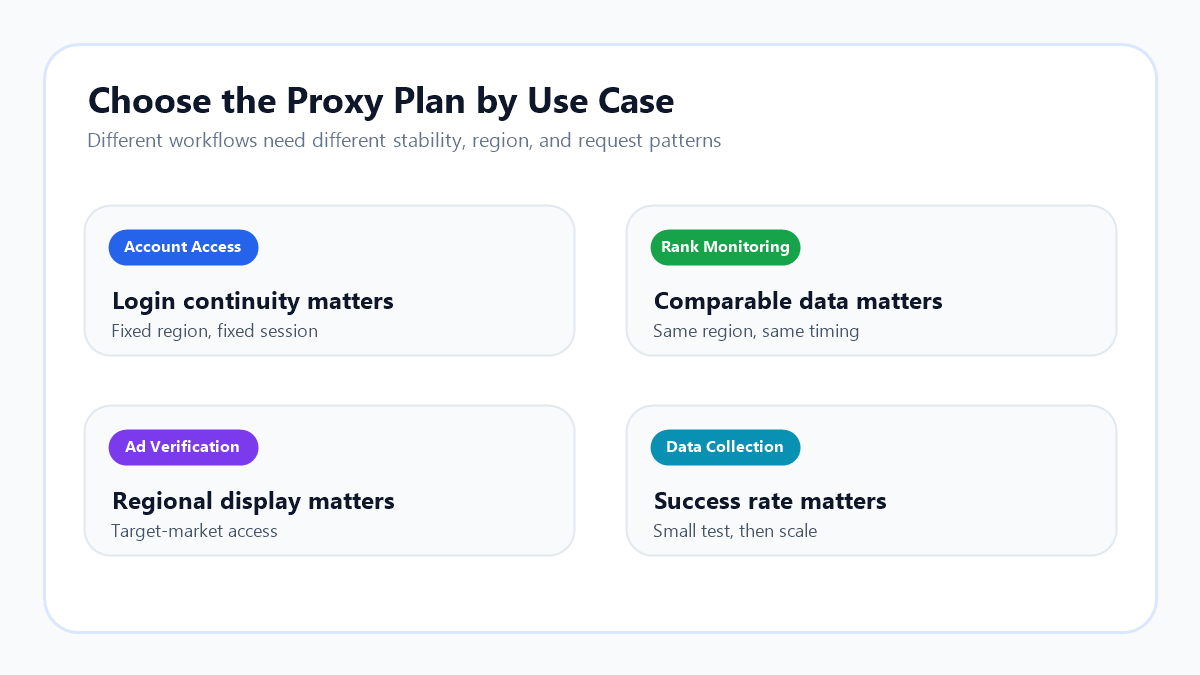
Some workflows are sensitive to login environment changes. For account access, a sudden change in region or network profile can increase verification friction.
Some workflows are sensitive to inconsistent data. For SEO rank monitoring, checking the same keyword set every day only makes sense when the access environment remains comparable.
Some workflows depend on regional accuracy. For ad verification, the displayed ad, landing page, price, and promotion should match the target market as closely as possible.
Some workflows fail when the request pattern is too aggressive. For web data collection, sending too many requests too quickly can raise the failure rate. If you want a general reference for automated page retrieval, Wikipedia has an overview of web crawlers. The practical point is simple: understand the task before scaling the request volume.
These use cases all need a stable, repeatable, and observable access environment. This approach is not the best choice for every task, but it is useful when stability matters.
Ask Four Questions Before Setup
Before you configure anything, ask four questions.
First, do you need a fixed region?
If your workflow checks pages in the United States, Germany, Japan, or another specific market, successful access is not enough. The region also needs to remain stable. Frequent region changes make the results harder to compare.
Second, do you need long sessions?
For account access, ad dashboards, and long-term monitoring, session continuity can matter more than single-request speed. This is where a stable access setup often becomes valuable.
Third, is your access frequency controlled?
A proxy changes the access route. It does not make unlimited request volume safe. Web access depends on request and response behavior. For a general technical reference, Wikipedia explains the basics of HTTP. In practice, the more natural and controlled the access pattern is, the more stable the long-term result tends to be.
Fourth, how will you record results?
Do not only ask whether the page opens. Better metrics include success rate, response speed, failure reason, regional accuracy, and session stability. These records help you decide whether the setup is worth scaling.
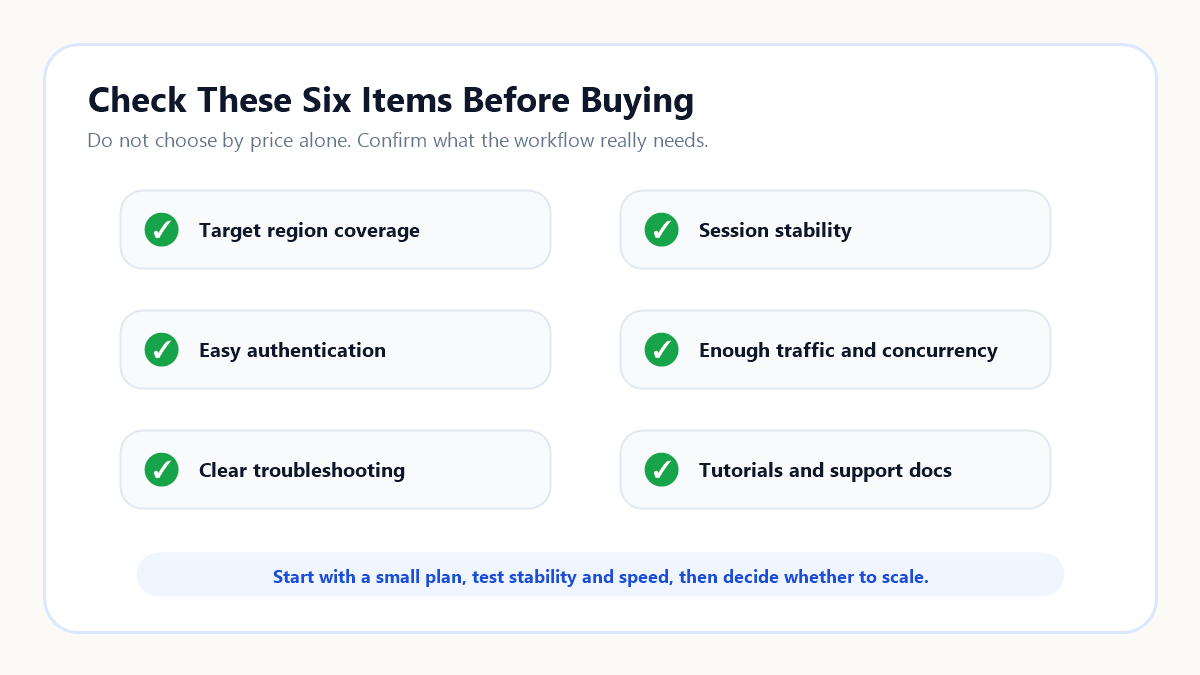
Check These Six Items Before Buying
Many people look at price first when buying proxies.
Price matters, but it is not enough. Cheap does not always mean cost-effective, and expensive does not always mean suitable.
Before buying, check six things.
First, does the region cover your target market?
If you need ad verification or SEO monitoring in a specific region, coverage is a basic requirement.
Second, can the session remain stable?
If your task requires long logins or repeated access, session persistence matters more than the total number of addresses.
Third, is the authentication method easy to configure?
Common options include username and password authentication or allowlist authentication. The better option depends on your browser, tool, team setup, and workflow.
Fourth, are concurrency and traffic limits enough?
If the task volume is large, estimate concurrent connections, access frequency, and daily traffic before launch.
Fifth, is troubleshooting clear?
Proxy workflows will have failed requests. A good setup should help you tell whether the issue comes from the region, connection, target website, or access strategy.
Sixth, are tutorials and support documents available?
If marketers, operators, analysts, and developers all work with the setup, clear documentation can reduce a lot of confusion.
Once these questions are clear, start small from the proxy pricing page. A small test plan is usually better than buying a large plan before you know the real success rate.
Do Not Skip the Small Test Phase
Proxy setup is usually not complicated. Problems often come from launching too fast.
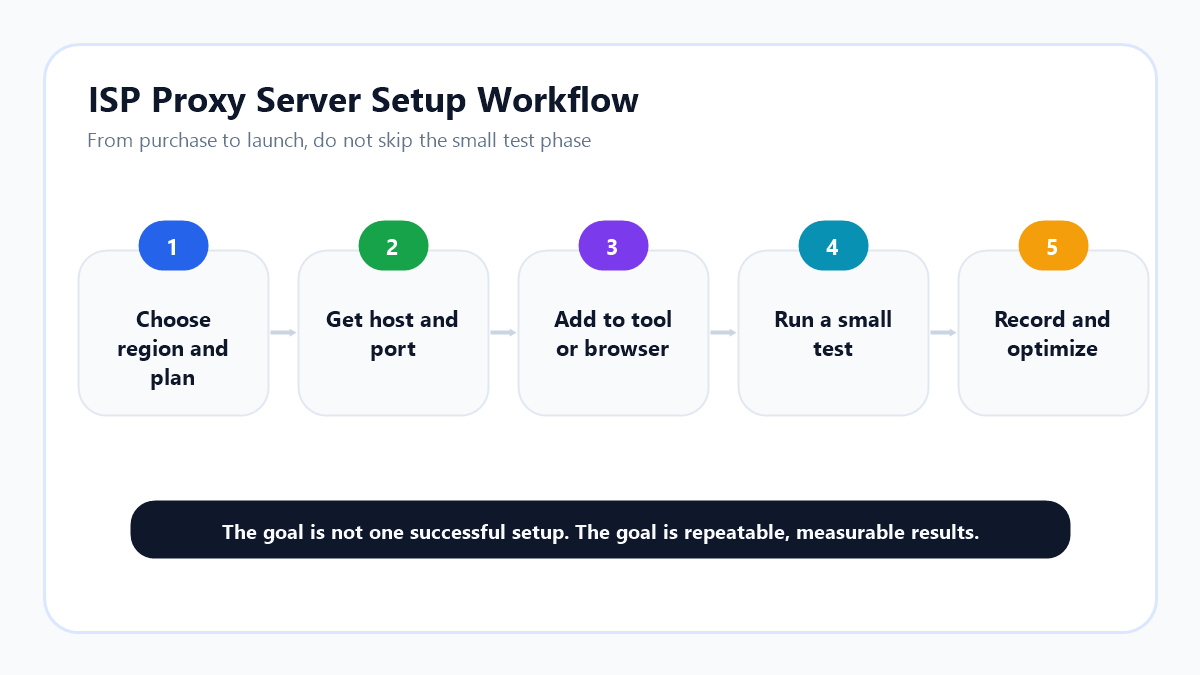
A stable workflow can be split into five steps.
Step one: choose the region and plan.
Choose based on the business goal, not on guesswork. For ad verification, choose the ad target region. For rank tracking, choose the region where the target users search. For account access, keep the region consistent over time.
Step two: get the host, port, and authentication details.
Organize the proxy host, port, username, password, or allowlist rules clearly. Avoid scattering credentials across too many places, because that makes troubleshooting harder later.
Step three: add the proxy to your browser or tool.
Different tools have different configuration screens. Browsers, anti-detect browsers, data tools, ad verification tools, and internal systems may all require slightly different settings. If you are not sure how to fill in the fields, use the proxy tutorial center as a setup reference.
Step four: run a small test.
Do not run the full task immediately. Start with a small number of accounts, keywords, pages, or requests. Watch success rate, response speed, region display, and error messages.
Step five: record and optimize.
Record the test results before you scale. If a region is slow, test another region or line. If a workflow fails too often, review request frequency and target site rules. If an account triggers verification often, check whether the session is stable enough.
How Different Workflows Should Use It
The same proxy type can be used very differently depending on the workflow.
Account Access
Account access is sensitive to sudden environment changes.
If an account is managed by a team over time, try to keep region, device environment, and access behavior consistent. Do not switch regions frequently.
For this use case, stability matters more than quantity. You do not need a huge number of addresses. You need a small number of reliable access environments.
SEO Rank Monitoring
Rank monitoring is sensitive to inconsistent data.
If you check the same keywords every day, keep the time, region, device profile, and access method as consistent as possible. Then ranking changes are easier to interpret.
This is one reason a stable setup can work well for long-term rank tracking. It reduces noise caused by constant address changes.
Ad Verification
Ad verification depends on whether you see what a user in the target region would see.
Advertisers often need to confirm ad display, landing page behavior, prices, promotions, and local content. In this case, regional accuracy and session stability are both important.
If you only check once, a simpler setup may be enough. If you need long-term checks across several regions, a stable proxy setup is easier to compare over time.
Data Collection
Data collection depends on the task type.
For large-scale, multi-region, frequently rotating scraping tasks, residential proxies may be more flexible. For fixed-source, long-term, scheduled collection, a stable proxy setup can still be useful.
The goal is not just to collect once. The goal is to collect repeatedly with a controlled failure rate.
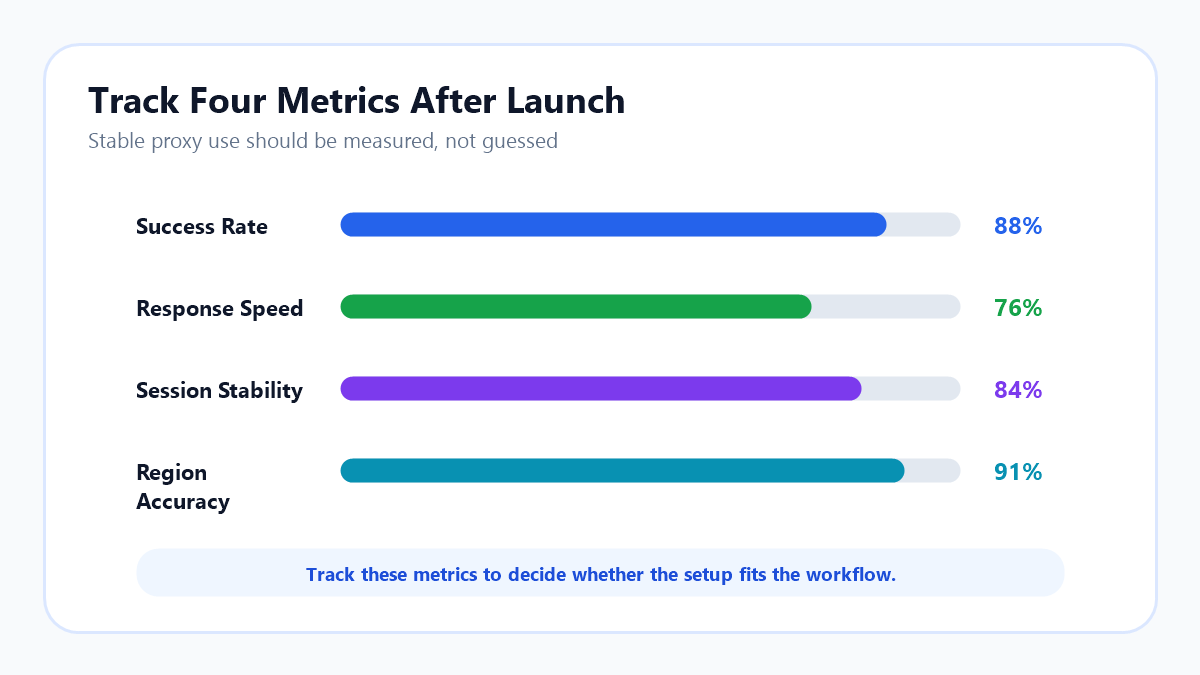
Track Four Metrics After Launch
After configuration, do not judge the setup by feeling alone.
Track at least four metrics.
The first metric is success rate.
If the success rate is unstable, check whether the issue comes from the proxy connection, target website limits, or excessive access frequency.
The second metric is response speed.
Speed does not have to be the fastest possible. It needs to be stable. If the connection is fast sometimes and slow other times, long-term work will suffer.
The third metric is session stability.
Account access, ad verification, and rank monitoring all depend on this. The more stable the session is, the easier it is to keep data and account context consistent.
The fourth metric is region accuracy.
If you choose a target region, check whether the actual page display matches that region. If the region is wrong, the business decision may be wrong too.
Tracking these metrics for a week is more useful than running one quick test. Reliable conclusions come from repeated observation.
Common Mistakes
The first mistake is assuming that buying a stable proxy automatically creates stability.
Proxy quality matters, but access strategy matters too. High request frequency, unusual account behavior, and frequent region changes can still create problems.
The second mistake is focusing only on the number of addresses.
For stable workflows, more addresses are not always better. A small number of reliable addresses can be more valuable than a large pool that changes constantly.
The third mistake is skipping the small test.
Different workflows, websites, and regions can behave differently. Before scaling, test the setup with the real task.
The fourth mistake is using one proxy type for every task.
If you need large-scale rotation, residential proxies may be better. If you need low-risk bulk access at a lower cost, data center proxies may be enough. If you need stable sessions and long-term monitoring, this setup is usually more suitable.
When You Should Not Use It
Not every workflow needs this type of proxy.
If your goal is low-cost access to public pages and occasional failure is acceptable, a data center proxy may be enough.
If your workflow needs massive address rotation, broad location coverage, and frequent switching, a residential proxy may be the better choice.
If you do not have a clear task yet and only want to “try proxies,” write down the use case first. At minimum, decide which region, task, and metric you want to test.
The clearer the goal, the better the proxy decision.
Conclusion
This proxy type is best suited for stable, long-term, comparable workflows.
Using one well is not just a matter of buying an address and filling in the fields. A better process is to define the use case, choose the region and plan, run a small test, and then optimize based on success rate, speed, session stability, and region accuracy.
If your workflow involves account access, SEO rank monitoring, ad verification, fixed-source data collection, or long-term market observation, this type of setup can reduce noise and improve continuity.
In short:
An ISP proxy server is not a one-time tool. It is a stable network identity layer for long-running business workflows.
No. Stable IPs help continuity, but teams still need consistent browser profiles, sensible activity, logs, and review rules.