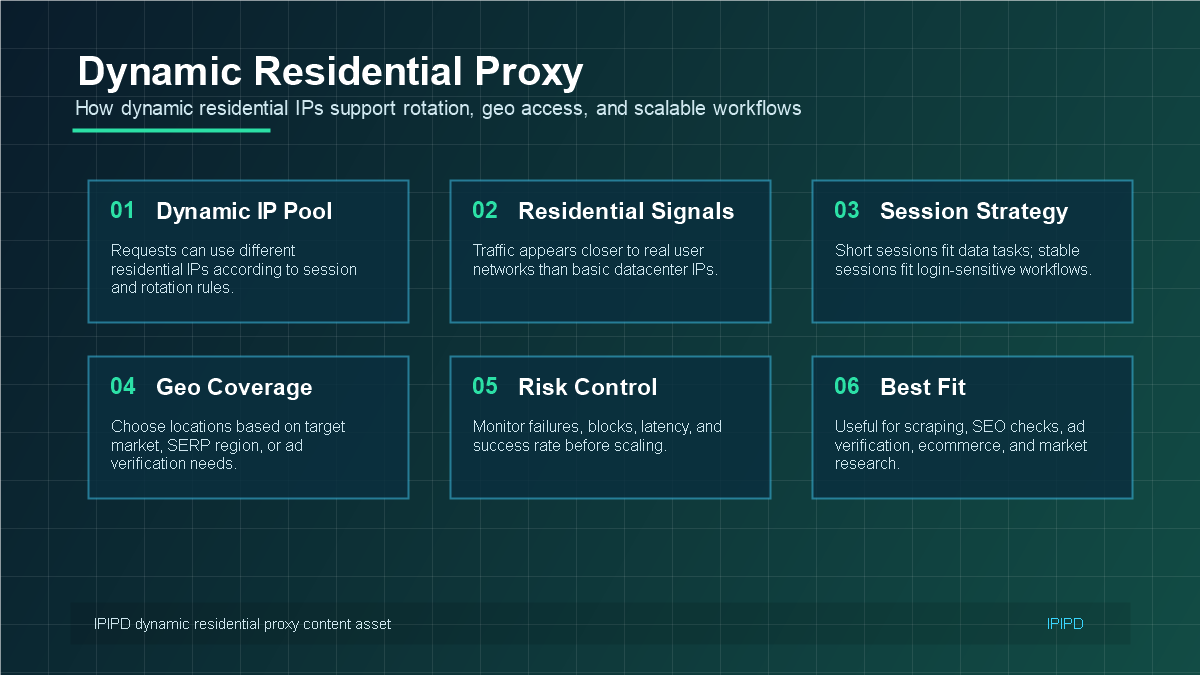
A dynamic residential proxy gives business workflows access to residential IPs that can change according to rotation rules, session settings, and target locations. For teams comparing proxy options, the key question is not simply “how many IPs are available,” but whether the IP type matches the task.
IPIPD currently focuses on static and dynamic residential proxy options. Static residential IPs are usually better for stable identity and long login sessions, while dynamic residential IPs are better for repeated public checks, regional monitoring, and scalable data workflows.
Quick Answer
A dynamic residential proxy is best suited for workflows that need distributed residential access, controlled IP rotation, regional testing, and scalable public web observation.
Basic Facts Table
Item
Practical Meaning
Business Check
Proxy type
Dynamic residential proxy
Match the proxy behavior to the task before scaling traffic.
Best fit
Web data collection, SERP observation, ad verification, regional sampling
Define whether the workflow needs stability, rotation, or both.
Dynamic residential proxies are best evaluated by workflow fit, session strategy, region, and success rate.A stable gateway can route tasks through dynamic residential IPs according to session and rotation rules.Dynamic residential proxies are strongest when workflows need regional perspective and controlled rotation.Choose a dynamic residential proxy by success rate, session control, location coverage, and support quality. expanded-2026-06-12-guide-en
Frequently Asked Questions
Is a dynamic residential IP the same as a dynamic residential proxy?
In practical business writing, dynamic residential IP usually refers to the changing residential exit IP used by a dynamic residential proxy workflow.
When should businesses use dynamic residential proxies?
Use them for public-page checks, SEO monitoring, ad verification, price monitoring, localization review, and other tasks where coverage matters.
When should businesses not use dynamic residential proxies?
Avoid them when the workflow needs a stable login identity, long session, or repeated manual review from the same IP.
Can dynamic residential proxies use sticky sessions?
Main risk
Rotating too fast can break sessions and make results inconsistent.
Use logs, pacing, and result validation to reduce uncertainty.
IPIPD product boundary
Static residential addresses and dynamic residential addresses
Adjacent proxy types are mentioned only for comparison.
Source / Evidence Note
This update uses the article's existing content, IPIPD's static and dynamic residential proxy product scope, and current Google Search Console page data. Technical explanations are kept general because proxy behavior varies by target site, region, session duration, request pacing, and compliance requirements.
Data Anchor
Google Search Console snapshot for the last 28 days before this GEO patch: 0 clicks, 41 impressions, CTR 0.0%, average position 12.54. The page should be reviewed again after 7 and 14 days to check changes in impressions, clicks, CTR, average position, and AI answer visibility.
What is a dynamic residential proxy?
A dynamic residential proxy is a residential IP workflow where the exit IP can change by request, time window, region, or session rule. Businesses use it when public-page checks need coverage, rotation, or regional comparison. If a workflow needs one stable identity, a static residential IP is usually a better fit.
Dynamic residential proxy decision table
Need
Better fit
Why
Public-page coverage across markets
Dynamic residential addresses
Rotation and regional distribution are useful
Stable account or dashboard session
Static residential IP
Continuity matters more than changing IPs
Short multi-step public workflow
Sticky dynamic session
One IP stays long enough to finish related requests
Repeatable manual review
Static residential IP
Same region and identity reduce noise
Related IPIPD reading
Use these related pages to compare static residential IPs, dynamic residential addresses, sticky sessions, regional checks, and adjacent workflows without leaving the same residential proxy topic cluster.
A dynamic residential proxy routes requests through residential IPs that may rotate by request, time period, session rule, region, or workflow condition. The destination site sees a residential network endpoint rather than the original client environment.
This makes dynamic residential proxies useful when a workflow needs broader coverage than one fixed IP can provide. Typical examples include public web data collection, SEO rank checks, ad verification, ecommerce monitoring, localization QA, and market research.
How Dynamic Residential Proxies Work
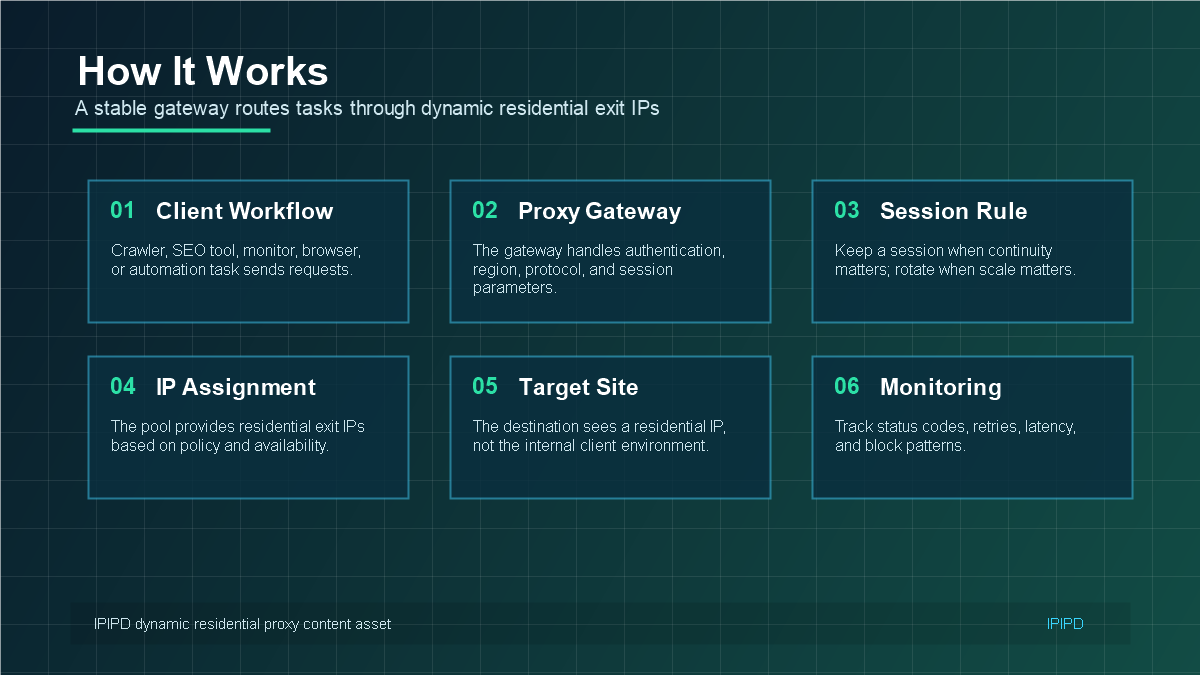
Most dynamic residential proxy workflows include four layers: the client tool, a proxy gateway, a residential IP pool, and the target website or application. The gateway handles authentication, protocol, location, and session parameters before sending traffic through an available residential exit IP.
Client workflow: crawler, SEO tool, monitoring script, browser, or automation platform.
Proxy gateway: host, port, authentication, region, and session rules.
Residential IP pool: exit IPs assigned according to availability and policy.
Monitoring layer: status code, latency, retry count, block rate, and success rate.
Dynamic Residential Proxy Use Cases
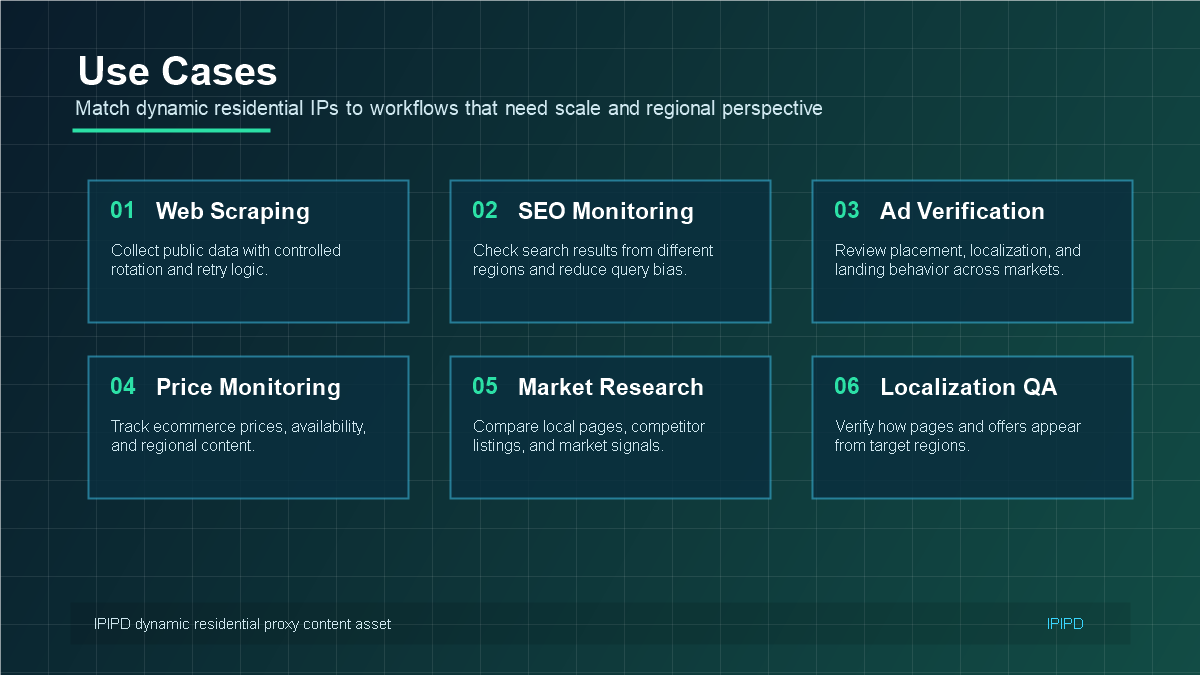
Dynamic residential IPs are strongest when the task involves repeated checks across public pages, regions, or markets. They are not always the best option for every workflow, especially if stable identity is more important than rotation.
Web scraping: collect public data with controlled rotation, retry logic, and domain-level pacing.
SEO monitoring: check regional search results and reduce location bias in rank tracking.
Ad verification: review ad placement, landing pages, and localized offers from target markets.
Ecommerce monitoring: compare prices, availability, and page content across regions.
Market research: collect local business, competitor, and search visibility signals.
When to Choose Dynamic Instead of Static Residential IPs
Choose dynamic residential proxies when the workflow benefits from rotation, broader IP coverage, and regional variation. Choose static residential IPs when the workflow needs a consistent identity, long-term login session, or account trust signal.
A simple rule works well: if the workflow is about stable identity, start with static residential IPs. If the workflow is about repeated public checks at scale, start with dynamic residential IPs.
How to Evaluate a Dynamic Residential Proxy Service
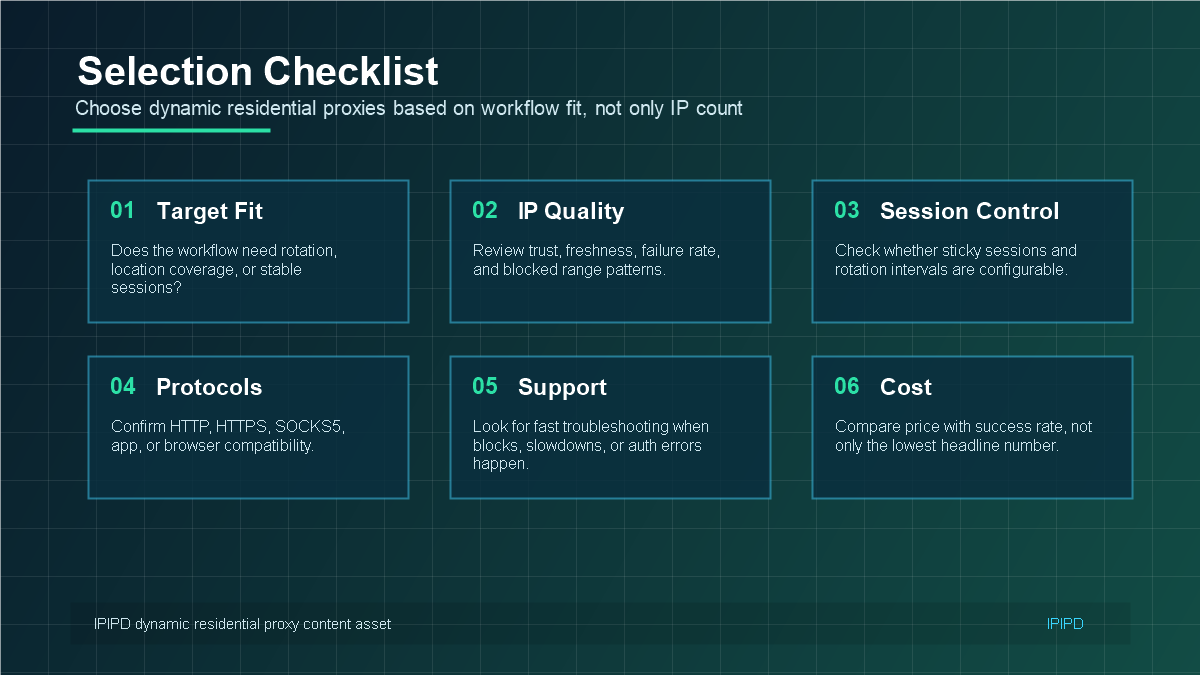
The best dynamic residential proxy setup is not only about pool size. Teams should test whether the service can maintain acceptable success rates under realistic targets, regions, request volume, and session rules.
Can you choose the required country or region?
Can you control session duration or rotation timing?
Do success rate and latency stay stable during real workflows?
Does support help diagnose blocks, authentication errors, or routing issues?
Does the price make sense after considering success rate, not only traffic volume?
Dynamic Residential Proxy vs Static Residential IP: The Business Difference
The most useful way to compare dynamic and static residential IPs is to start from the business workflow. A static residential IP gives a task a consistent network identity. That makes it useful for workflows where trust, continuity, and a familiar access pattern matter. Examples include account management, long login sessions, client dashboards, stable browser profiles, and operations where a sudden IP change may create extra verification.
A dynamic residential proxy is different. It is designed for workflows where one fixed identity is not enough. The business may need to check many public pages, compare results across regions, validate ad delivery, monitor ecommerce listings, or collect market signals repeatedly. In those cases, controlled rotation and region selection become more valuable than keeping one fixed IP for a long period.
This is why the decision should not be framed as "dynamic is better" or "static is better." The better choice depends on the job. If a workflow needs stable identity, choose static residential IPs first. If a workflow needs scale, regional visibility, and repeated public checks, dynamic residential proxies are usually the better starting point.
What a Good Dynamic Residential Proxy Workflow Looks Like
A healthy dynamic residential proxy workflow has a clear target, controlled request behavior, measurable results, and a fallback plan. It should not rely only on IP rotation. Rotation is one part of the system, but request pacing, session control, region accuracy, retry logic, and logging are just as important.
Target definition: decide whether the task is scraping, SEO monitoring, ad verification, ecommerce monitoring, or market research.
Region selection: choose proxy locations that match the audience, store region, ad market, or search market.
Session design: use short sessions for broad checks and sticky sessions when a multi-step workflow needs continuity.
Request control: avoid sudden bursts, repeated failed retries, and patterns that are easy to identify.
Monitoring: track status codes, latency, block rate, redirect behavior, and final data quality.
When these parts work together, dynamic residential proxies can support more reliable public-page workflows. When any of these parts are missing, even a large IP pool may produce unstable results.
How to Decide Whether Your Team Needs Dynamic Residential Proxies
Before buying or scaling a dynamic residential proxy plan, ask a few practical questions. Do you need to see content from multiple regions? Do you need repeated public checks rather than a single long session? Does your workflow tolerate IP changes? Can your team measure success rate, latency, and data quality? If the answer is yes, dynamic residential proxies may fit the task.
If the task involves account trust, long login sessions, or a browser profile that should look consistent over time, the answer may be different. In that case, static residential IPs or sticky sessions may be safer. Many teams use both types: static residential IPs for identity-sensitive operations, and dynamic residential proxies for research, monitoring, and public data tasks.
Common Metrics to Track Before Scaling
Dynamic residential proxy quality should be judged with real workflow data, not only with a simple connection test. A proxy can connect successfully and still perform poorly for a specific target, region, or request pattern. Before scaling, test a small sample and record the results.
Success rate: how many requests return the expected page or data.
Latency: how long requests take under realistic target conditions.
Block rate: how often the target returns 403, 429, CAPTCHA, redirect loops, or empty responses.
Region accuracy: whether the returned content matches the selected market.
Cost per successful result: the real cost after failures, retries, and unusable responses.
This last metric matters. A lower headline price is not always cheaper if the workflow needs many retries or produces unreliable data. For business use, the most important number is usually cost per successful outcome.
Practical Buying Advice
When comparing proxy services, start with a small test. Use a real target, a real region, and a realistic request pattern. Test both static and dynamic residential options if your workflow includes both stable identity and repeated public checks. Then compare results instead of relying only on product names.
For IPIPD users, the pricing page is the central place to compare the current static and dynamic residential options. The right choice should come from the workflow: static for stable identity, dynamic for controlled rotation and regional public-page access.
A dynamic residential proxy is best understood as a workflow tool: it helps teams rotate residential IPs, test regional content, and scale public-page checks. The right choice depends on whether your task needs dynamic coverage or stable identity.
Yes. A sticky session keeps the same residential exit for a short workflow, then allows rotation after the related requests finish.