A static residential proxy gives a business workflow a consistent residential IP identity. Unlike dynamic residential proxies, which are designed for controlled rotation and broad public-page checks, static residential IPs are best for workflows that need continuity, account trust, and repeatable access patterns.
Static Residential Proxy Definition
A static residential proxy is a stable residential IP identity used for workflows that should keep the same network address over time. Businesses use it when login continuity, browser profile consistency, account trust, dashboard access, or long sessions matter more than rotating through many IPs. It is different from a dynamic residential proxy, which is designed for scale, coverage, and controlled IP rotation.
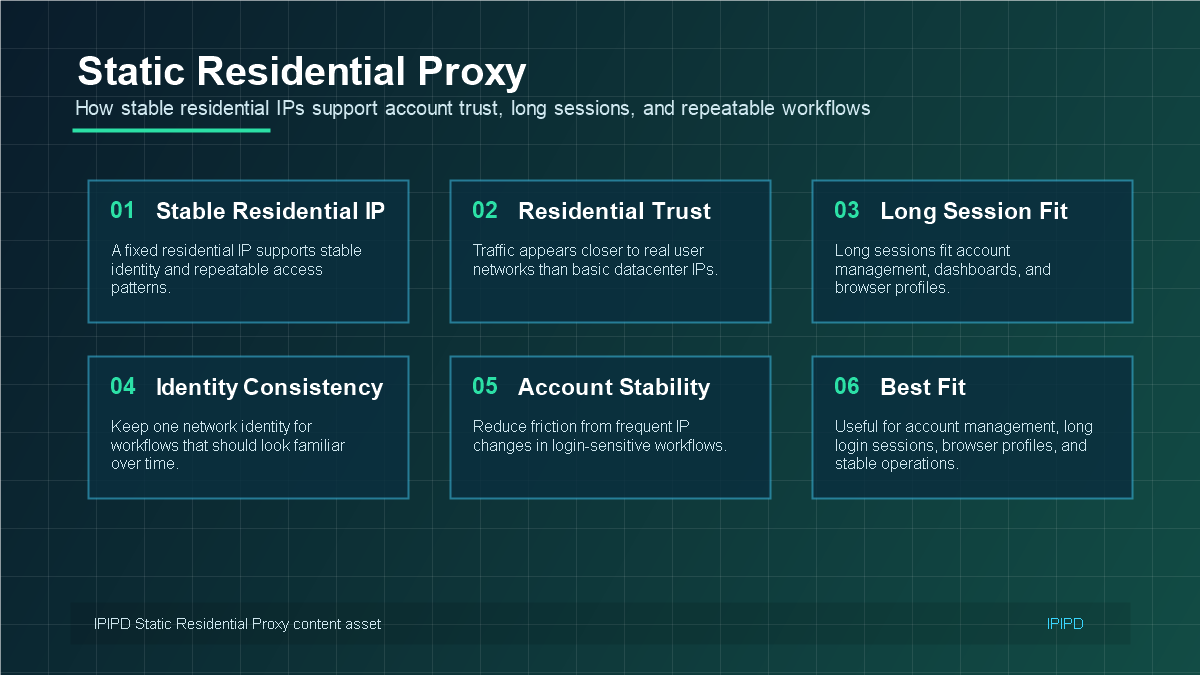
Static residential proxies are best evaluated by stability, identity consistency, and workflow fit.A fixed residential IP keeps the network identity consistent across repeated sessions.Static residential IPs fit workflows where continuity matters more than broad rotation.Choose a static residential proxy by identity needs, region, duration, compatibility, and support.
Quick Answer
A static residential proxy is best suited for workflows that need a stable residential network identity, such as account access, repeated checks, and long-session tasks.
Basic Facts Table
Item
Practical Meaning
Business Check
Proxy type
Static residential proxy
Match the proxy behavior to the task before scaling traffic.
Define whether the workflow needs stability, rotation, or both.
Main risk
Overusing one fixed address can create rate-limit or reputation risk.
Use logs, pacing, and result validation to reduce uncertainty.
IPIPD product boundary
Static residential addresses and dynamic residential addresses
Adjacent proxy types are mentioned only for comparison.
Source / Evidence Note
This update uses the article's existing content, IPIPD's static and dynamic residential proxy product scope, and current Google Search Console page data. Technical explanations are kept general because proxy behavior varies by target site, region, session duration, request pacing, and compliance requirements.
Data Anchor
Google Search Console snapshot for the last 28 days before this GEO patch: 1 clicks, 22 impressions, CTR 4.55%, average position 13.09. The page should be reviewed again after 7 and 14 days to check changes in impressions, clicks, CTR, average position, and AI answer visibility.
For IPIPD users, the decision should start with the task. Choose static residential IPs for stable account and session workflows. Choose dynamic residential addresses for public-page checks, SEO monitoring, ad verification, and regional testing where broader rotation is useful.
Static Residential Proxy vs ISP Proxy
In many buying conversations, static residential proxy and ISP proxy are used as overlapping terms. The exact network architecture can differ by provider, but the business question is the same: does the proxy give the workflow a stable residential-style identity that can be reused over time? If the answer is yes, the proxy fits account continuity and long-session tasks better than high-volume rotation tasks.
Static Residential Proxy vs Rotating Residential Proxy
Decision point
Static residential proxy
Rotating or dynamic residential proxy
IP behavior
Stable IP used repeatedly
IP changes by request, time, or rule
Best fit
Accounts, dashboards, browser profiles, long sessions
Public-page checks, SEO monitoring, ad verification, regional coverage
Main value
Continuity and identity consistency
Scale, distribution, and coverage
Risk if misused
Too little scale for large public checks
Broken sessions and login friction
Buying metric
Cost per stable workflow
Cost per usable public result
When Businesses Should Use Static Residential Proxies
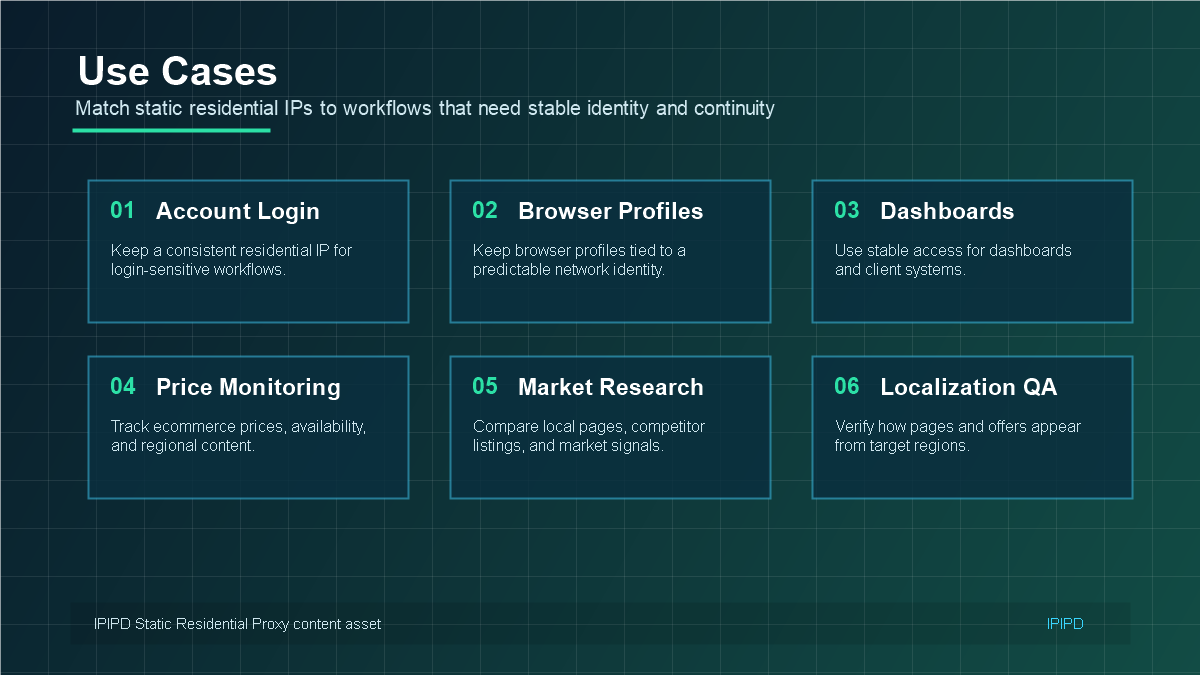
Static residential proxies are strongest in account-sensitive workflows. Common examples include ecommerce seller dashboards, social media account operations, SaaS admin panels, customer support dashboards, browser profiles, payment-adjacent reviews, and regional manual checks. The shared requirement is continuity: the same account or profile should not appear to come from a different network identity every time it is used.
When Not to Use Static Residential Proxies
Static residential proxies are not the first choice for every proxy task. If the workflow needs high-volume public web scraping, thousands of search result checks, broad ad verification coverage, or frequent region switching, dynamic residential proxies usually fit better. A static IP can be excellent for one stable workflow and inefficient for a rotation-heavy workflow.
IPIPD currently focuses on static and dynamic residential proxy options. You can compare both on the IPIPD pricing page. The practical rule is simple: use static residential IPs when identity stability matters, and use dynamic residential proxies when scale and rotation matter.
What Is a Static Residential Proxy?
A static residential proxy uses a residential IP that remains stable for a longer period. The goal is not to change IPs frequently. The goal is to make the network identity predictable across logins, browser profiles, dashboards, and other workflows where repeated identity changes can create friction.
This is why static residential proxies are often discussed together with ISP proxies, dedicated residential IPs, and long-session proxy setups. The exact product naming may vary by provider, but the business logic is similar: keep the IP stable enough for workflows that expect continuity.
For IPIPD users, the important distinction is between static residential addresses and dynamic residential addresses. A static residential IP is not the best fit for every task, but it is the right fit when the task depends on account trust and a consistent network environment.
How Static Residential Proxies Work
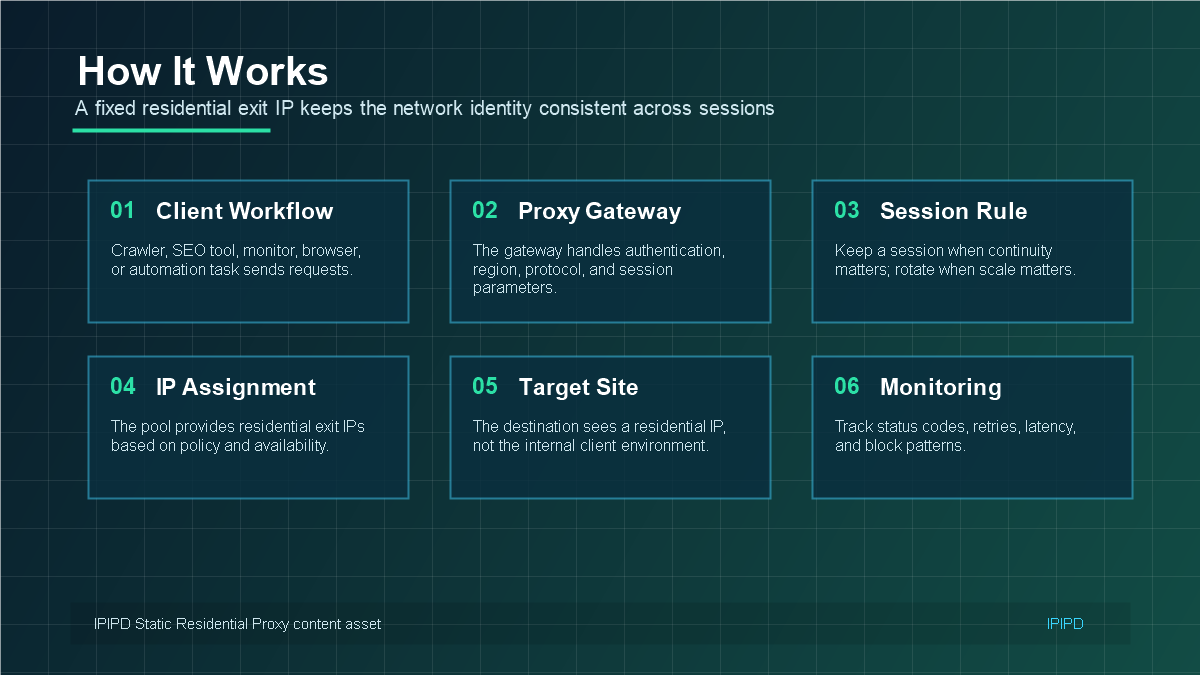
A static residential proxy workflow usually includes a client environment, proxy authentication, a fixed residential exit IP, and a target service. The client environment might be a browser profile, account dashboard, social platform, CRM, ecommerce backend, or other long-session workflow.
Client environment: browser profile, app, dashboard, or business tool.
Authentication: username and password, whitelist, port, protocol, or gateway configuration.
Fixed residential IP: a stable exit identity used repeatedly over time.
Target service: the account, dashboard, platform, or page that expects continuity.
Monitoring: login prompts, verification frequency, latency, region consistency, and access errors.
The fixed IP does not remove the need for good account hygiene. Browser fingerprints, cookies, login history, region, device profile, and request behavior still matter. A static residential IP simply reduces one major source of instability: frequent network identity changes.
Best Use Cases for Static Residential Proxies
Static residential proxies work best when the workflow benefits from a familiar IP identity. They are not only for technical users. Marketing teams, account operators, ecommerce teams, agencies, and support teams may all need stable access to platforms that are sensitive to sudden network changes.
Account management: maintain a consistent network identity for recurring account operations.
Long login sessions: reduce friction caused by frequent IP changes.
Browser profiles: keep a profile tied to a predictable residential IP and region.
Client dashboards: access dashboards and backend tools with fewer identity changes.
Social media operations: reduce risk from unstable login environments.
Regional access consistency: keep the same country or region for recurring workflows.
Static Residential Proxy vs Dynamic Residential Proxy
Static and dynamic residential proxies should not compete for the same job. Static residential IPs solve a continuity problem. Dynamic residential proxies solve a scale and coverage problem. If a workflow needs repeated public checks, dynamic residential proxies may be more efficient. If a workflow needs a stable account environment, static residential IPs are usually safer.
This difference is especially important for account-related work. A login-sensitive workflow may react badly to frequent IP changes, even if every IP is residential. A static residential IP keeps the network identity more consistent, which can reduce unnecessary verification prompts and make the workflow easier to manage.
How to Choose a Static Residential Proxy
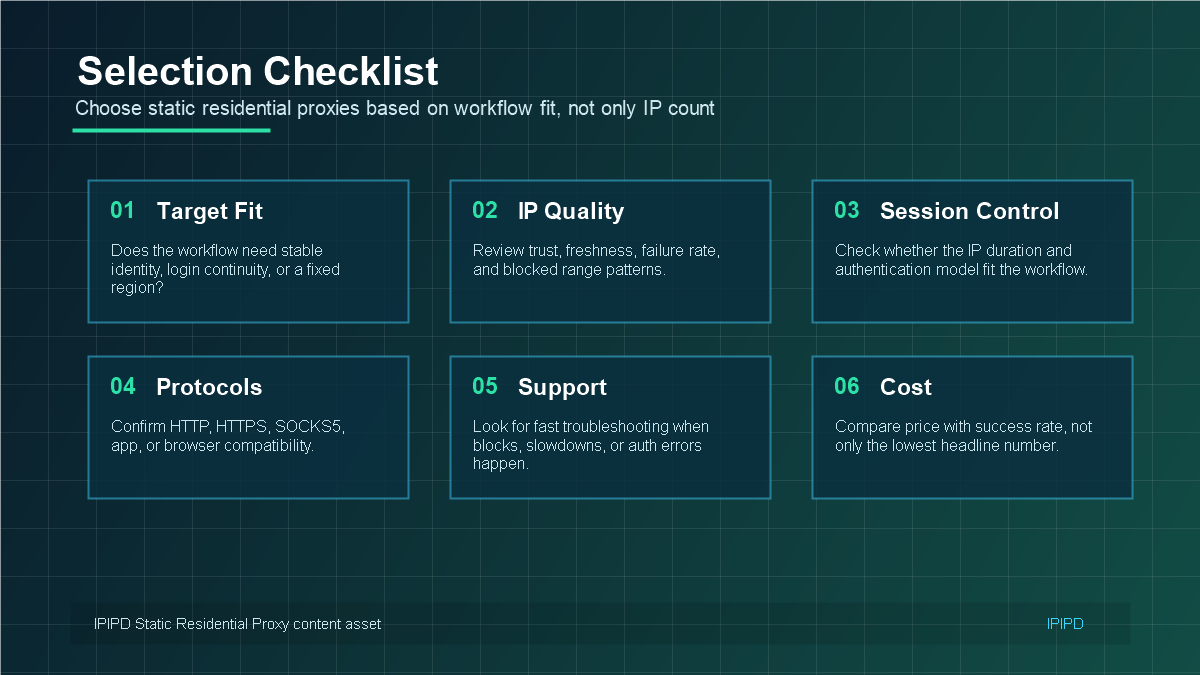
Choosing a static residential proxy is not just about buying one IP. The IP has to match the region, account type, session duration, protocol, browser setup, and support requirements. A good selection process starts with the workflow, not with the cheapest price.
Region fit: choose the country or city that matches the account or workflow.
Duration: confirm whether the IP stability period fits the business cycle.
Authentication: check username, password, whitelist, protocol, and port requirements.
Compatibility: test with browsers, apps, dashboards, and automation tools before scaling.
Support: make sure you can get help when login prompts, slow access, or region issues appear.
Cost per stable workflow: compare price with reduced friction, not only traffic volume.
Internal Resources for Static Residential Proxy Planning
A static residential proxy is the better option when the business workflow needs stable identity, long sessions, and repeatable access. It is not a replacement for dynamic residential proxies; it is the right tool for a different job. When continuity matters more than rotation, static residential IPs should be the first option to test.
How Static Residential IPs Fit Real Business Workflows
In a real team, a static residential proxy is rarely purchased for the IP alone. It is purchased to make a workflow easier to operate. A customer support team may need stable access to a regional dashboard. An ecommerce team may need to review seller accounts without changing the network environment every day. A marketing team may need to maintain browser profiles for social or advertising platforms. In each case, the key requirement is not maximum IP volume; it is continuity.
This is why static residential proxies should be evaluated from the business process backward. Start with the account, the platform, the target region, the session length, and the person or tool that will operate the workflow. Only then decide how many static IPs are required. Buying too many IPs without mapping them to accounts can create confusion, while buying too few can force different accounts to share the same network identity when they should not.
For readers who are new to the general proxy concept, the Wikipedia proxy server overview is useful background. In SEO and account operations, however, the practical question is narrower: does the workflow need a stable residential identity, or does it need broad rotation? Static residential IPs are strongest when the answer is stable identity.
Evaluation Criteria Before You Buy
Identity continuity: confirm whether the same account, browser profile, or dashboard needs the same IP over time.
Region logic: choose the region that matches the account history, customer market, or operating team.
Session length: define whether the workflow needs hours, days, weeks, or longer periods of consistency.
Operational ownership: decide who manages account-to-IP mapping, credential storage, and exception handling.
Fallback plan: prepare what happens if an IP becomes slow, blocked, or no longer matches the workflow.
Common Buyer Questions
A common mistake is asking, "How many IPs do I need?" before defining the workflow. A better question is, "How many stable identities do I need to operate safely?" If one browser profile controls one account, the cleaner model is often one static residential IP for that profile. If one team only needs stable access to a dashboard, a smaller number of shared static IPs may be enough.
Another question is whether static residential proxies should be mixed with dynamic residential proxies. They can be used in the same company, but they should not be mixed randomly inside the same account-sensitive workflow. Use static residential IPs where continuity matters, and use dynamic residential proxies for public-page checks, SEO monitoring, ad verification, and regional testing where rotation is part of the task.
Practical Implementation Notes
The cleanest implementation uses a simple mapping table: account, browser profile, assigned IP, region, purpose, start date, and notes. This lightweight record prevents accidental switching and makes troubleshooting much faster. If a verification prompt appears, the team can check whether the IP changed, whether the browser profile changed, or whether the target platform changed its own rules.
Static residential proxies are not a shortcut around platform rules. They are infrastructure for stable access. Teams should still respect target-site terms, avoid abusive request patterns, and keep operations aligned with normal business usage. Used correctly, the value is not only access success; it is lower operational friction and clearer diagnosis when something changes.
Frequently Asked Questions
What is a static residential proxy?
A static residential proxy is a proxy connection that uses a residential-style IP address and keeps that IP stable over time, making it useful for business workflows that need a consistent network identity.
When should a business use a static residential proxy?
A business should use a static residential proxy when account login continuity, browser profile consistency, dashboard access, or long-session stability matters more than large-scale IP rotation.
Is a static residential proxy the same as an ISP proxy?
Many providers use the terms closely, but the practical buyer question is whether the IP behaves like a stable residential identity and whether it fits the account or session workflow.
Static residential proxy vs rotating residential proxy: which is better?
Static residential proxies are better for stable identity and long sessions. Rotating or dynamic residential proxies are better for public-page checks, SEO monitoring, ad verification, and broader regional coverage.
When should I not use static residential proxies?
Do not choose static residential proxies for high-volume public scraping, large multi-region SERP checks, or workflows where frequent IP rotation is the core requirement.
How should IPIPD users test static residential IPs?
Test with the real browser profile, target region, login workflow, session length, and error metrics before assigning static residential IPs to production accounts.