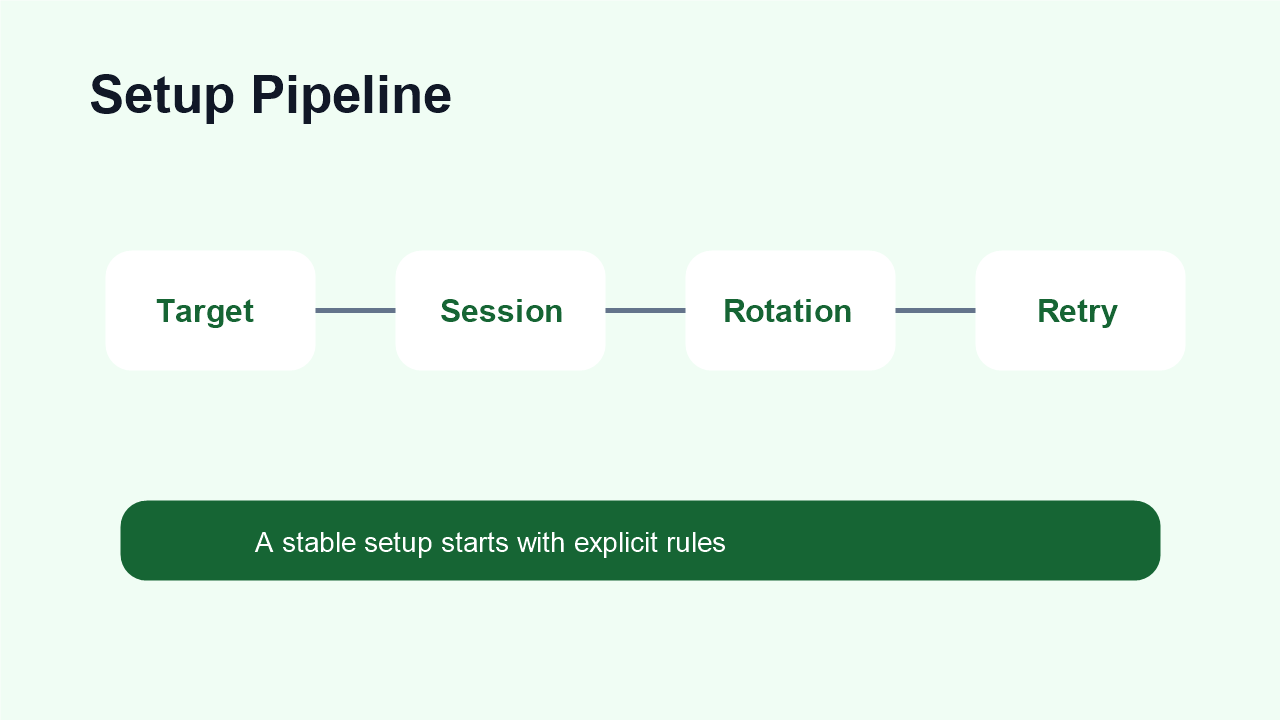
Web scraping proxy setup should start before the first request is sent. Many scraping failures are blamed on the proxy, but the real cause is often unclear sessions, aggressive request rhythm, missing retry logic, weak headers, or using rotation where continuity is needed. A better setup treats proxies as one part of a complete data collection workflow.
Use dynamic residential addresses when the workflow needs distributed residential access, controlled IP rotation, regional sampling, and scalable public-page observation.
Basic Facts Table
Item
Practical Meaning
Business Check
Proxy behavior
Static residential addresses provide continuity; dynamic residential addresses provide distributed coverage.
Choose by workflow, not by proxy label alone.
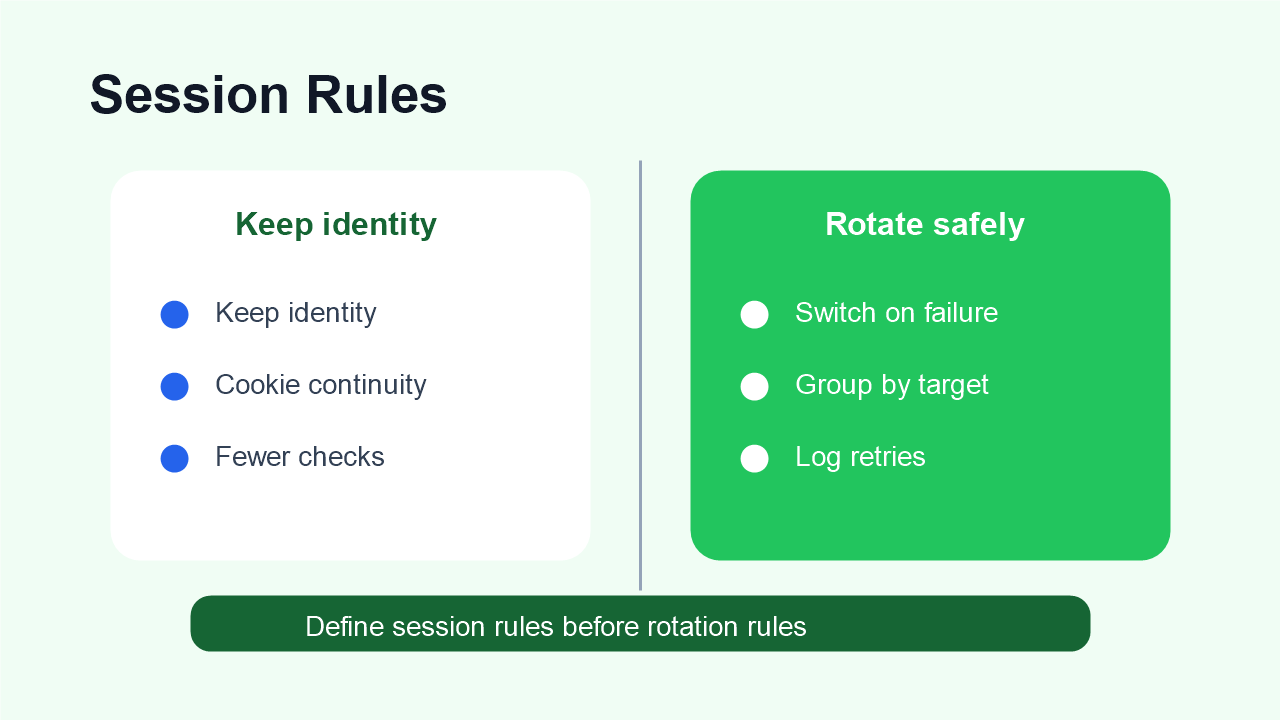
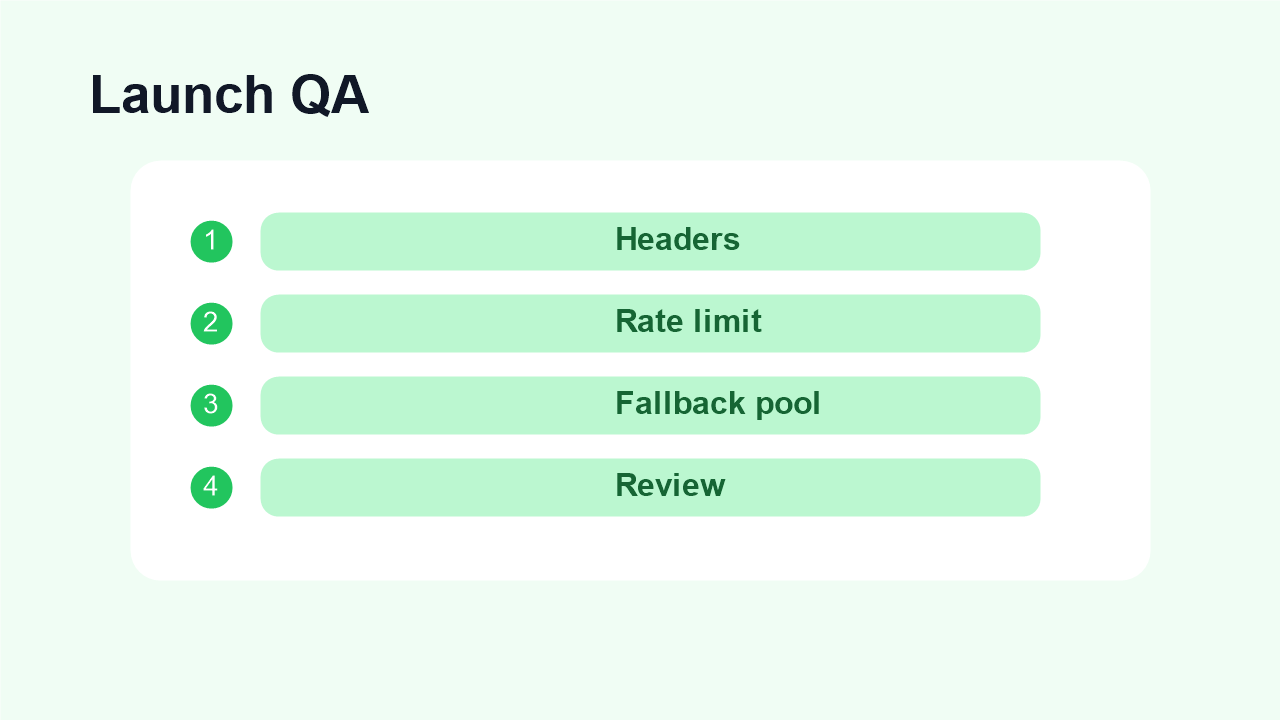
Define session and rotation rules before tuning headers, request rhythm, and retries.Different scraping tasks need different proxy behavior.Use a launch checklist for location, session, failure rate, and data quality.
Frequently Asked Questions
Should web scraping proxies rotate every request?
Only when that matches the task. Many crawls work better with rotation by page group, region, time window, or failure threshold.
When should scraping use sticky sessions?
Use sticky sessions for pagination, short multi-step journeys, and workflows where related requests need the same network identity.
When should scraping use static residential IPs?
Use static residential IPs for login-based dashboards, manual review, or workflows where account continuity matters more than broad coverage.
What labels should scraping logs include?
Best fit
Stable sessions, public data checks, regional review, or evidence collection depending on the task.
Define session length, target region, and success condition before scaling.
Review logs, screenshots, status codes, and completed workflow cost.
IPIPD boundary
Static residential addresses and dynamic residential addresses
Adjacent proxy types are comparison context, not IPIPD product claims.
Source / Evidence Note
This update uses the article's original content, IPIPD's current static and dynamic residential address product scope, and Google Search Console page data. Proxy performance varies by target website, region, session duration, browser profile, request pacing, and compliance requirements, so the page avoids fixed success-rate claims.
Data Anchor
Google Search Console snapshot before this combined CTR and GEO update: 0 clicks, 1 impressions, CTR 0.0%, average position 3.0. Review again after 7 and 14 days for impressions, clicks, CTR, average position, Google indexing status, and AI answer mentions.
How should a web scraping proxy setup work?
A web scraping proxy setup should separate public page crawling from session-based workflows. Dynamic residential addresses fit public crawling, regional checks, and distributed requests. Sticky sessions help short multi-step paths. Static residential IPs fit login-based or manual review workflows where continuity matters.
Web scraping proxy setup table
Workflow
Proxy behavior
Operational rule
Public catalog or listing crawl
Dynamic residential rotation
Rotate by page group, region, or failure threshold
Pagination or short journey
Sticky session
Keep one IP until the related request chain ends
Login-based dashboard
Static residential IP
Keep account, browser profile, and region stable
Failed requests
Controlled retry
Label timeout, block, captcha, wrong region, and content mismatch
Related IPIPD reading
Use these related IPIPD pages to compare static residential IPs, dynamic residential addresses, pricing, and adjacent workflows without leaving the same topic cluster.
Before configuring a proxy, define what a successful result means. A 200 status code is not always enough. The page may be incomplete, localized to the wrong region, blocked behind a soft challenge, or missing important data. Write down the target pages, required region, expected fields, acceptable latency, and maximum retry rate.
This step decides proxy type. Public regional checks usually point to dynamic residential proxies. Logged-in pages, account dashboards, or long-session browser workflows may require static residential IPs. Do not decide by price or IP count first; decide by workflow behavior.
Step 2: plan sessions and rotation
Rotation should be controlled, not random. Rotate too often and sessions break. Rotate too slowly and one IP may carry too much repetitive behavior. For public pages, a dynamic residential proxy strategy can rotate by target group, request count, time window, or failure event. For account-related workflows, keep the IP stable unless there is a clear recovery plan.
By request count: useful for broad public-page checks.
By time window: useful when the target tolerates short repeated sessions.
By target domain: keeps one target from polluting another workflow.
By failure event: rotate only after block, timeout, or quality failure.
Step 3: tune headers, rhythm, and retries
Headers do not replace a good proxy, but weak request behavior can waste good IPs. Keep User-Agent, language, referer, cookies, and timing consistent with the workflow. Avoid sending identical requests at machine-like intervals. Add reasonable delays, backoff, and retry limits so the scraper reacts to failure instead of amplifying it.
Retry logic should classify failures. A timeout, a 403, a CAPTCHA page, a wrong-region page, and an incomplete HTML response need different actions. Some failures need a slower rhythm. Some need a different region. Some need a new proxy session. Some mean the target should be removed from that workflow.
Step 4: test before scaling
Run a small pilot before increasing request volume. Track status codes, latency, retry count, region accuracy, content completeness, and final usable result rate. Compare the results against IPIPD pricing and decide whether the workflow needs dynamic residential coverage, static residential continuity, or a narrower target list.
Before production, document the exact proxy parameters used by the workflow: country, city if needed, protocol, authentication method, session rule, rotation trigger, timeout, retry limit, and the owner responsible for reviewing failures. Without this record, teams often change several variables at once and lose the ability to explain why results improved or declined.
A production setup should also separate experiments from stable jobs. Do not test a new rotation strategy on the same target list used for daily reporting. Keep a small experiment group, compare it with the stable group, and only promote the change when usable result rate improves without increasing support work. This keeps SEO monitoring, ecommerce checks, and market research workflows predictable.
Example setup for an SEO monitoring workflow
For an SEO rank tracking workflow, start with a keyword list, a target region, and a fixed schedule. Use dynamic residential proxies when the goal is to check public search results from multiple locations. Keep the request rate conservative, group retries by region, and mark any response that shows the wrong location or an unusual challenge page as a quality failure rather than a normal success.
For an account-backed dashboard or internal tool, the setup is different. Use a stable residential identity, keep browser and session signals consistent, and avoid rotating IPs during the same login flow. The same company may use both approaches, but each workflow should have its own proxy rule, success metric, and failure log.
Summary
A strong web scraping proxy setup is built around target fit, session control, rotation rules, realistic headers, and failure handling. The proxy is important, but the workflow around it decides whether the data is stable enough to use.
Useful labels include timeout, block page, captcha, wrong region, empty content, redirect loop, session reset, and usable result.