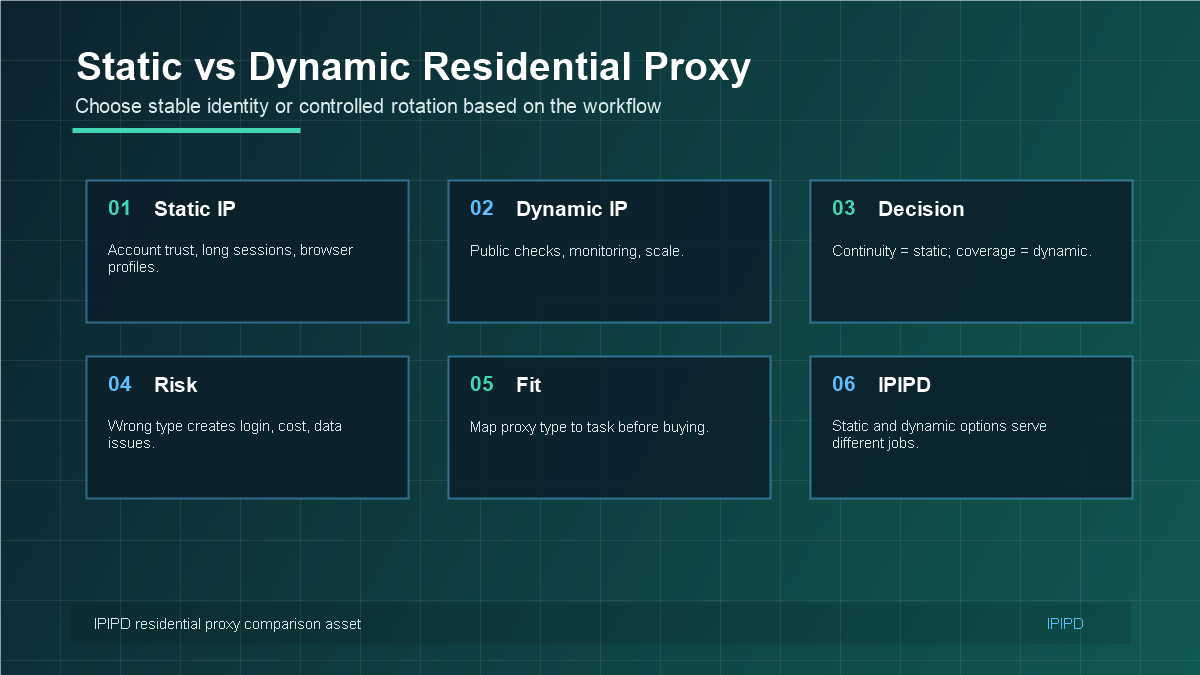
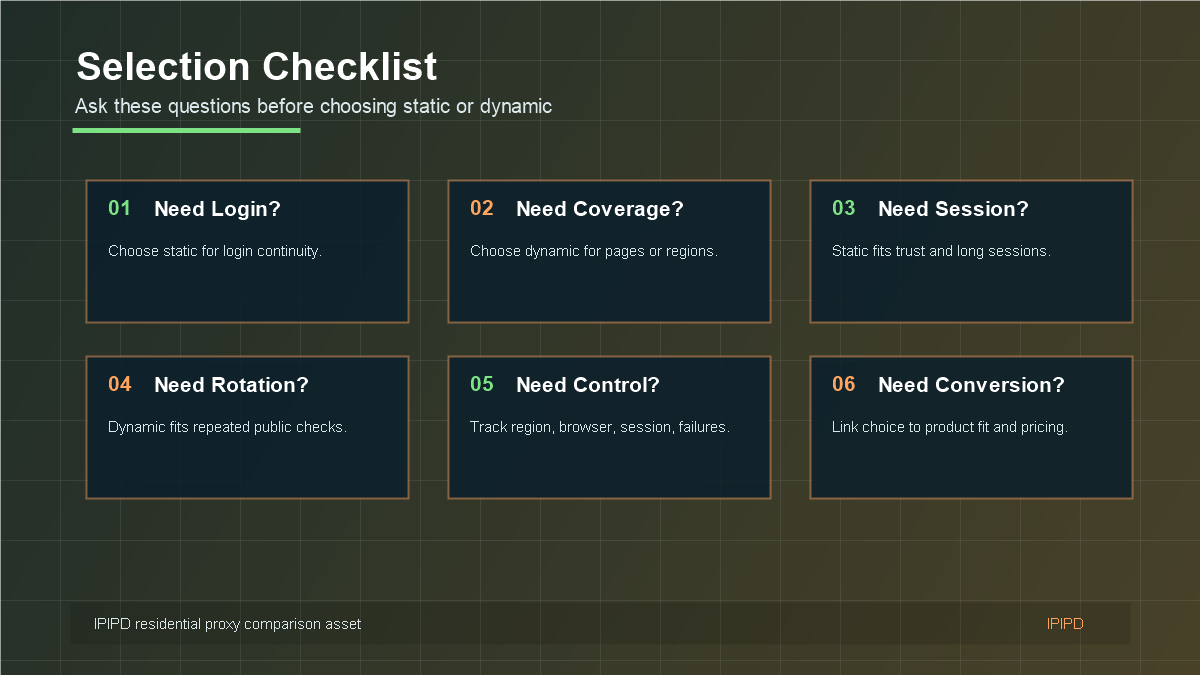
The question of static vs dynamic residential proxy is not about which option is universally better. It is about which IP behavior matches the workflow. Static residential proxies keep a more consistent residential identity. Dynamic residential proxies support controlled rotation, broader coverage, and repeated public checks.
IPIPD currently focuses on static residential addresses and dynamic residential addresses. You can compare the available options on the IPIPD residential proxy pricing page. For broader proxy terminology, the Wikipedia proxy server overview is useful background, but the buying decision should come back to workflow fit.
Choose static or dynamic residential proxies by workflow, not by buzzword.A practical matrix helps separate continuity tasks from rotation tasks.Static and dynamic residential IPs can work together when each layer has a clear role.Ask the right questions before choosing a proxy plan.
Quick Answer
Use static residential addresses when the workflow needs a stable network identity, repeated regional checks, long sessions, or account-adjacent review.
Basic Facts Table
Item
Practical Meaning
Business Check
Proxy behavior
Static residential addresses provide continuity; dynamic residential addresses provide distributed coverage.
Choose by workflow, not by proxy label alone.
Best fit
Stable sessions, public data checks, regional review, or evidence collection depending on the task.
Define session length, target region, and success condition before scaling.
Review logs, screenshots, status codes, and completed workflow cost.
IPIPD boundary
Static residential addresses and dynamic residential addresses
Adjacent proxy types are comparison context, not IPIPD product claims.
Source / Evidence Note
This update uses the article's original content, IPIPD's current static and dynamic residential address product scope, and Google Search Console page data. Proxy performance varies by target website, region, session duration, browser profile, request pacing, and compliance requirements, so the page avoids fixed success-rate claims.
Data Anchor
Google Search Console snapshot before this combined CTR and GEO update: 0 clicks, 56 impressions, CTR 0.0%, average position 55.16. Review again after 7 and 14 days for impressions, clicks, CTR, average position, Google indexing status, and AI answer mentions.
The Simple Rule: Continuity or Coverage
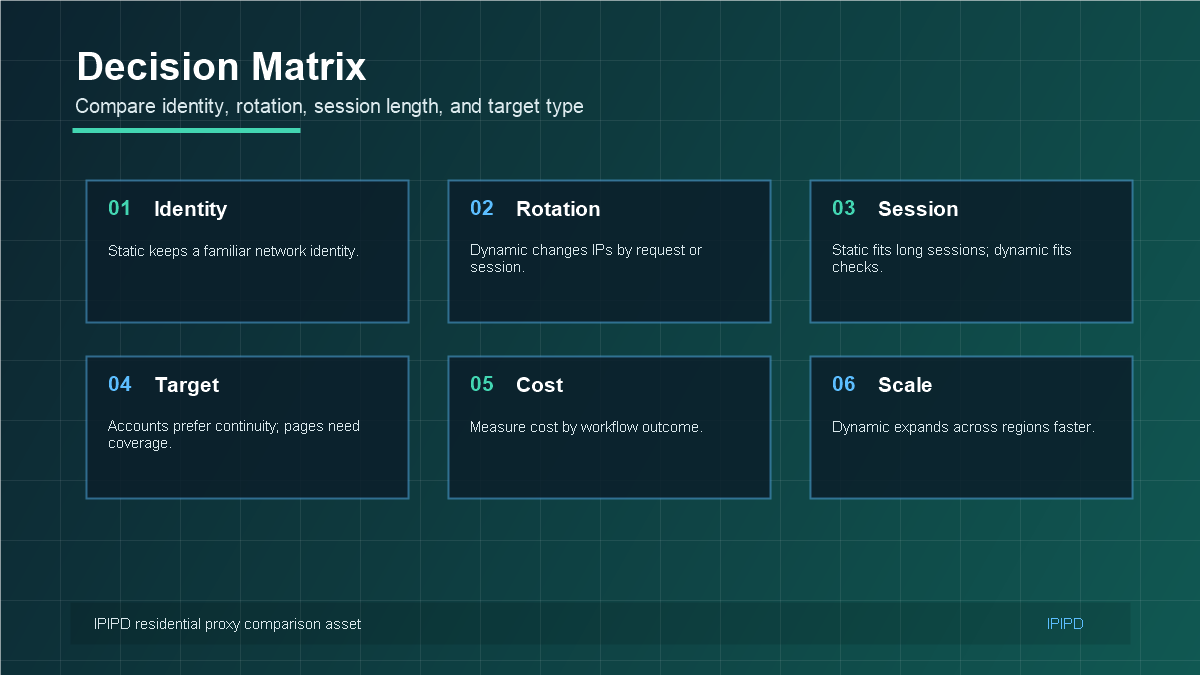
If a workflow depends on account trust, browser profile continuity, long sessions, dashboard access, or a stable login environment, static residential IPs are usually the first option to test. If a workflow depends on checking many public pages, comparing regions, monitoring SERPs, validating ads, or collecting market signals, dynamic residential proxies are usually more efficient.
This rule is important because both products can be called residential proxies, yet they solve different problems. A residential IP alone does not tell you whether the IP should remain stable or rotate. The real decision is whether the business risk comes from too much change or too little coverage.
Static Residential Proxy Strengths
Stable identity: useful for accounts, browser profiles, dashboards, and long-session workflows.
Lower environment change: reduces friction from frequent network identity changes.
Cleaner mapping: one account or profile can be tied to one predictable IP and region.
Easier troubleshooting: when the IP stays stable, other variables are easier to isolate.
Business continuity: useful for teams that need repeatable access rather than large rotation.
Static residential proxies are not magic protection against every account problem. Browser fingerprints, cookies, timezone, language, device behavior, login habits, and target-platform rules still matter. A static IP mainly reduces one major source of instability: the network identity changing too often.
Dynamic Residential Proxy Strengths
Dynamic residential proxies are stronger when the task needs controlled rotation. Web scraping, SEO rank tracking, ad verification, ecommerce price monitoring, and market research often require many public checks across pages, locations, or time periods. In those tasks, using one static IP for everything can be slow, fragile, and expensive.
Dynamic residential proxies also make it easier to design rotation rules: rotate by request, rotate by session, rotate by time, or rotate by target domain. The goal is not random switching. The goal is controlled coverage with enough pacing, retry logic, and monitoring to keep results useful.
Workflow Map for Teams
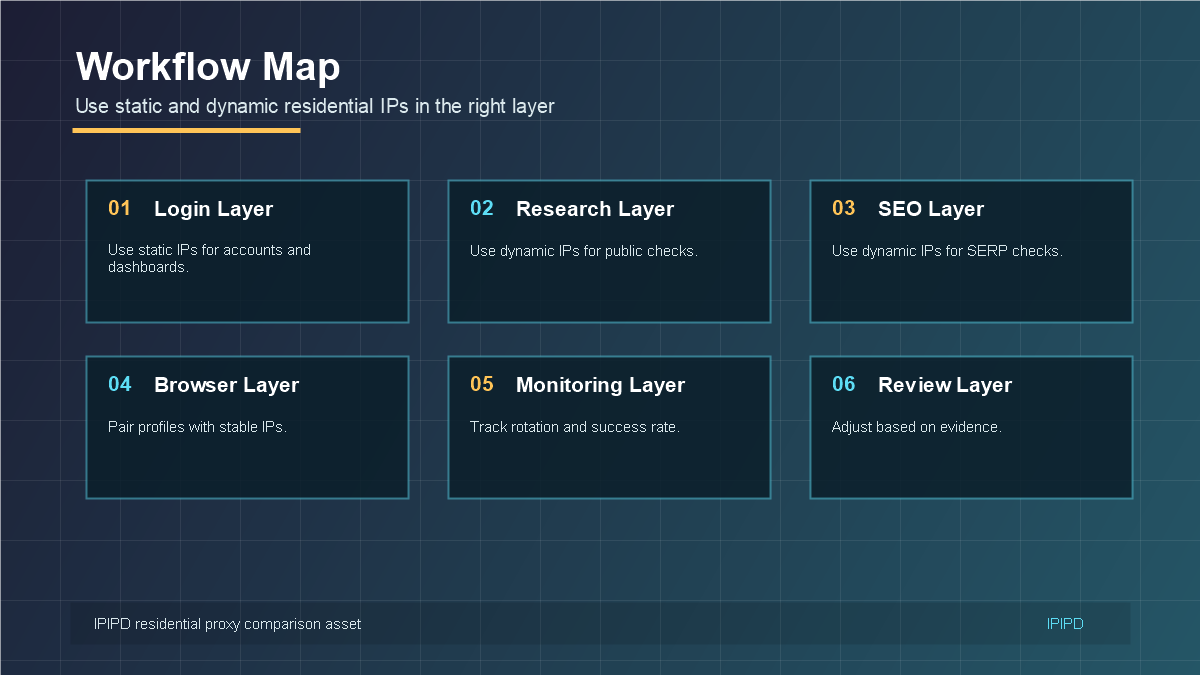
Many businesses need both static and dynamic residential proxies. The important part is separating the workflows. Account login should not be mixed with high-rotation public checks. Public monitoring should not be forced into a static-account model. A clean workflow map lets teams choose the right IP behavior for each layer.
Account layer: static residential IPs for logins, profiles, dashboards, and continuity.
Research layer: dynamic residential proxies for public-page checks and regional coverage.
SEO layer: dynamic residential proxies for SERP, rank, and location monitoring.
Browser layer: static IPs when the profile needs a stable environment.
Review layer: compare success rate, verification rate, latency, and cost by workflow.
How to Choose Before Buying
Before choosing static or dynamic residential proxies, write down the task in plain language. Does the workflow log in? Does it need the same region every time? Does it check many public pages? Does it need long sessions? Does it depend on browser profile consistency? These questions usually reveal the right product faster than comparing only IP quantity.
Static residential proxies are best when continuity matters. Dynamic residential proxies are best when coverage and controlled rotation matter. The right choice is not the most technical label; it is the proxy behavior that matches the business workflow, risk profile, and measurement goal.
Buyer Intent: How the Searcher Usually Thinks
People searching for static vs dynamic residential proxy are usually not looking for an abstract networking lecture. They are trying to avoid a wrong purchase. Some users have account login issues and wonder whether a stable IP will reduce friction. Others are collecting public data and wonder whether a rotating residential pool will improve coverage. The article should meet both intents without pretending the same answer fits every case.
This is also where IPIPD content can be more useful than generic proxy content. Instead of listing every proxy product in the industry, the page can focus on two real options: static residential addresses and dynamic residential addresses. That makes the article more honest and more likely to convert. The reader gets a practical decision framework and a direct path to the pricing page.
How to Test Static and Dynamic Proxies Side by Side
A fair comparison should test the same workflow with clear success metrics. For account work, test login stability, verification frequency, session length, dashboard loading, and recovery effort. For public monitoring, test successful page retrieval, location accuracy, block rate, latency, and retry cost. These metrics should not be mixed because the workflows have different goals.
For example, a static residential IP may look excellent in account management because it reduces unnecessary identity changes. The same IP may look weak in large-scale SERP monitoring because it does not provide enough regional coverage. A dynamic residential proxy may perform well for rank checks but create friction for a browser profile that expects continuity. Testing must reflect the job the proxy is hired to do.
Cost Is Also Workflow-Specific
Cost comparison is often misleading when users only compare headline price. A static residential IP should be measured by the cost of keeping a stable workflow running. A dynamic residential proxy should be measured by the cost of successful public checks across regions and targets. A cheaper plan can become expensive if it increases verification, blocks, manual recovery, or data cleanup.
Before buying, teams should estimate the real operating unit: one account profile, one dashboard, one market check, one scraping batch, or one SEO reporting cycle. This turns a vague proxy comparison into a business decision. The right product is the one that reduces the total cost of the workflow, not simply the one with the lowest visible price.
Operational Checklist for Static vs Dynamic Decisions
Before the team commits to a proxy type, create a short decision note. Write the workflow owner, target platform, required region, login requirement, expected session length, request volume, acceptable failure rate, and review date. This note does not need to be long, but it prevents the team from changing proxy strategy based on scattered opinions.
For a static residential workflow, the note should explain which account, browser profile, or dashboard will use the IP and why that identity should stay stable. For a dynamic residential workflow, the note should explain the rotation rule, target groups, retry policy, and region selection. This one-page habit makes later troubleshooting much easier.
What a Good Final Choice Looks Like
A good final choice has a clear sentence behind it. For example: "We use static residential IPs for these three account profiles because they need the same region and long login sessions." Or: "We use dynamic residential proxies for daily SERP checks because we need controlled coverage across multiple markets." If the team cannot write that sentence, the decision is probably not clear enough yet.
Final Review Before Publishing
Before publishing, review the article from the reader's point of view. The reader should leave with a clear next step: choose static residential IPs for stable identity, choose dynamic residential proxies for controlled coverage, or compare both on the pricing page when the workflow includes both needs. If that next step is not obvious, the article should be tightened before it goes live.
The final review should also check whether internal links are useful, whether the FAQ answers buyer questions directly, whether images explain real decisions, and whether the content stays aligned with IPIPD's actual static and dynamic residential address products.
Frequently Asked Questions
What is the main difference between static and dynamic residential proxies?
Static residential proxies keep a stable residential IP identity for longer workflows. Dynamic residential proxies rotate residential IPs for coverage, monitoring, and public-page checks.
When should I choose static residential proxies?
Choose static residential proxies for account management, browser profiles, dashboards, long sessions, and workflows where identity continuity matters.
When should I choose dynamic residential proxies?
Choose dynamic residential proxies for web scraping, SEO monitoring, ad verification, ecommerce checks, and tasks that need many public-page requests.
Can one business use both proxy types?
Yes. Many teams use static IPs for accounts and dynamic proxies for public monitoring, as long as the workflows are separated clearly.
Which proxy type should I test first?
Start from the workflow. If it needs login stability, test static. If it needs coverage and rotation, test dynamic.
Related IPIPD comparisons and setup checks
These related IPIPD guides help readers continue from this topic into adjacent proxy selection, setup, and regional-check workflows.