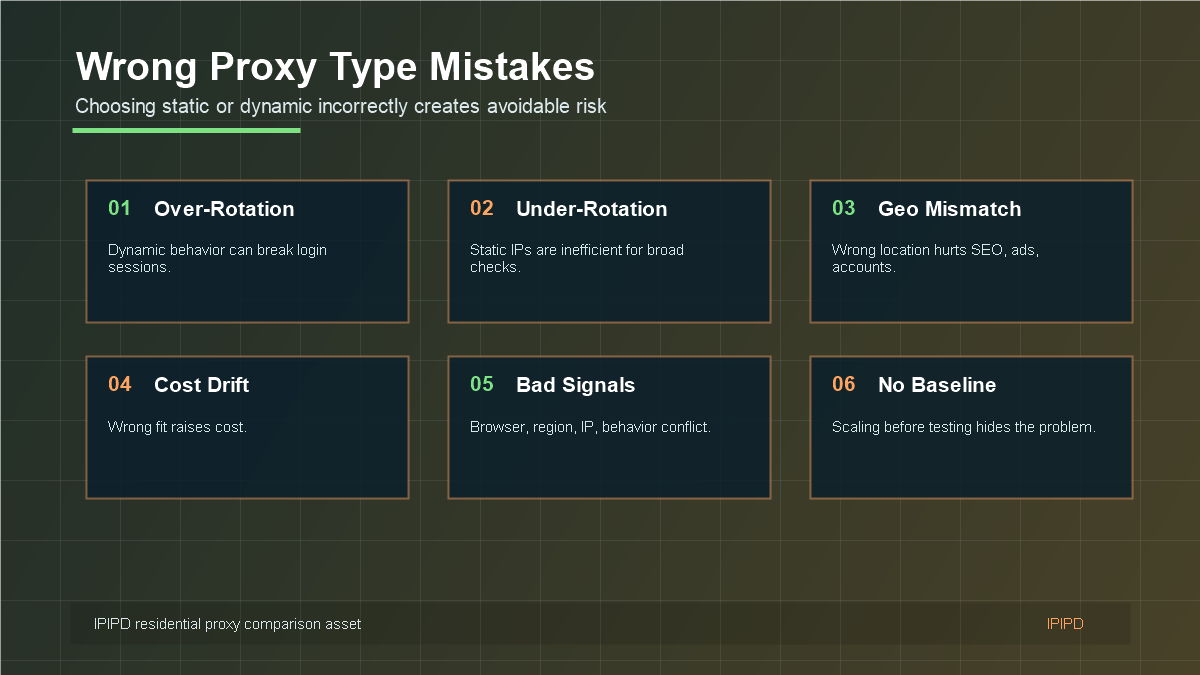
The biggest residential proxy comparison mistake is choosing static or dynamic residential proxies by product name instead of workflow. Static IPs can fail when a task needs rotation. Dynamic IPs can create problems when a task needs continuity. The wrong proxy type can raise cost, lower success rate, and make troubleshooting harder.
Use static residential addresses when the workflow needs a stable network identity, repeated regional checks, long sessions, or account-adjacent review.
Basic Facts Table
Item
Practical Meaning
Business Check
Proxy behavior
Static residential addresses provide continuity; dynamic residential addresses provide distributed coverage.
Choose by workflow, not by proxy label alone.
Best fit
Stable sessions, public data checks, regional review, or evidence collection depending on the task.
Define session length, target region, and success condition before scaling.
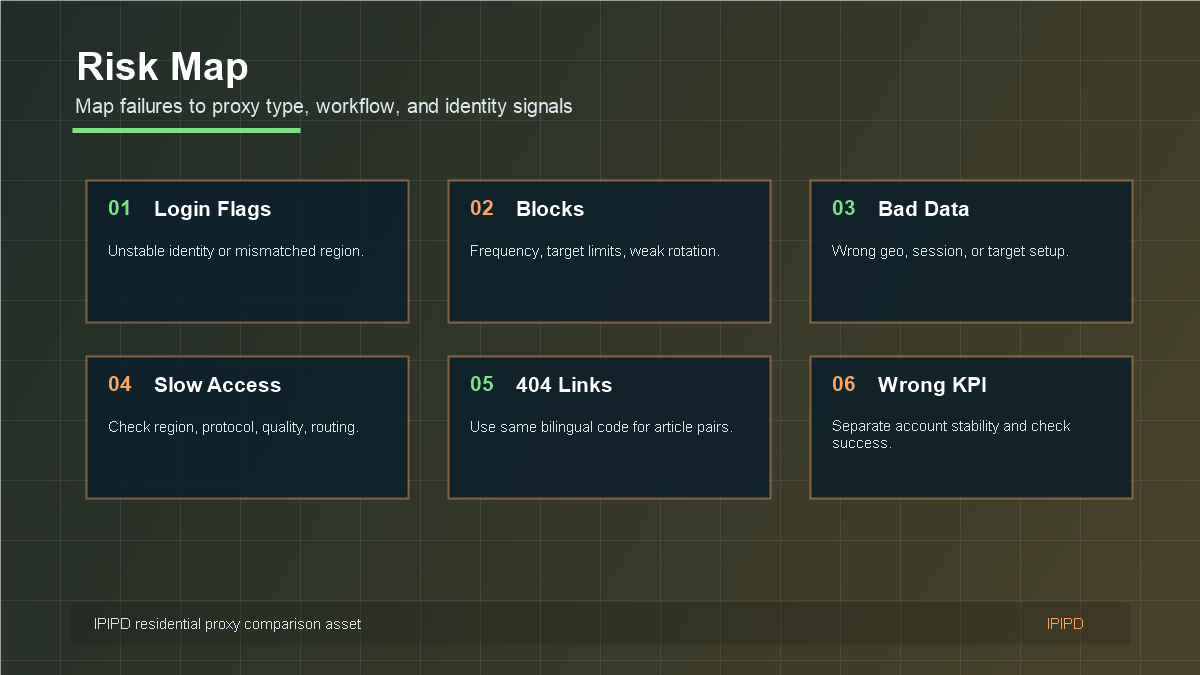
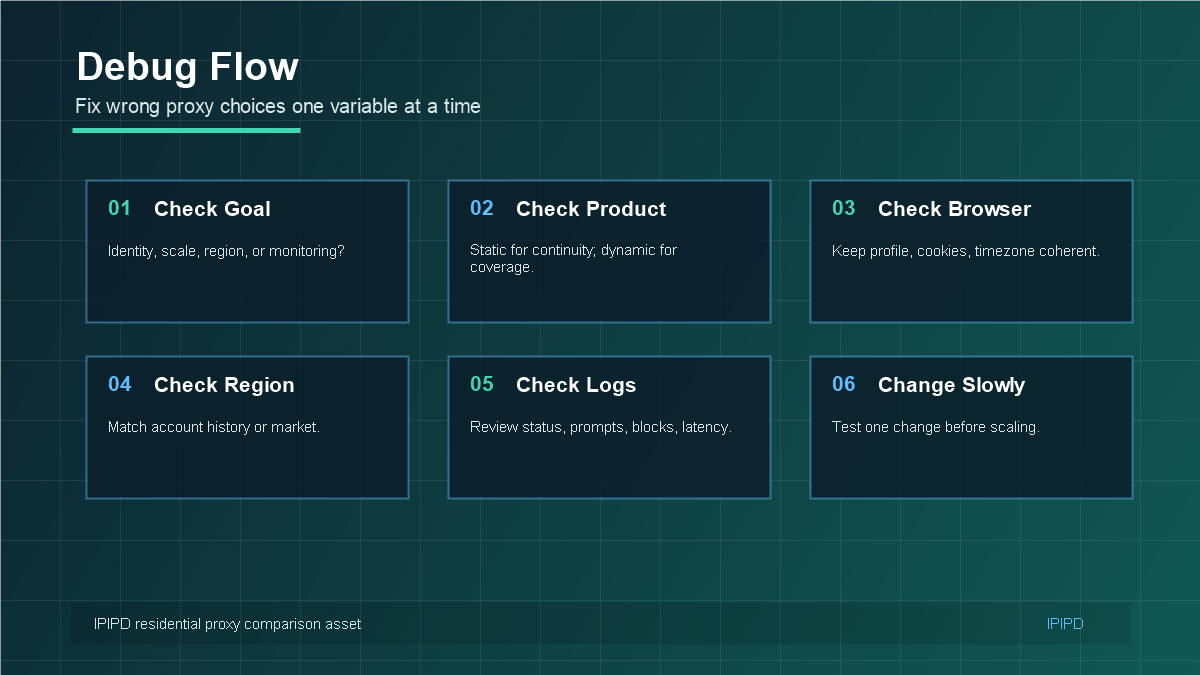
Most proxy strategy mistakes start with choosing the wrong IP behavior.Map failures to proxy type, workflow, region, and identity signals.Change one variable at a time when troubleshooting proxy workflows.Clear product fit helps readers choose the right IPIPD option.
Frequently Asked Questions
What happens if I choose the wrong residential proxy type?
You may see more login verification, higher block rates, noisy data, wasted cost, or troubleshooting confusion.
Is over-rotation a real problem?
Yes. Over-rotation can break account continuity and make login-sensitive workflows look unstable.
Is under-rotation a real problem?
Yes. Using static IPs for broad public checks can reduce coverage and make monitoring inefficient.
Review logs, screenshots, status codes, and completed workflow cost.
IPIPD boundary
Static residential addresses and dynamic residential addresses
Adjacent proxy types are comparison context, not IPIPD product claims.
Source / Evidence Note
This update uses the article's original content, IPIPD's current static and dynamic residential address product scope, and Google Search Console page data. Proxy performance varies by target website, region, session duration, browser profile, request pacing, and compliance requirements, so the page avoids fixed success-rate claims.
Data Anchor
Google Search Console snapshot before this combined CTR and GEO update: 0 clicks, 2 impressions, CTR 0.0%, average position 9.0. Review again after 7 and 14 days for impressions, clicks, CTR, average position, Google indexing status, and AI answer mentions.
Mistake 1: Using Dynamic Rotation for Login-Sensitive Accounts
Dynamic residential proxies are useful, but frequent IP changes can be risky for login-sensitive workflows. If an account is tied to a browser profile, cookies, region, and user history, repeated network identity changes may increase verification prompts. The problem is not that dynamic residential proxies are bad; the problem is that the workflow needs continuity.
Fix this by using static residential IPs for important accounts, dashboards, and browser profiles. Keep the account-to-IP mapping clear. If an IP must change, record why it changed and watch whether verification behavior changes afterward.
Mistake 2: Using Static IPs for Broad Public Checks
The opposite mistake is using one or a few static residential IPs for broad public-page checks. SEO monitoring, price tracking, ad verification, and public scraping often need coverage across pages, markets, and time periods. A static IP can become a bottleneck, especially if the target applies rate limits or regional variation matters.
Fix this by using dynamic residential proxies with controlled pacing, region selection, session rules, and retry logic. Rotation should be intentional. The goal is useful coverage, not chaotic switching.
Mistake 3: Ignoring Region and Browser Signals
Proxy type is only one signal. Region, browser timezone, language, cookies, headers, account history, and request behavior can all affect outcomes. A static IP with a mismatched browser profile can still cause login friction. A dynamic proxy pool with inconsistent region settings can still produce noisy SEO or ecommerce data.
Fix this by aligning the proxy with the workflow. Account tasks need coherent identity signals. Public monitoring needs consistent market definitions. Both need logs that show which region, session, and proxy type were used.
Mistake 4: No Baseline Before Scaling
Teams often scale too early. They add many accounts, many targets, many regions, and many proxy rules before proving that the first workflow is stable. When problems appear, nobody knows whether the cause is proxy type, region, browser, target behavior, or request frequency.
Fix this with a baseline. Test a small number of accounts or public checks. Record success rate, verification prompts, blocks, latency, and cost. Only then expand. Baselines turn proxy strategy from guessing into operations.
Mistake 5: Measuring the Wrong KPI
Static and dynamic residential proxies should not be measured by the same KPI. For static account workflows, measure login stability, verification frequency, session length, and recovery effort. For dynamic public checks, measure successful page retrieval, regional accuracy, block rate, latency, and retry cost.
If you use only one KPI, the wrong product may look good. A dynamic proxy may retrieve many pages but damage account continuity. A static IP may keep an account stable but fail to scale for monitoring. Measure the outcome that belongs to the workflow.
Publishing and Buying Checklist
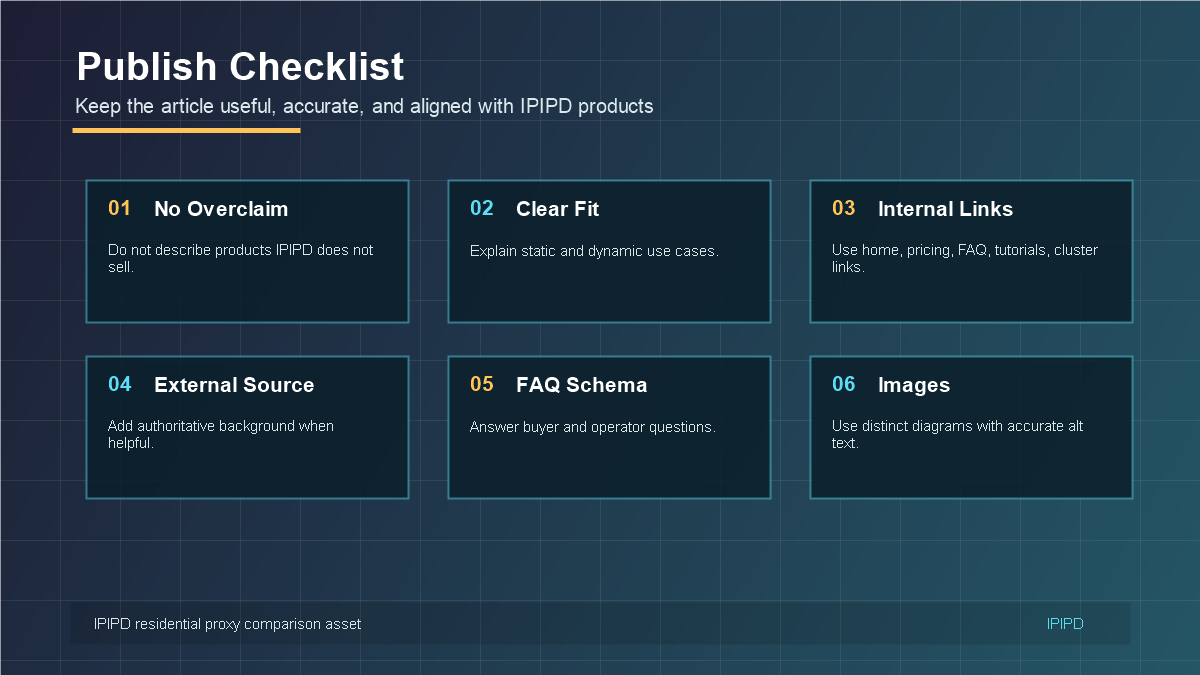
Do not describe proxy products that IPIPD does not actually sell.
Explain static residential IPs as stable identity infrastructure.
Explain dynamic residential proxies as controlled coverage and rotation infrastructure.
Use IPIPD, pricing, FAQ, and cluster article links naturally.
Add authoritative background only when it helps readers understand the concept.
Keep the same bilingual article code so English and Chinese URLs resolve correctly.
Final Takeaway
The wrong proxy type does not just reduce technical performance. It also creates the wrong expectation for the buyer. Static residential proxies should be sold as continuity tools. Dynamic residential proxies should be sold as coverage and rotation tools. When that boundary is clear, readers can choose faster and IPIPD content can convert better.
Mistake 6: Treating Proxy Strategy as a One-Time Setup
Proxy choice should be reviewed after real usage. A team may start with a clear assumption, but the target platform, account behavior, market needs, and data volume can change. A static residential setup that worked for a few accounts may need better mapping when the team grows. A dynamic residential setup that worked for one region may need stronger region controls when reporting expands.
The fix is a simple review cycle. Each week, check the metrics that belong to the workflow. For account workflows, review verification, session stability, and manual recovery. For public monitoring, review successful checks, block rate, region accuracy, latency, and retry cost. If the numbers move in the wrong direction, adjust the proxy strategy before scaling further.
Mistake 7: Copying Competitor Content Without Matching the Product
Large proxy providers often rank for many product categories: SERP APIs, unlocker APIs, browser APIs, scraper APIs, datasets, datacenter proxies, ISP proxies, and more. IPIPD should not copy those categories as if they are current products. That may attract some search traffic, but it can reduce trust and conversion if readers cannot find the product on the site.
A better content strategy is to use adjacent concepts as education and comparison, then bring the reader back to static and dynamic residential addresses. For example, a rotating proxy article can explain how dynamic residential proxies support rotation-like workflows. A static IP article can explain account stability without claiming unrelated products. This keeps SEO growth aligned with business reality.
Mistake 8: Ignoring Internal Links and Review Flow
Every article should help both the reader and the site structure. A comparison article can link to static and dynamic product context, pricing, FAQ, and related cluster articles. A use-case article can link to scraping, SEO, account, and tutorial pages. A mistake article can link back to the guide and scenario article so readers can recover from the problem and choose the right plan.
Internal links should not be pasted mechanically. They should appear where the reader naturally needs the next step. That is better for user experience, and it also gives search engines a clearer map of how the topic cluster is organized.
Recovery Plan After Choosing the Wrong Type
If the team already chose the wrong proxy type, do not rebuild everything at once. First identify the workflow goal. Then classify the current problem: login friction, public-page blocks, location mismatch, slow access, noisy data, or rising cost. After that, switch only one part of the workflow and measure the result for a fixed period.
If accounts are seeing more verification, move the most important profiles to static residential IPs and preserve browser settings. If public checks are too narrow or slow, move that workload to dynamic residential proxies with clear rotation rules. If region data is inaccurate, fix region selection before changing every other variable.
Editorial Review Rule for IPIPD Content
Before publishing, each article should pass a simple review question: does this page help a reader choose between IPIPD's real static and dynamic residential products? If the answer is yes, the content is aligned. If the article mainly promotes unrelated products or vague proxy categories, it should be rewritten before publishing.
Final Review Before Publishing
Before publishing, review the article from the reader's point of view. The reader should leave with a clear next step: choose static residential IPs for stable identity, choose dynamic residential proxies for controlled coverage, or compare both on the pricing page when the workflow includes both needs. If that next step is not obvious, the article should be tightened before it goes live.
The final review should also check whether internal links are useful, whether the FAQ answers buyer questions directly, whether images explain real decisions, and whether the content stays aligned with IPIPD's actual static and dynamic residential address products.
For the final review, ask whether the article helps the buyer avoid one expensive mistake. If it does, the page has a practical SEO purpose and a practical conversion purpose at the same time. Clear boundaries reduce wasted trials, make support conversations easier, and help readers choose the right IPIPD product with more confidence.
Separate the workflow goal, proxy type, region, browser environment, logs, and target behavior. Change one variable at a time.
What should IPIPD articles avoid claiming?
They should avoid packaging IPIPD as selling unrelated products. Keep the message focused on static and dynamic residential addresses.