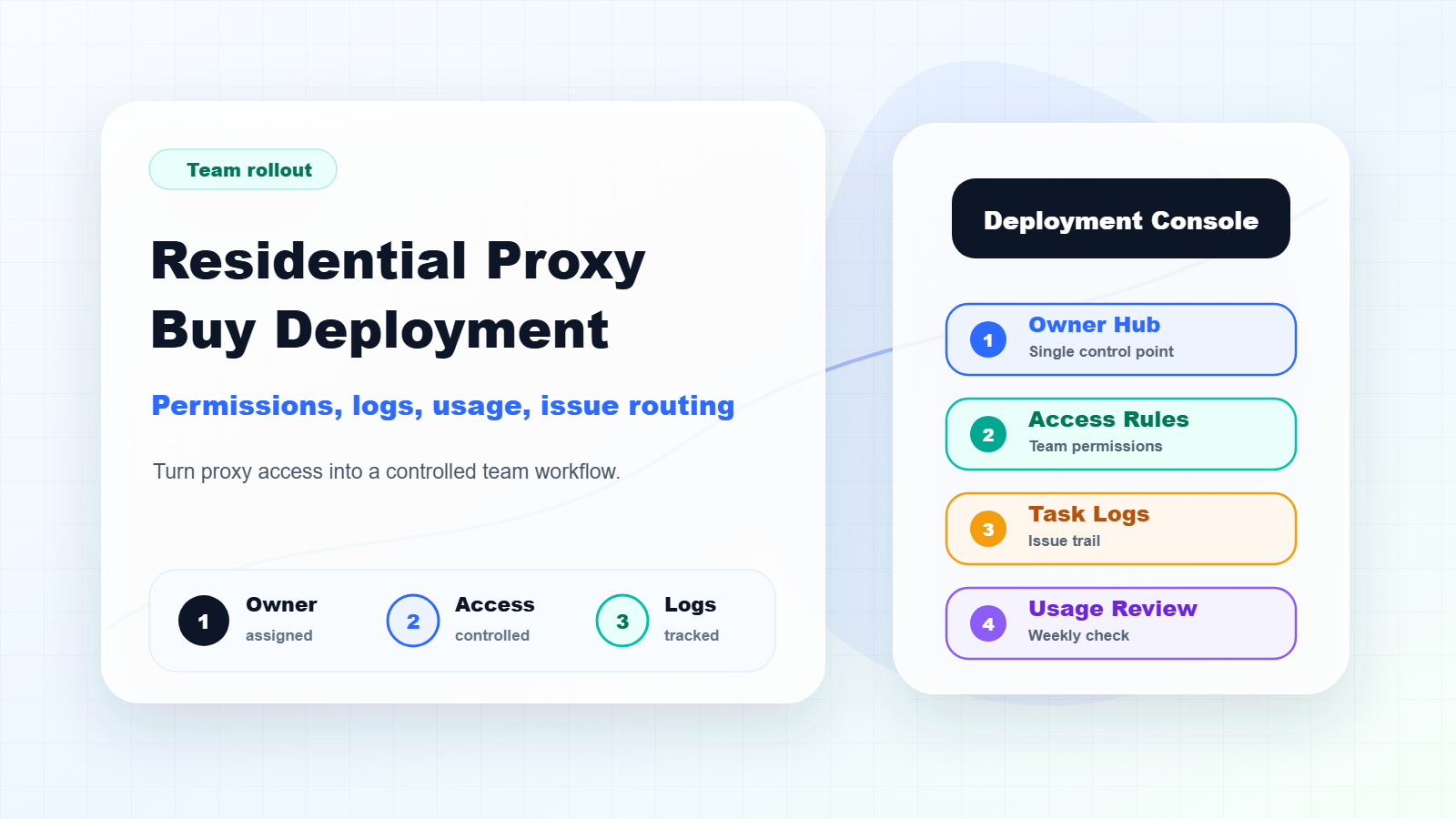
A residential proxy buy is only the beginning. The real result depends on how the team deploys, shares, monitors, and troubleshoots the proxy resources after the purchase.
Many teams make the same mistake after buying proxies. They copy credentials, endpoint details, or allowlist settings into a chat group and let different people use them on their own. It feels fast at first. A few days later, nobody knows which task used which setup, which region consumed the most traffic, why success rates dropped, or whether a failure came from the proxy, the tool, the access rhythm, or the target website.
Quick Answer
Residential proxy selection should start from the workflow: stable identity, dynamic coverage, regional accuracy, or evidence review.
Basic Facts Table
Item
Practical Meaning
Business Check
Proxy behavior
Static residential addresses provide continuity; dynamic residential addresses provide distributed coverage.
Choose by workflow, not by proxy label alone.
Best fit
Stable sessions, public data checks, regional review, or evidence collection depending on the task.
Define session length, target region, and success condition before scaling.
Review logs, screenshots, status codes, and completed workflow cost.
IPIPD boundary
Static residential addresses and dynamic residential addresses
Adjacent proxy types are comparison context, not IPIPD product claims.
Source / Evidence Note
This update uses the article's original content, IPIPD's current static and dynamic residential address product scope, and Google Search Console page data. Proxy performance varies by target website, region, session duration, browser profile, request pacing, and compliance requirements, so the page avoids fixed success-rate claims.
Data Anchor
Google Search Console snapshot before this combined CTR and GEO update: 0 clicks, 18 impressions, CTR 0.0%, average position 6.39. Review again after 7 and 14 days for impressions, clicks, CTR, average position, Google indexing status, and AI answer mentions.
The first article in this series covered buying logic for different workflows: Residential Proxy Buy Guide for SEO, Ads, Ecommerce, Data, and Account Sessions. This second article does not repeat scenario selection or package comparison. It focuses on what happens after a residential proxy buy: how to make the resource usable for a team without turning it into an unmanaged list of credentials.
For a general technical definition, Wikipedia describes a proxy server as an intermediary between a client and another server. This article is not a definition page. It is a deployment runbook for teams.
Quick Answer
After a residential proxy buy, do not distribute access to everyone immediately. First assign an internal owner, define which tasks are allowed to use the proxy, separate testing access from production access, document the setup method, create task logs, monitor usage by task, and route issues by category before blaming the proxy resource itself.
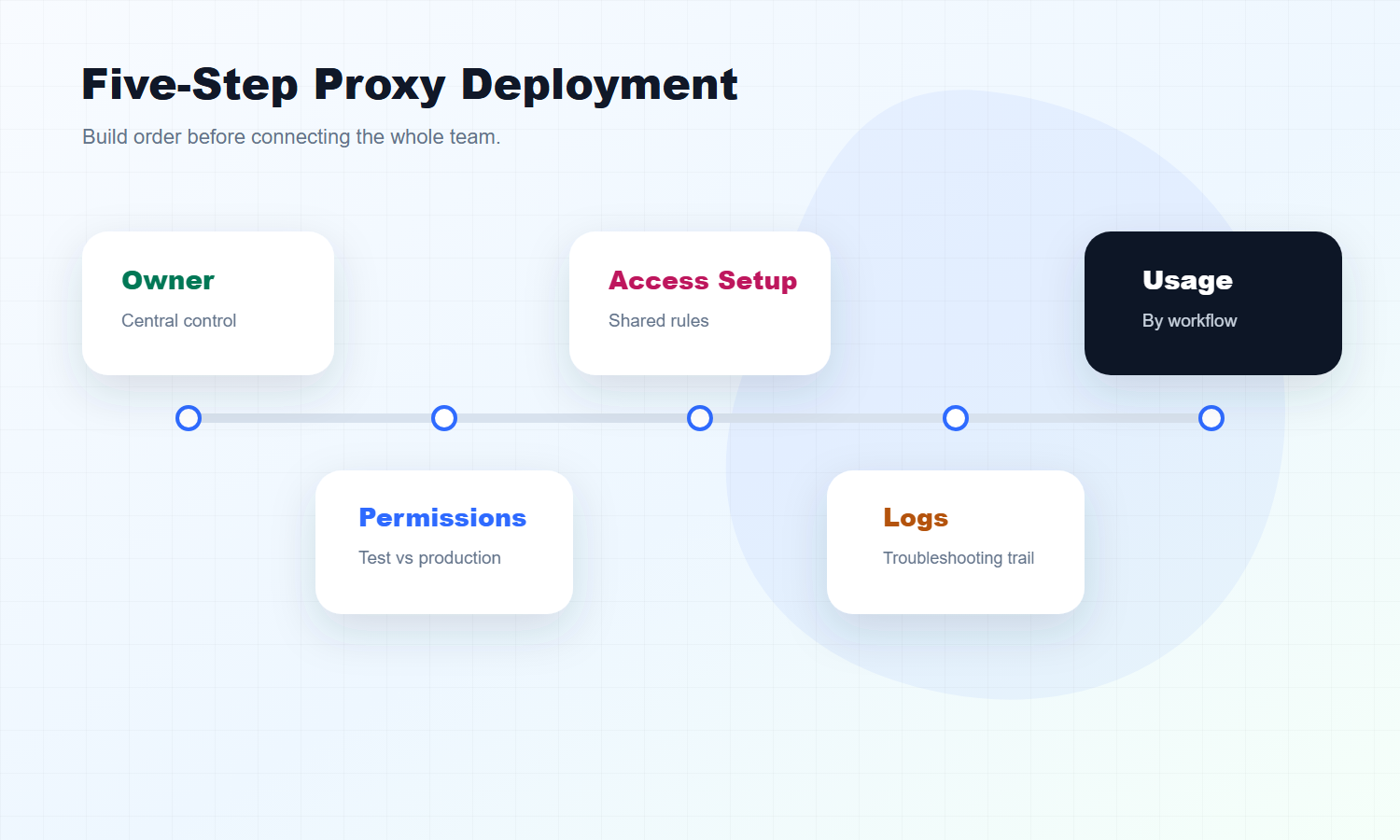
A simple deployment order looks like this:
Assign owner
Create task list
Split permissions
Document setup rules
Connect one real workflow
Track logs and usage
Review issues weekly
This order keeps the team from treating proxy access as a loose technical asset. Instead, the proxy becomes part of a controlled business workflow.
Do Not Give Access to Everyone on Day One
The first step after a residential proxy buy is not to send credentials, ports, endpoints, or allowlist details to the whole team.
A better starting point is a small internal deployment process. It does not have to be complicated. It only needs to answer five questions:
Question
Why It Matters
Who owns the proxy resource?
Prevents duplicate setup, random changes, and unclear responsibility
Who is allowed to use it?
Keeps unrelated tasks from consuming traffic or creating risk
Which workflows may connect?
Separates testing tasks from approved business tasks
How will usage be tracked?
Helps the team understand where the budget goes
How should issues be reported?
Makes troubleshooting faster and less emotional
Think of this article as a deployment template. Buying gives you access. Deployment gives the team order.
If the team skips this step, the proxy resource often becomes "available to everyone, owned by no one." That is where waste and confusion start.
Step 1: Assign a Proxy Owner
Every team should have a proxy owner.
This person does not have to be a developer. The owner can be a project lead, operations manager, data lead, growth lead, or technical administrator. What matters is that one person or one small group knows:
What type of proxy resource was purchased.
Which teams or workflows are using it.
Who should be contacted first when something breaks.
Without an owner, proxy access becomes hard to audit. When traffic consumption spikes or a task fails, the team has to search through chat history, old setup screenshots, and tool settings to understand what changed.
A lightweight owner sheet is enough at the beginning:
Field
Example
Team
SEO, Ads, Data, Operations, QA
Workflow name
Rank tracking, price checking, page verification
User or group
Person name or team name
Access method
Browser, script, crawler tool, internal system
Start date
First connection date
Notes
Region, purpose, limits, special handling
The goal is not bureaucracy. The goal is visibility. After the purchase, the team should know where the resource is being used and who is responsible for it.
Step 2: Split Permissions by Workflow, Not by Person
Proxy access should not be granted simply because someone asks for it.
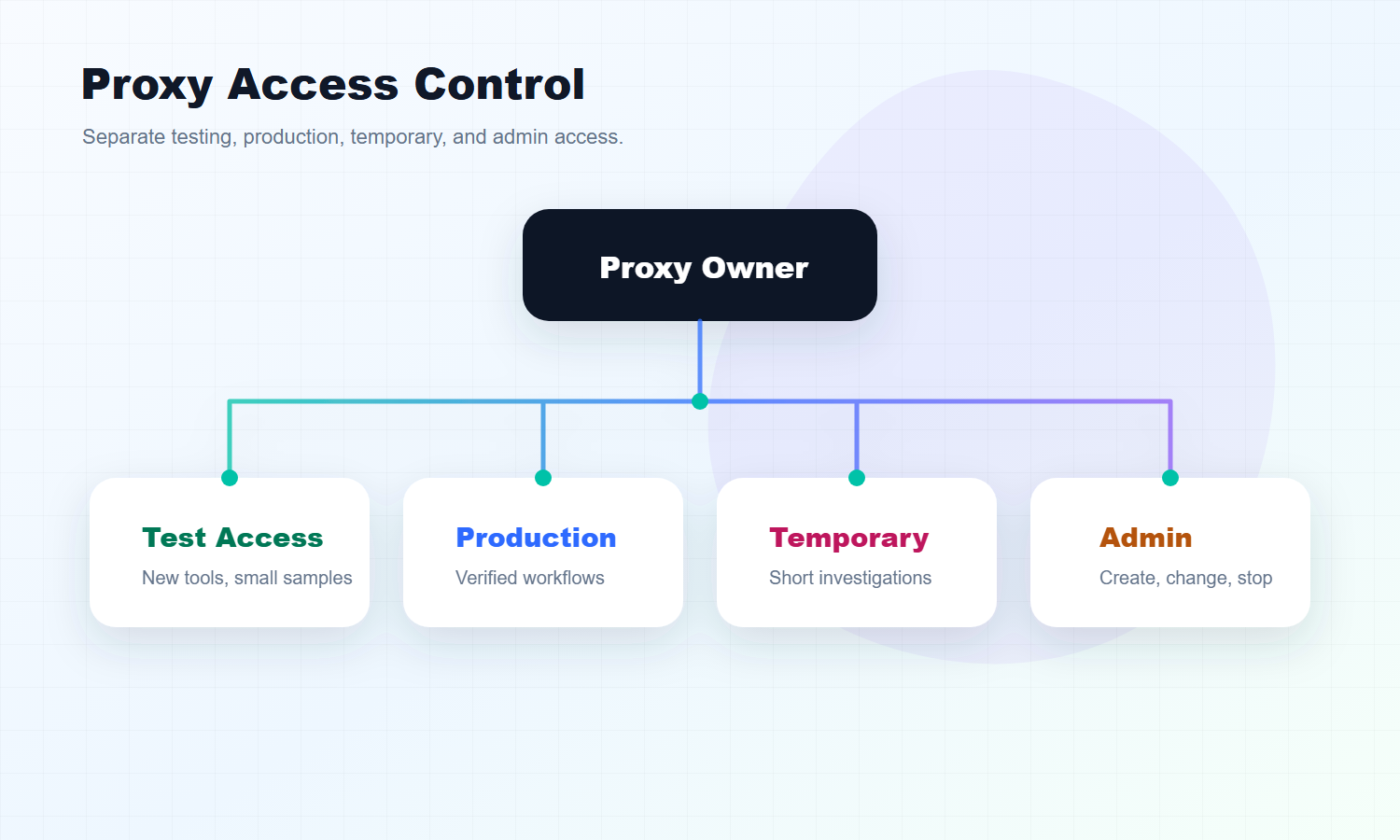
A cleaner model is to split access by workflow. For example, one workflow may need access from the United States, another may need Japan, and a third may only be testing a new tool. These should not all share the same configuration without boundaries.
Use a simple permission model:
Permission Type
Best For
Management Focus
Test access
New tools, new scripts, small samples
Limit usage and protect production workflows
Production access
Verified business workflows
Record owner, task, region, and access pattern
Temporary access
One-time checks or short investigations
Set a time limit and remove it after use
Admin access
Proxy owner or technical administrator
Control creation, changes, and shutdown
This model makes troubleshooting easier. If only test access is consuming unusual traffic, the team will not confuse it with a production workflow. If a region is used by only one approved task, it is easier to find the source of a problem.
For small teams, the first rule can be very simple: test and production access must be separate. Temporary access must expire. Admin access should be limited.
Step 3: Write One Internal Setup Note
Teams often blame proxies for problems that actually come from inconsistent setup.
One person may enter the wrong region. Another may use an outdated port. Another may save an old configuration in a testing tool. Another may change an access rhythm without telling anyone. When a task fails, everyone says "the proxy does not work," but the real cause may be configuration drift.
Before production use, write one internal setup note. It should define:
Setup Item
What to Clarify
Access method
Username and password, allowlist, API-generated endpoint, or dashboard setup
Region rules
Which regions are used for which workflows
Task boundary
Which workflows are allowed and which are not ready yet
Naming rules
How to name tasks, regions, users, and test groups
Change record
Where usage, errors, and configuration changes are logged
The setup note does not need to explain every browser, script, crawler, or internal system in detail. It should focus on team consistency.
After the proxy resource is purchased, many problems are not hard to solve. They are hard to reconstruct.
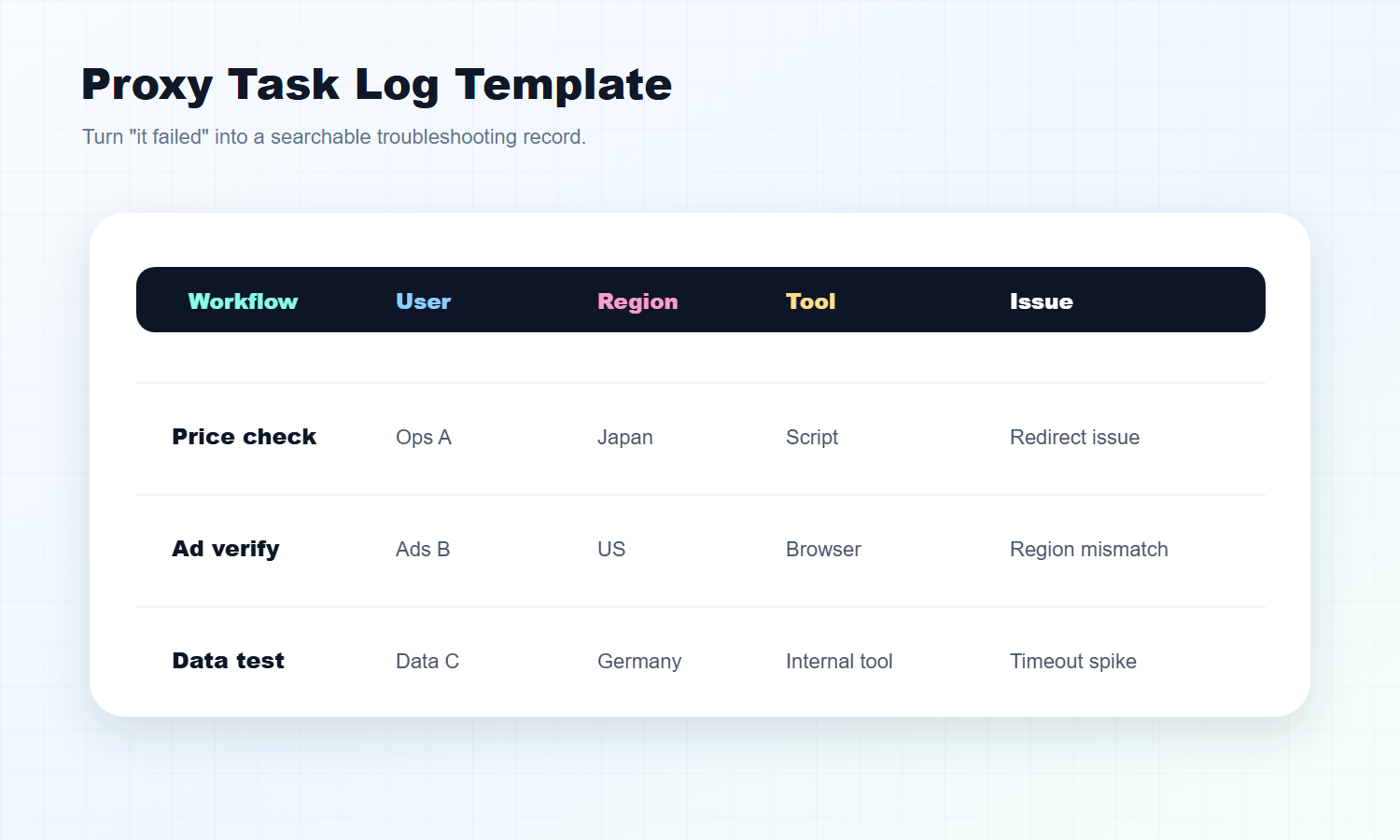
When a task fails, the team may only report "the proxy failed." That sentence is not enough. A useful report needs time, region, tool, target page, task name, user, error type, and what changed recently.
At minimum, log these fields:
Log Field
Purpose
Workflow name
Shows which business line is affected
User or owner
Shows who can provide context
Region
Confirms whether the access location matches the target market
Time
Helps compare with releases, peak hours, or changes
Tool
Separates browser, script, crawler, and internal system behavior
Issue description
Keeps the troubleshooting clue
Resolution
Lets the team reuse the answer next time
The first version can be a spreadsheet. A system is useful later, but a consistent log is more important than a fancy tool.
Logging has one practical value: it reduces repeated investigation. The first incident may require manual review. The second similar incident should have a reference.
Step 5: Monitor Usage by Workflow, Not Only by Total Traffic
Proxy usage management should not stop at total traffic.
Total consumption tells you how much was used. It does not tell you why it was used, who used it, whether it produced a useful result, or whether retries created waste.
Break usage into categories:
Usage Type
What to Check
Normal workflow usage
Does it match expected task volume?
Test usage
Is testing staying within the agreed limit?
Unexpected usage
Did traffic suddenly increase?
Retry usage
Are failures causing repeated requests?
Temporary usage
Is a short-term task still running after it should stop?
If one workflow suddenly uses more traffic, the answer is not always "buy a bigger package." The cause may be a logic change, tool retry behavior, a higher request frequency, an incorrect region setting, or a target website change.
Usage monitoring works best when it is connected to task logs. The team needs to see both "how much was used" and "why it was used." Only then can it decide whether to upgrade, reduce frequency, pause a task, or change the setup.
Step 6: Classify Issues Before Blaming the Proxy
When a team says "the proxy is broken," the proxy owner should not jump to a conclusion.
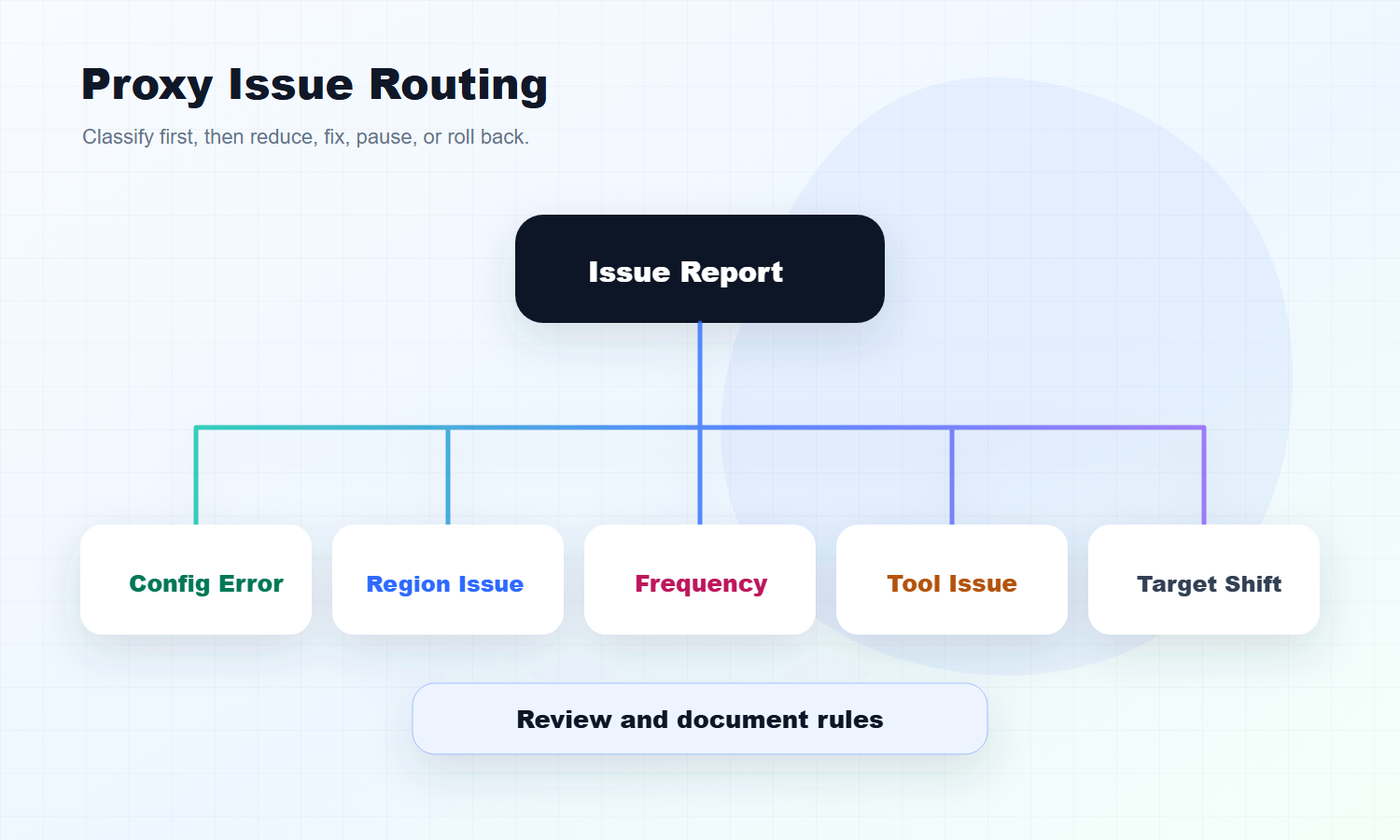
Classify the issue first:
Issue Type
Common Signal
First Action
Configuration error
Authentication failure, wrong port, old tool setting
Check the setup note
Region mismatch
Wrong language, price, page version, or market view
Check task region rules
Frequency issue
Lower success rate, more timeout errors
Reduce access rhythm
Tool issue
Only one tool fails while others work
Check tool settings or script logic
Target page change
Page structure, redirect, or access behavior changes
Review the target page
This classification prevents two bad habits. One is blaming every failure on the proxy. The other is blaming every failure on the tool.
A mature deployment process makes problems classifiable, traceable, and reviewable.
A Simple Team SOP After a Residential Proxy Buy
If you want a compact version, use this SOP:
Step
Action
Owner
1
Assign proxy owner
Project lead
2
Create task list
Proxy owner
3
Split test and production access
Proxy owner or technical admin
4
Write setup note
Technical or operations team
5
Connect one real workflow
Workflow owner
6
Track usage and issues
User and proxy owner
7
Review weekly
Project lead
This is enough for a small team. As the number of workflows grows, you can add more detailed permission rules, dashboards, automated alerts, or internal tooling.
The point is not to make proxy usage slow. The point is to make it understandable.
When the deployment process is in place, the team can tell which workflows deserve more budget, which tasks should run less often, which regions need adjustment, and which failures are only configuration mistakes.
A residential proxy buy should not end with a shared credential message.
After purchase, the team needs an owner, access rules, setup documentation, task logs, usage monitoring, and issue routing. Once these pieces are in place, the proxy resource becomes part of a reliable workflow instead of a loose technical asset.
The first article in this series answered "how should different workflows buy residential proxies?" This article answers "how should a team deploy and manage the resource after purchase?"
Frequently Asked Questions
What should a team do first after a residential proxy buy?
Assign a proxy owner before distributing access. The owner should define which workflows can use the proxy, who is allowed to connect, how usage will be tracked, and how issues should be reported.
Should proxy permissions be assigned by person or by workflow?
Workflow-based permission is usually better. Test access, production access, temporary access, and admin access should be separated so the team can trace usage and troubleshoot issues faster.
Does every team need an internal proxy setup note?
Yes. A setup note reduces configuration drift. It should explain access methods, region rules, allowed workflows, naming rules, and where changes or issues should be recorded.
What should a proxy task log include?
A practical proxy task log should include workflow name, user or owner, region, time, tool, issue description, and resolution. These fields make repeated issues easier to solve.
Is total traffic enough for proxy usage monitoring?
No. Total traffic only shows consumption. Teams should also monitor usage by workflow, user, region, retry behavior, and abnormal spikes.
Are all proxy failures caused by proxy resources?
No. Failures may come from configuration errors, region mismatches, access frequency, tool behavior, or target page changes. Classify the issue before deciding what to fix.