Many teams compare a dedicated IP and a shared IP by looking at the monthly price first. That is understandable, but it is not the safest way to choose a proxy setup.
The real question is not simply which option is cheaper. The better question is: if a login fails, a platform triggers extra verification, a monitoring result becomes inconsistent, or an IP reputation issue appears, how much time will your team spend fixing it?
That is why this article does not repeat only the basic definition of a dedicated IP. If you need the foundation first, read What Is a Dedicated IP? Meaning, Benefits, and Business Use Cases. This guide looks at the decision from another angle: how to choose between a and a shared IP for real business tasks.
dedicated IP
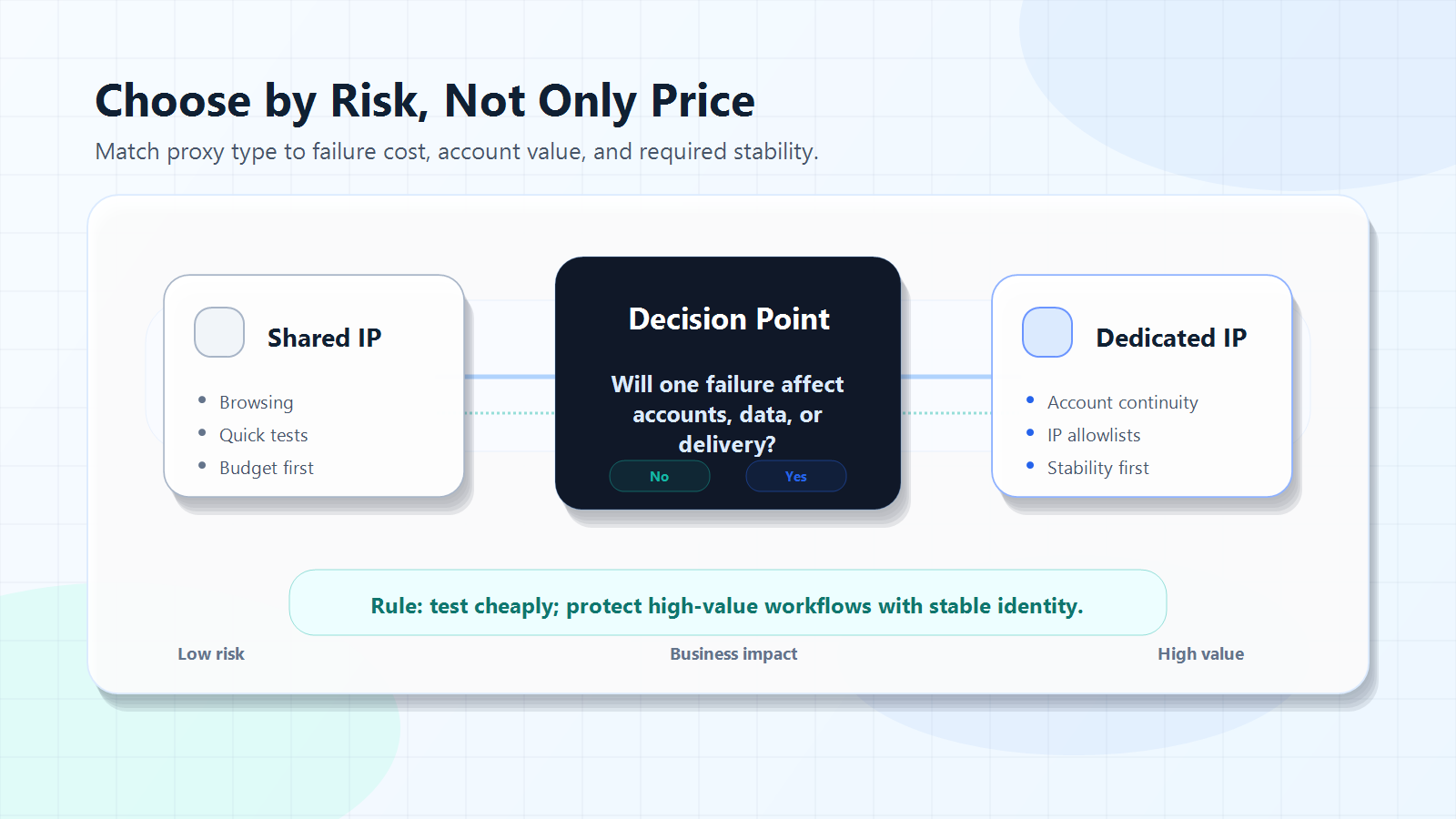
The short answer is simple. If your task is low risk, short term, and easy to retry, a shared IP can be enough. If your workflow depends on account stability, IP allowlisting, regional consistency, or customer delivery, a dedicated IP is usually the better choice.
The key is not that an exclusive address is always "better." The key is whether your business needs a stable, traceable, long-term network identity.
Start with Risk, Not Price
When teams choose proxy services, they often treat cost as the package price. In reality, proxy cost also includes verification time, troubleshooting time, account interruptions, unstable data, and team communication.
A shared IP usually has a lower direct price because multiple users access websites through the same exit address. A dedicated address usually costs more because the address is assigned to one customer, account group, or workflow during the service period.
But if the task is important, direct price is only one part of the cost.
Use this quick table as a first filter:
Use Case
Is a Shared IP Suitable?
Is a Dedicated IP Suitable?
Recommendation
Basic web browsing
Yes
Possible but not always needed
Start with shared or standard proxy access
Short-term testing
Yes
Useful for small tests
Verify region, speed, and connection first
Temporary market research
Yes
Depends on task value
Do not overpay before the workflow is clear
Long-term account login
Higher risk
Better fit
Consider a dedicated IP first
IP allowlisting
Usually not suitable
Strong fit
Use a stable, controllable address
Ad verification and regional checks
Depends on frequency
Better fit for repeat tasks
Use a dedicated IP for long-term consistency
Customer project delivery
Higher risk
Better fit
Easier to review, audit, and troubleshoot
Large-scale public data collection
Not always
Not always
Proxy pools and rotation strategy may matter more
The rule is straightforward: the lower the risk, the more reasonable a shared IP becomes. The more a task depends on stable identity, the more you should consider an exclusive proxy address.
Dedicated IP vs Shared IP: Core Difference
To make a good decision, you first need to understand what the two options actually change.
An IP address is a network identifier used for internet communication. A proxy server forwards requests between the user and the target website. In proxy workflows, the target website usually sees the proxy exit IP instead of the user's local network address.
The difference is whether that exit IP is used by one assigned workflow or by many unrelated users.
Comparison Point
Shared IP
Dedicated IP
Usage relationship
Many users share one exit address
One user or workflow uses one assigned address
Direct cost
Usually lower
Usually higher
IP reputation
Can be affected by other users
Easier to connect behavior to your own usage
Troubleshooting
Harder to identify the source of issues
Easier to trace issues to your own workflow
Account stability
Environment may be mixed
Better for long-term consistency
IP allowlisting
Usually not a good fit
Strong fit
Best for
Low-risk, temporary, basic access
Long-term, stable, high-value workflows
A shared IP is useful because it is affordable and flexible. An exclusive address is valuable because it is stable, cleaner, and easier to manage.
So this is not a "good vs bad" choice. It is a tool-fit choice. Shared access is suitable for lightweight tasks. A dedicated address is suitable when stable identity matters.
When Is a Shared IP More Cost-Effective?
A shared IP is not automatically low quality. Many workflows simply do not need an exclusive address. If you buy one too early, you may spend budget before the workflow has proved its value.
1. Basic Browsing and Page Checks
If your task is only to view public pages, check whether a page can be opened, or test access from a region without binding a long-term account, a shared IP may be enough.
The goal of this type of task is not to keep the same network identity for months. The goal is to complete a single access attempt or a short test. If the location, speed, and connection quality are acceptable, there is no need to overbuild the setup.
2. Early Workflow Validation
Many teams start with overseas operations, data research, or tool testing before they know the exact target region, frequency, and process. In this stage, a lighter proxy plan is often more practical.
For example, you can first verify whether the target website is reachable, whether the location display is accurate, whether the tool supports proxy configuration, and whether the response speed is acceptable. Once the test is successful, move high-value workflows to an exclusive address.
3. Tasks That Need Many Changing Addresses
Some tasks do not need fixed identity. They need many addresses, multiple regions, or distributed access. Public page collection, broad regional checks, and large batches of page visits may depend more on proxy pool size and rotation strategy than on one fixed address.
If your workflow is related to web data collection, read What Is a Proxy Server for Web Scraping?. It explains request forwarding, address rotation, and scraping scenarios in more detail. Always follow the target website's rules and applicable laws when collecting data.
4. Tight Budget with Low Failure Cost
When budget is limited, spend money where it reduces real business risk. If a failed request only means retrying a page and does not affect accounts, customer delivery, or long-term data, a shared IP is often a practical starting point.
When Should You Choose a Dedicated IP First?
The value of an exclusive address becomes clear when one failure is expensive.
Ask yourself one question: does this workflow need to keep the same network identity over time? If the answer is yes, a dedicated address deserves serious consideration.
1. Long-Term Account Operations
Account operations suffer when the environment changes too often.
If an account logs in from one region today, another exit tomorrow, and a mixed shared address the day after, the platform may see an inconsistent access environment. A dedicated address helps create a more stable access path for important accounts.
This does not mean an exclusive address guarantees zero verification. It also does not replace platform compliance. But it can reduce uncertainty from shared network environments and make account routines easier to manage.
Typical scenarios include ecommerce dashboards, ad accounts, social media operations, customer management systems, localization tools, and long-term business accounts.
2. IP Allowlisting and Internal Systems
If a system only allows access from approved IP addresses, you need a stable and controllable address.
A shared IP is a poor fit for allowlisting because the usage relationship is unclear. You do not want an internal admin panel to depend on an address that many unknown users may also use. An exclusive address makes access control cleaner: the security team can approve one address, audit usage, and identify abnormal access more easily.
3. Long-Term Regional Monitoring
Search results, ads, prices, page content, and app availability can all vary by region. If your team monitors the same market for weeks or months, the access environment should stay as consistent as possible.
Otherwise, changes in the result may come from the proxy environment rather than the business itself. A stable assigned address reduces environmental noise and makes repeated checks more comparable.
4. Customer Projects and Team Collaboration
When you deliver monitoring reports, regional verification, or account operation services to customers, troubleshooting matters.
With a shared IP, it can be difficult to know whether an issue came from the target website, tool configuration, another user on the same address, or inconsistent team operation. With an exclusive address, there are fewer variables. One project can map to one address, one region, and one documented process.
Hidden Costs of Shared IPs
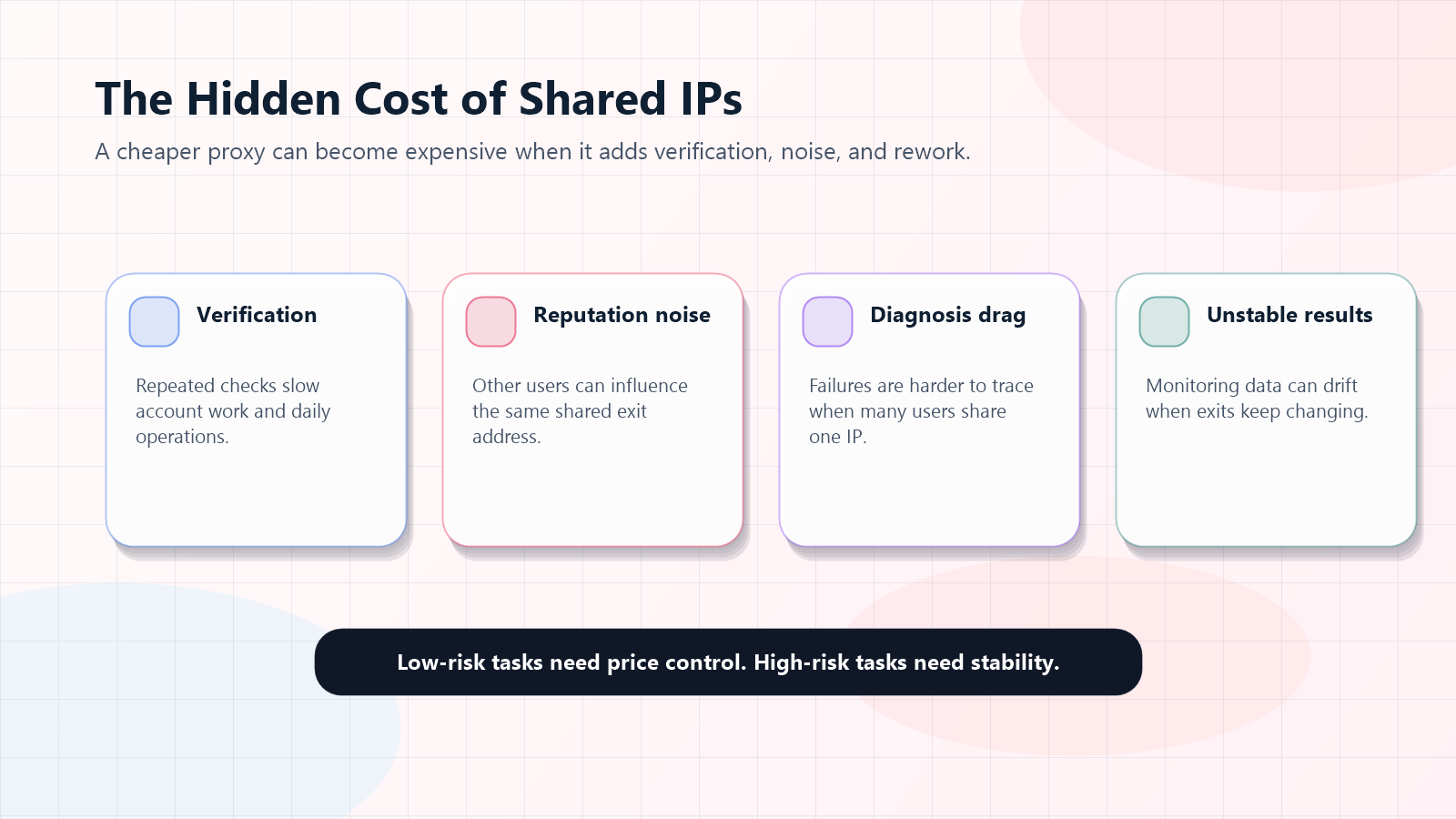
A shared IP may look cheaper, but it is not always cheaper in practice. The hidden cost usually appears in four places.
1. Extra Verification
If a shared address is used heavily by many people, the target platform may see a more complex access pattern. For account-based workflows, this can increase additional verification, login prompts, or interruptions.
Each verification step may seem small. But if it happens every day across many accounts, team efficiency drops quickly.
2. Mixed Reputation
IP reputation is not controlled only by your own behavior. On a shared IP, other users' actions may influence the overall reputation of the same exit address.
You may do nothing wrong, but the address may still perform worse because of previous or parallel usage. An exclusive address makes reputation ownership clearer because the address behavior is easier to connect to your own workflow.
3. Harder Troubleshooting
When a business task fails, too many variables make diagnosis slow.
On a shared IP, the same address may be used by many users, tasks, and regions. When access fails, region detection is inaccurate, or the account triggers checks, the troubleshooting path becomes longer. An exclusive address narrows the variables and makes it easier to decide whether the issue comes from the account, tool, target site, or proxy route.
4. Unstable Data
For long-term monitoring, environment stability affects data reliability.
If a regional monitoring task uses one exit today, another exit tomorrow, and a mixed shared address the day after, the data may fluctuate for reasons unrelated to the market. This is especially important for ad verification, SEO monitoring, price tracking, and localization testing.
Does the Account Environment Need to Stay Fixed?
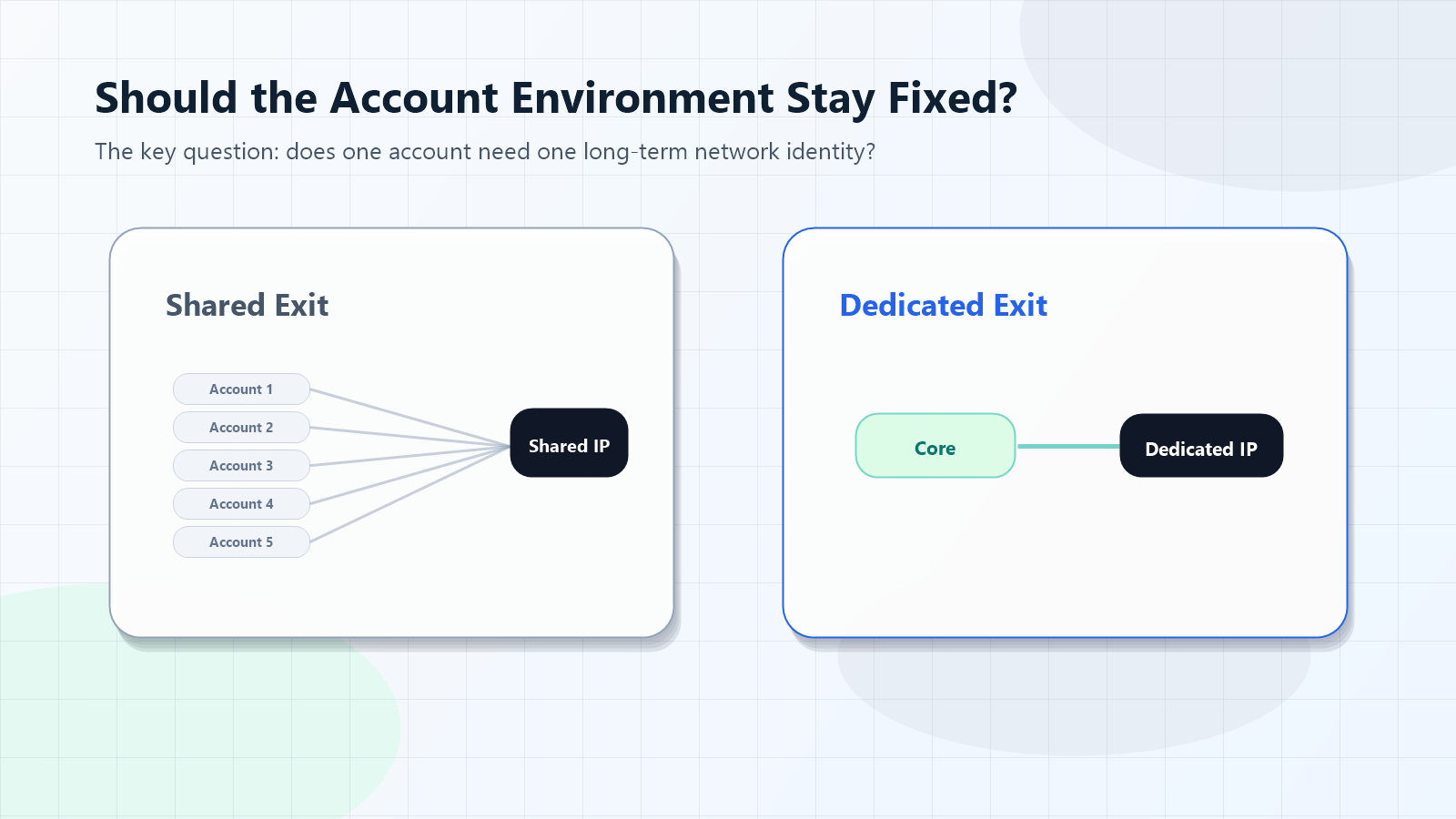
The easiest way to decide whether you need an exclusive address is to ask whether the account environment needs to stay fixed.
If a business account is only used for temporary testing and the failure cost is low, a shared IP can be enough. If the account supports long-term operations such as store management, ad delivery, customer systems, or social media workspaces, a stable network environment is more important.
Stability is not only about IP address. It also includes region, device environment, browser setup, login routine, account permission, and team operation rules. The assigned proxy address is only one layer, but it is an important one.
A more stable operating model looks like this:
One core account maps to one primary region.
One primary region maps to one stable proxy route.
One stable route maps to one clear workflow.
The team records the account, region, proxy address, and owner.
When an issue appears, the team investigates from the record instead of changing addresses randomly.
If you also need a fixed residential network environment, continue with What Is a Static Residential Proxy?. Static residential proxies are often useful when long sessions, regional consistency, and stable access overlap with exclusive address requirements.
Do Not Upgrade Every Task to Dedicated IP
This point matters: an exclusive address is not the default answer for every proxy task.
If your workflow needs frequent region switching, large-scale address rotation, or distributed request pressure, one fixed address may not be the right fit. In those cases, dynamic residential proxies, proxy pools, or rotation strategies may be more useful.
For example, large-scale public page collection is usually about covering more pages, reducing pressure on any single address, and controlling request frequency. The core need is not fixed identity. It is responsible distribution.
The professional way to choose is to separate tasks by value and risk:
Task Layer
Typical Need
Better Choice
Low-risk access
Temporary viewing, basic testing
Shared IP or standard proxy
Medium-risk monitoring
Regional checks, price observation
Shared or dedicated, depending on frequency
High-value accounts
Long-term login, dashboard operations
Dedicated IP
Security access
IP allowlisting, internal systems
Dedicated IP
Large-scale collection
Many pages, many regions, rotation needed
Proxy pool or dynamic residential proxies
This is how you avoid wasting budget.
Migration Path: From Shared IP to Dedicated IP
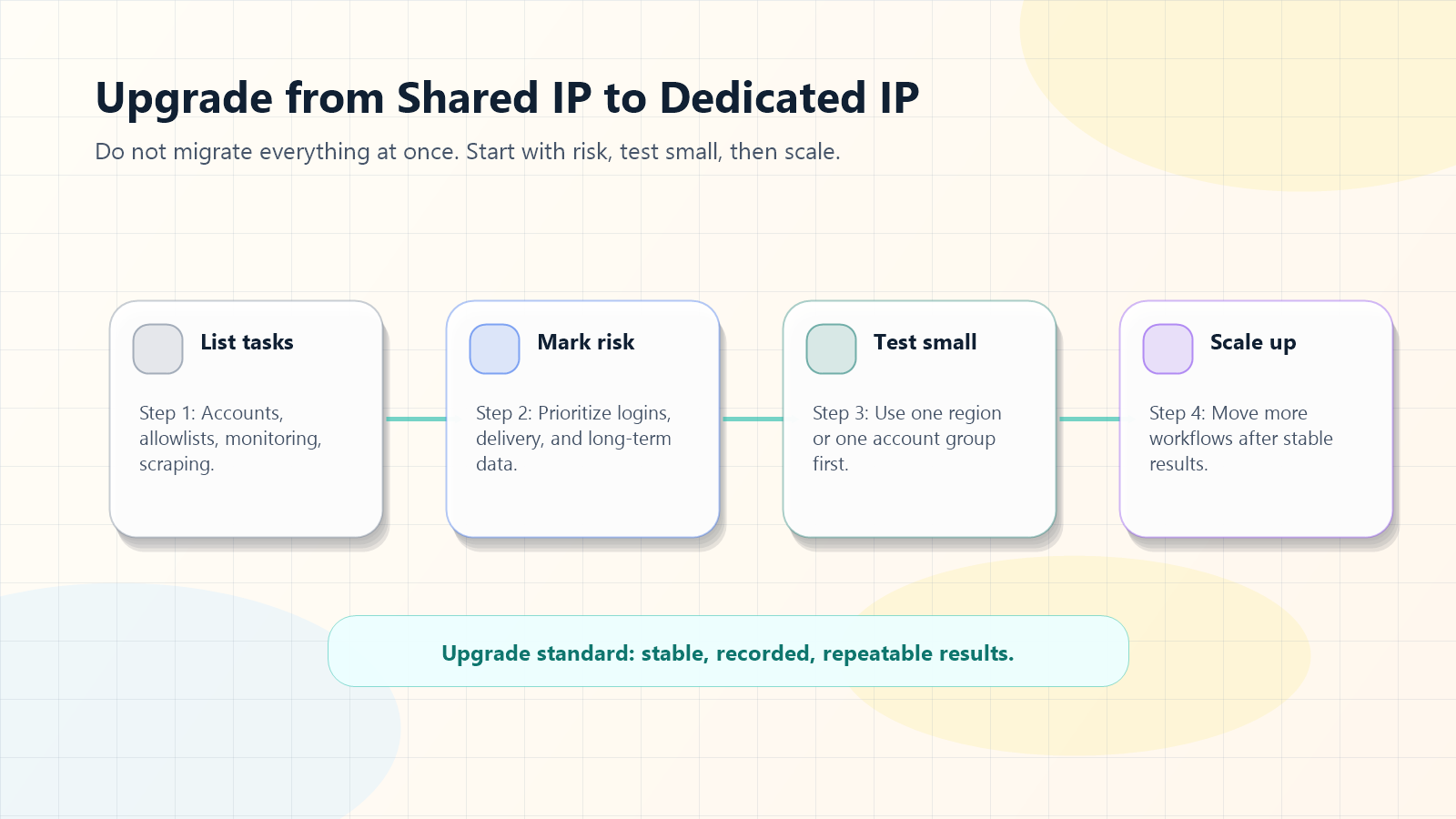
If you are already using shared IPs, do not move every task to an exclusive address at once. A safer approach is staged migration.
Step 1: List All Proxy Tasks
Start by listing every workflow that uses a proxy: account login, page access, regional checks, data collection, ad verification, and internal admin access.
For each task, record:
Item
What to Record
Task name
What the proxy is used for
Region
Which country or market is needed
Frequency
Daily, weekly, temporary, or continuous
Failure impact
Whether failure affects accounts, customers, or data
This step is business mapping, not technical setup. Many proxy problems come from poor task classification rather than weak tools.
Step 2: Mark High-Risk Tasks
Mark the following tasks as high risk:
Workflows tied to long-term accounts
Workflows that require IP allowlisting
Tasks that affect customer delivery
Monitoring tasks that require long-term comparison
Tasks where troubleshooting cost is high
These are the first candidates for a dedicated address.
Step 3: Run a Small Test
Do not buy at large scale immediately. Start with one region, one account group, or one monitoring task.
Track:
Test Item
What to Observe
Connection success
Whether the target tool or website connects reliably
Region accuracy
Whether the displayed region matches expectations
Verification frequency
Whether account checks become easier to manage
Session continuity
Whether long sessions remain more stable
Troubleshooting speed
Whether issues become easier to locate
These results are more useful than a vague feeling that the proxy is "more stable."
Step 4: Scale to Core Workflows
After the small test performs well, expand the dedicated address setup to more important accounts, regions, and workflows.
Keep one principle: migrate high-value workflows first. Do not upgrade low-risk tasks just for configuration consistency.
How to Choose a Dedicated IP Provider
Do not choose a provider by price alone. At minimum, check these seven questions.
1. Is the IP Truly Dedicated?
Confirm whether the address is assigned only to you during the service period. Some products look fixed but may still involve shared usage behind the scenes.
2. Does the Region Match the Business?
Cross-border workflows usually have specific country or region requirements, such as the United States, Japan, Singapore, the United Kingdom, Germany, or Hong Kong. The closer the region is to the business target, the more useful the test result becomes.
3. Does the Network Type Fit the Scenario?
Some tasks need residential network attributes. Some only need a standard proxy exit. Some care most about speed. Do not look only at the word "dedicated." Also check IP source, network type, and quality.
4. Is the Service Period Clear?
A dedicated address is often used for long-term workflows, so renewal, expiration reminders, replacement rules, and service duration should be clear.
5. Does It Support Your Tools?
The proxy should work with your browser, crawler, account management tool, internal system, or team workflow. Before buying, review the IPIPD proxy tutorial center to confirm the configuration path.
6. Are Acceptable Use Rules Clear?
Legitimate proxy services should explain proper use boundaries. A dedicated address is suitable for stable access and lawful business workflows. It should not be used for illegal activity, platform abuse, or rule-breaking behavior.
7. Can You Start Small?
Good proxy selection is based on testing. Use a small plan first, observe connection quality, region accuracy, and stability, then expand.
Related IPIPD Reading
If you want to build a complete proxy knowledge path, continue with these guides:
The choice between a dedicated IP and a shared IP is not mainly a price question. It is a risk question.
A shared IP is suitable for low-risk, short-cycle, basic access and early testing. It is cheaper, flexible, and useful for validating ideas quickly.
A dedicated IP is suitable for long-term accounts, IP allowlisting, regional monitoring, ad verification, and customer projects. Its value is stability, manageability, and traceability.
If you do not have a clear workflow yet, start with shared access or standard proxy testing. If you already have core accounts, fixed regions, long-term monitoring, or secure access requirements, include a dedicated address in your budget.
The best choice is not the cheapest plan or the most expensive plan. It is the proxy type that matches the cost of failure.
Frequently Asked Questions
What is the difference between a dedicated IP and a shared IP?
A dedicated IP is assigned to one user, account, or workflow during the service period. A shared IP is used by multiple users through the same exit address. A dedicated IP is better for account stability, IP allowlisting, and long-term workflows, while a shared IP is better for basic access, testing, and low-risk tasks.
Is a shared IP always bad?
No. A shared IP can be cost-effective for basic browsing, early testing, temporary research, and tasks where failure is easy to retry. It becomes a poor fit when the workflow depends heavily on stable identity.
When should I choose a dedicated IP?
Choose a dedicated IP when your workflow involves long-term account login, backend IP allowlisting, ad verification, regional monitoring, customer project delivery, or any task where troubleshooting cost is high.
Can a dedicated IP guarantee account stability?
No. Account stability also depends on device environment, login habits, platform rules, account history, and operation frequency. A dedicated IP reduces uncertainty from shared network environments, but it does not replace compliant and consistent operation.
Why is a dedicated IP more expensive than a shared IP?
A dedicated IP costs more because the address is reserved for one customer or workflow during the service period. Its value is not only connection access, but also stable identity, reputation ownership, and easier troubleshooting.
Can I start with a shared IP and upgrade later?
Yes. In many cases, that is the safer approach. Use a shared IP for low-risk testing first. After you confirm region, speed, tool configuration, and access targets, move accounts, allowlisting, and long-term monitoring tasks to a dedicated IP.