Many teams do not run into trouble when buying a backconnect proxy. They run into trouble after the purchase, when the setup looks correct but the workflow still feels unstable. Requests connect, but success rate changes too much. Pages load, but some results become inconsistent. The proxy appears to work, but the real task does not stay reliable over time.
That usually happens because a backconnect proxy is not just an access point. It is a traffic control layer. To use it well, you need to match rotation frequency, session duration, location targeting, request pacing, and monitoring rules to the workflow you are running.
The first article in this series explained what a backconnect proxy is and how it works. The second article focused on how to choose and test one before buying. This third article takes a practical operations view and answers a different question: how do you configure a backconnect proxy so it performs more steadily in real work?
If you want the full sequence, read the first two articles before this one:
Quick Answer: Why Does the Same Backconnect Proxy Feel Stable for One Team but Unstable for Another?
In most cases, the answer is not whether the proxy can connect. The answer is whether the configuration matches the workflow.
A backconnect proxy is usually affected most by these five factors:
whether rotation is too fast or too slow
whether session duration matches the task flow
whether location targeting is too broad or too narrow
whether request pacing fits the target website
whether monitoring and troubleshooting rules are in place
Many users treat a backconnect proxy like a simple plug-in setting. In practice, it behaves more like a routing system. The more closely your configuration matches the way the task actually behaves, the more stable the results tend to be.
First Step: Separate Your Workflow Types Before Touching the Settings
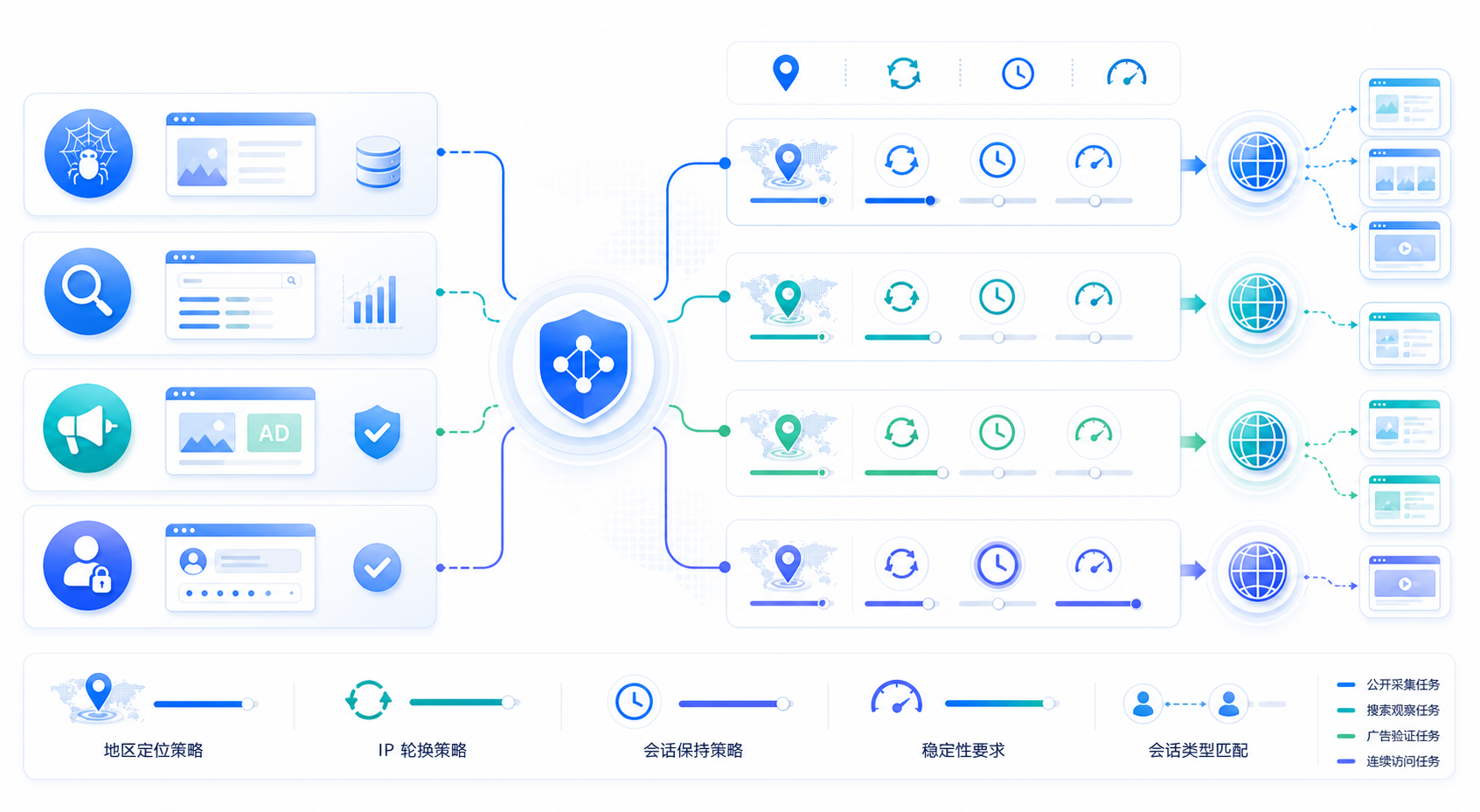
Different workflows need different proxy behavior. You should not use the same backconnect proxy setup for large-scale public web collection, ad verification, search observation, and continuous session tasks.
A simple way to classify the work is to split it into four groups:
Workflow Type
Main Goal
Typical Priority
Public web collection
distribute requests and improve success rate
rotation, pacing, retry logic
Search rank observation
location accuracy and result consistency
location, session length, query density
Ad verification
local environment and short continuity
region settings, short sticky session, page path consistency
Continuous access tasks
identity continuity and stability
longer session, slower rotation, stable exit path
Once this is clear, configuration choices become easier. A large share of so-called proxy instability is really a mismatch between task type and setup behavior.
How to Set Rotation Without Making the Workflow Worse
Many beginners start with rotation settings first and assume faster rotation is always better. In real workflows, that is often not true.
Rotating on Every Request Is Not Always the Best Choice
For large-scale public data collection, rotating on every request can help spread traffic across more IPs. But if the workflow depends on a natural multi-step visit path, or if several related pages should appear to come from the same short session, very fast rotation may make the behavior less coherent.
Rotation That Is Too Slow Can Also Create Pressure
If your backconnect proxy keeps the same session for too long, too many requests may accumulate on the same exit IP. In public collection workflows, that can reduce success rate over time.
A Better Rule: Tune Rotation to the Task
Instead of treating rotation as a security goal by itself, treat it as a way to shape request behavior around the task.
In practice, that often means:
use shorter rotation for broad distributed request patterns
use longer session time for workflows that need continuity
prioritize stable location settings when geography matters
avoid switching session or region in the middle of one logical validation flow
The real problem is usually not lack of rotation. The problem is rotation that conflicts with the task goal.
Change One Variable at a Time
If you change rotation interval, request speed, and location targeting all at once, it becomes hard to know what improved or broke the result. A more reliable optimization path is to change one major variable, observe the result, record it, and only then move to the next adjustment.
How to Use Session Persistence More Effectively
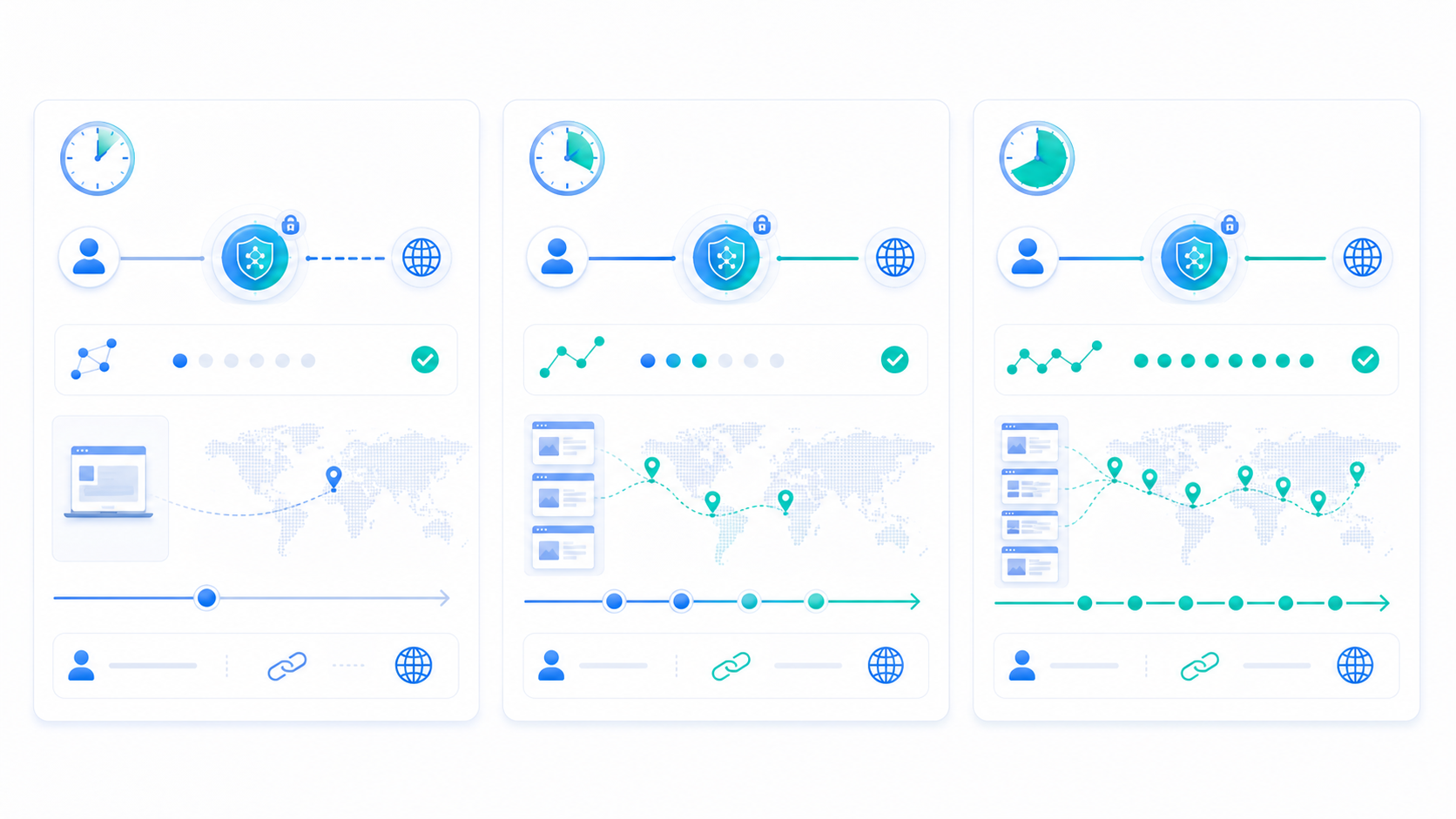
Session persistence determines whether a backconnect proxy tries to keep the same exit environment during a limited period of work. Many workflows depend less on pure rotation and more on whether the session behaves consistently enough to finish the task naturally.
Why Session Persistence Matters
Some tasks need a short but continuous path. A rank check might need a consistent search environment across several related requests. An ad validation task may need the landing page and redirect path to stay inside the same regional context. A multi-step public page review may also benefit from a stable short session.
What Happens When the Session Is Too Short
If the session duration is too short, the environment may change before the task is complete. This often shows up as:
inconsistent page results across one workflow
unstable regional behavior
incomplete validation chains
repeated manual checks to confirm whether the result is real
What Happens When the Session Is Too Long
If the session duration is too long, unrelated requests may become grouped into the same exit environment, which can create unnecessary concentration on a small set of IPs.
A More Practical Rule
Try to make the session long enough to cover one complete workflow, but not so long that it absorbs many unrelated requests. The best setting usually reflects workflow length, not a fixed preference for longer or shorter persistence.
Why Location Targeting Can Still Feel Inconsistent
Many users assume that once a country or city is configured, the target website should always behave the same way. Real page behavior is more complex than that.
More Granular Targeting Is Not Automatically Better
If your workflow only needs country-level behavior, there is no need to force city-level targeting. More granular targeting may narrow the available resource set and add unnecessary complexity.
Inconsistent Results Do Not Always Mean the Proxy Failed
The website itself may also evaluate language, device type, access timing, caching, or internal localization logic. Even when the backconnect proxy region is correct, the displayed result may still vary.
Validate the Page Result, Not Only the Exit Region
A useful rule is simple: region settings are input, but the final page result is what matters. Test both.
Why Request Pacing Matters as Much as Proxy Settings
In many workflows, the target website responds more strongly to request behavior than to the proxy endpoint itself.
Aggressive Frequency Can Magnify Instability
If the request rate is too high, even a good backconnect proxy may appear unstable because the target page reacts badly to the request pattern. Users often mistake this for a proxy quality problem.
Regular Repetition Without Variation Can Also Hurt
Public collection, rank observation, and ad checks can all become more fragile if requests arrive in an overly rigid pattern. In many cases, pacing strategy, spacing, batching, and retry logic matter more than simply adding more proxy resources.
Think in Terms of the Whole Access Chain
For better stability, look at all of these together:
request rate
concurrency level
workflow length
retry behavior
region switching logic
session duration
A backconnect proxy performs inside a system, not in isolation.
What to Check First When Stability Gets Worse
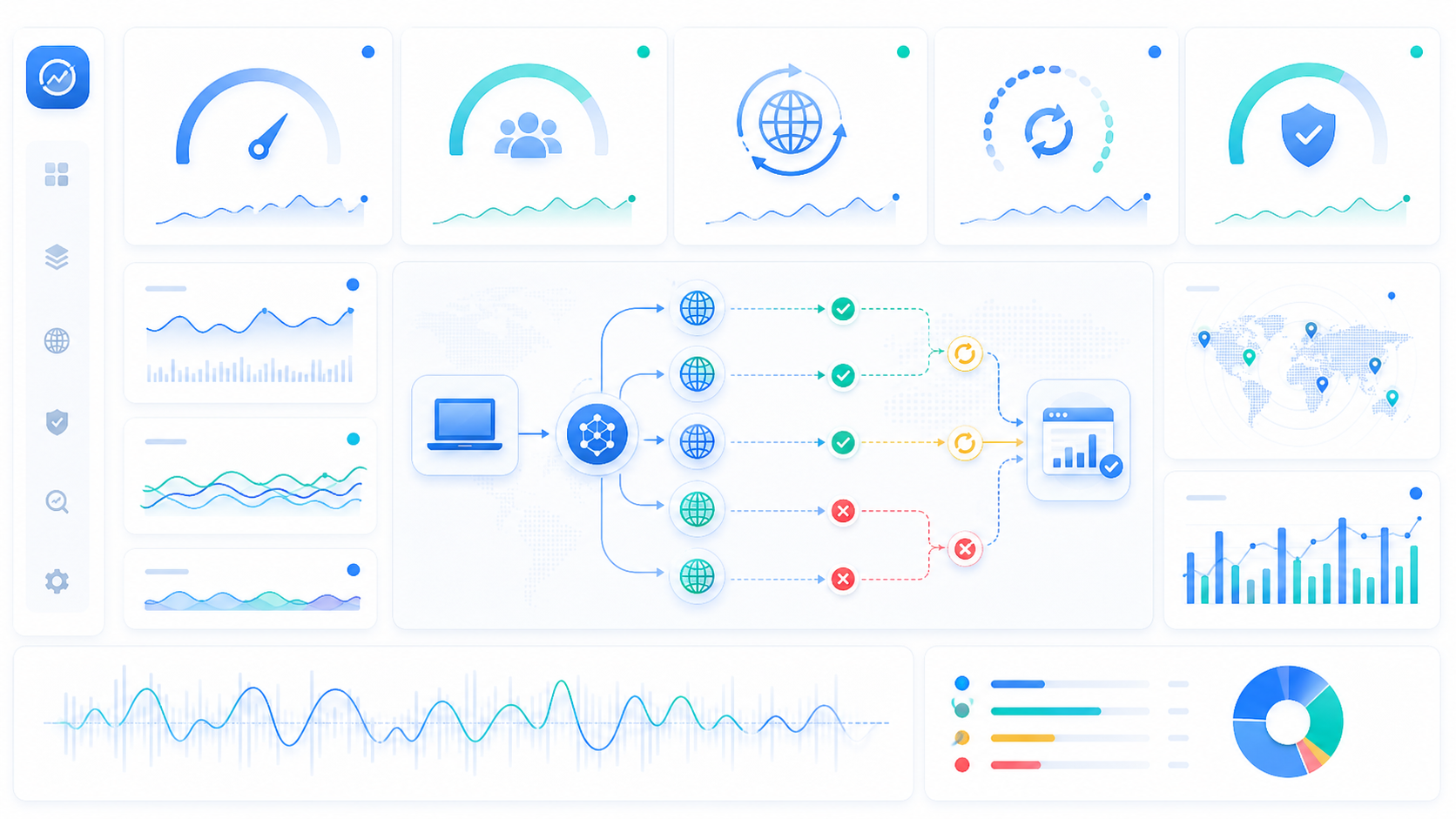
When a backconnect proxy starts to feel unstable, many teams jump immediately to switching plans or providers. A better approach is to troubleshoot by layers.
Layer 1: Connectivity
Confirm that the backconnect proxy can establish a stable connection, that authentication is correct, and that the protocol and port match the tool.
Layer 2: Region and Session Behavior
Check whether the configured location is correct and whether the session is actually being maintained as expected.
Layer 3: Page Result Quality
Do not stop at whether the page opens. Check whether it is complete, whether the regional behavior is correct, and whether the result remains consistent.
Layer 4: Request Behavior
Review concurrency, pacing, spacing, and retry rules. Many apparent proxy issues begin here.
Layer 5: Cost and Operational Efficiency
If the backconnect proxy technically works but needs too much retrying, manual checking, or repeated reruns, that should be counted as a stability issue too.
A More Practical Optimization Path
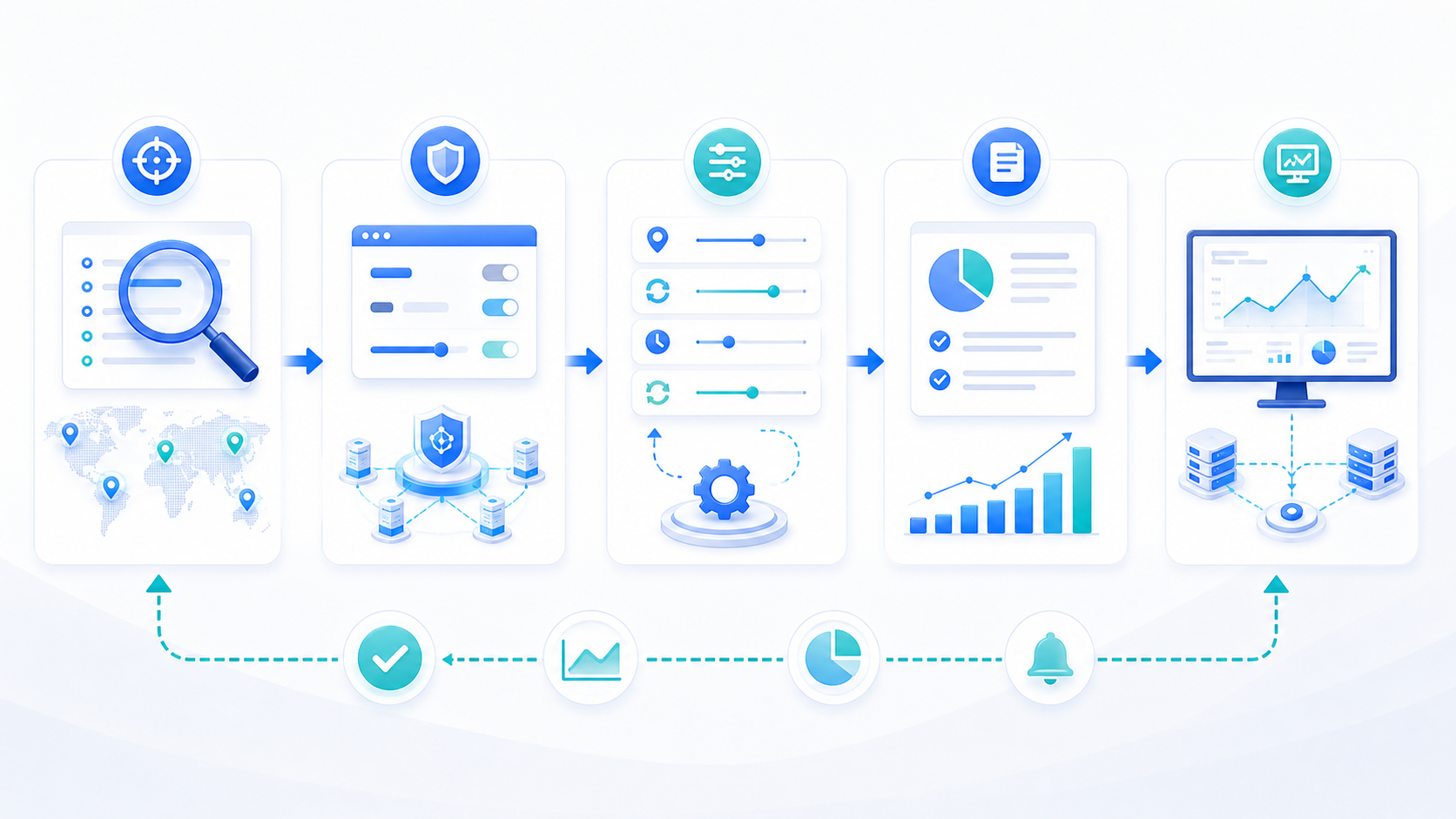
If your goal is to make a backconnect proxy setup more stable over time, this is a useful working sequence:
define the workflow type and success standard
keep the access method fixed during early testing
start with conservative rotation and moderate session length
adjust rotation, session, and pacing step by step based on real results
record every change
monitor success rate, location accuracy, page completeness, and cost continuously
The second article in the series focused on how to decide before buying. This third article is about how to make the system work better after deployment.
You can continue using these related materials together:
The most important takeaway from this article is that backconnect proxy stability rarely depends on a single setting. It usually depends on how rotation, session persistence, location targeting, request pacing, and monitoring work together.
Teams that use a backconnect proxy well do not just chase more IP changes. They shape the proxy behavior around the actual workflow. That is what turns a proxy from a basic access layer into something operationally useful.
Frequently Asked Questions
Is faster rotation always better for a backconnect proxy?
No. Faster rotation may help distributed request workflows, but it can make continuity-based tasks less stable.
How long should session persistence be?
There is no universal answer. The session should be long enough to cover one complete workflow, but not so long that many unrelated requests pile into the same session.
Why do page results still vary even when location targeting is set?
Because the website may also consider language, device type, caching, timing, or its own localization logic. You should validate the final page result, not only the configured region.
When a backconnect proxy feels unstable, should I switch provider first?
Usually no. It is often better to review configuration first, especially rotation, session behavior, request pacing, and region settings.
Can the same backconnect proxy setup work for public collection and continuous access tasks?
Usually not well. Public collection often needs broader distribution and rotation, while continuous access tasks often need more stable session behavior.
What do teams most often ignore when optimizing a backconnect proxy?
They often ignore request behavior itself, including concurrency, spacing, retry logic, and access path design.