Quick Answer: log evidence before changing proxy settings
A residential proxy monitoring log should record the task, target page, region, address mode, session rule, status code, retry reason, screenshot state, usable result, cost note, and review owner before a team scales traffic. The log is not just a technical export. It is the evidence layer that helps a team decide whether an issue comes from setup, region mismatch, target-page change, request pacing, session state, or the choice between static and dynamic residential addresses.
For IPIPD, the product boundary is direct: use static residential addresses when the same check needs a stable network identity, and use dynamic residential addresses when the team needs labeled samples across different regions or attempts. The monitoring log should keep those two modes separate so a failed test does not become a vague complaint about proxy quality.
Basic Facts: residential proxy monitoring logs
Decision field
What to record
Why it matters
Task and target
The workflow name, target page, market, and expected result.
Prevents the team from mixing unrelated tests in one report.
Address mode
Static residential address or dynamic residential address, plus the region rule.
Shows whether repeatability or controlled sampling was the real goal.
Separates setup errors from address-mode decisions.
Review owner
Person or team responsible for checking usable rows and rejected rows.
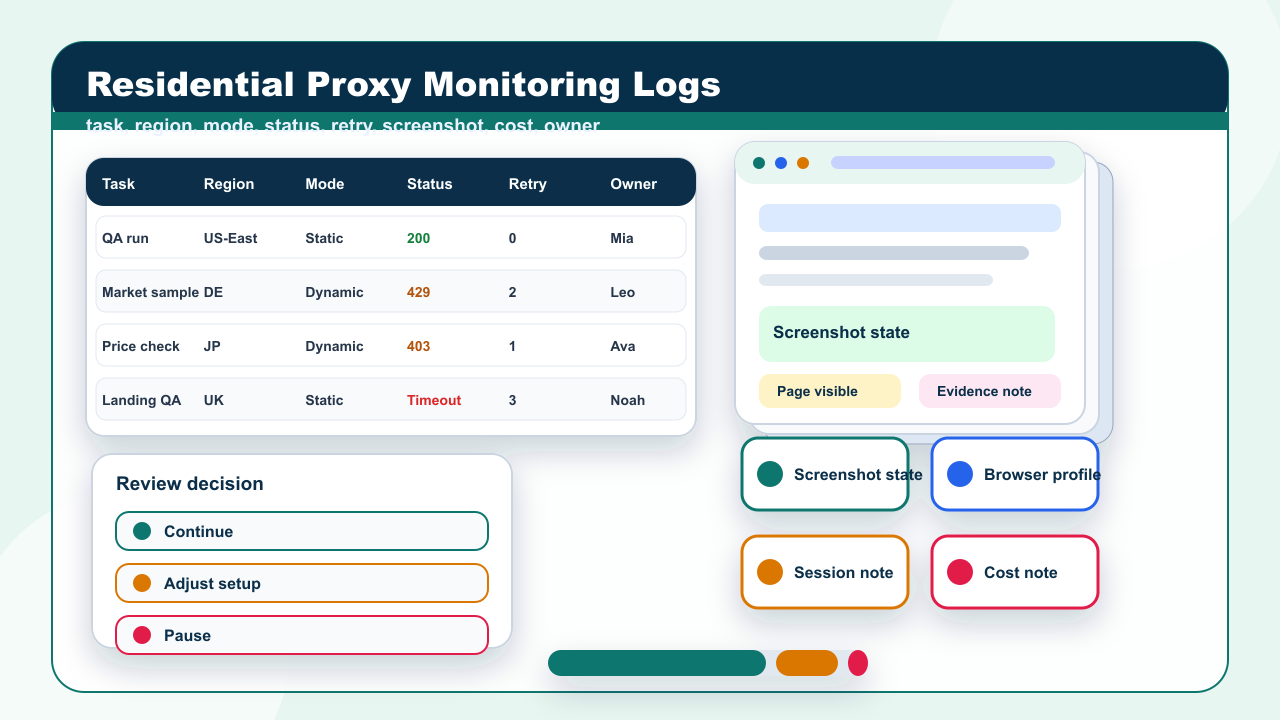
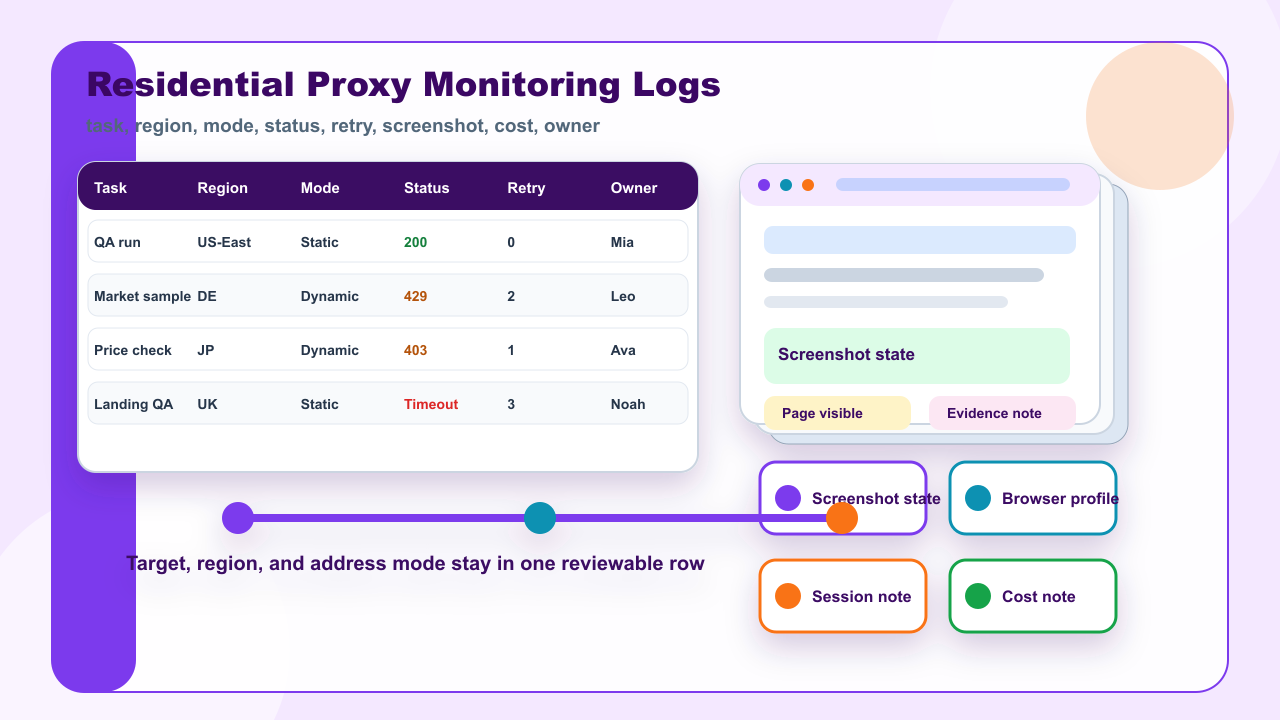
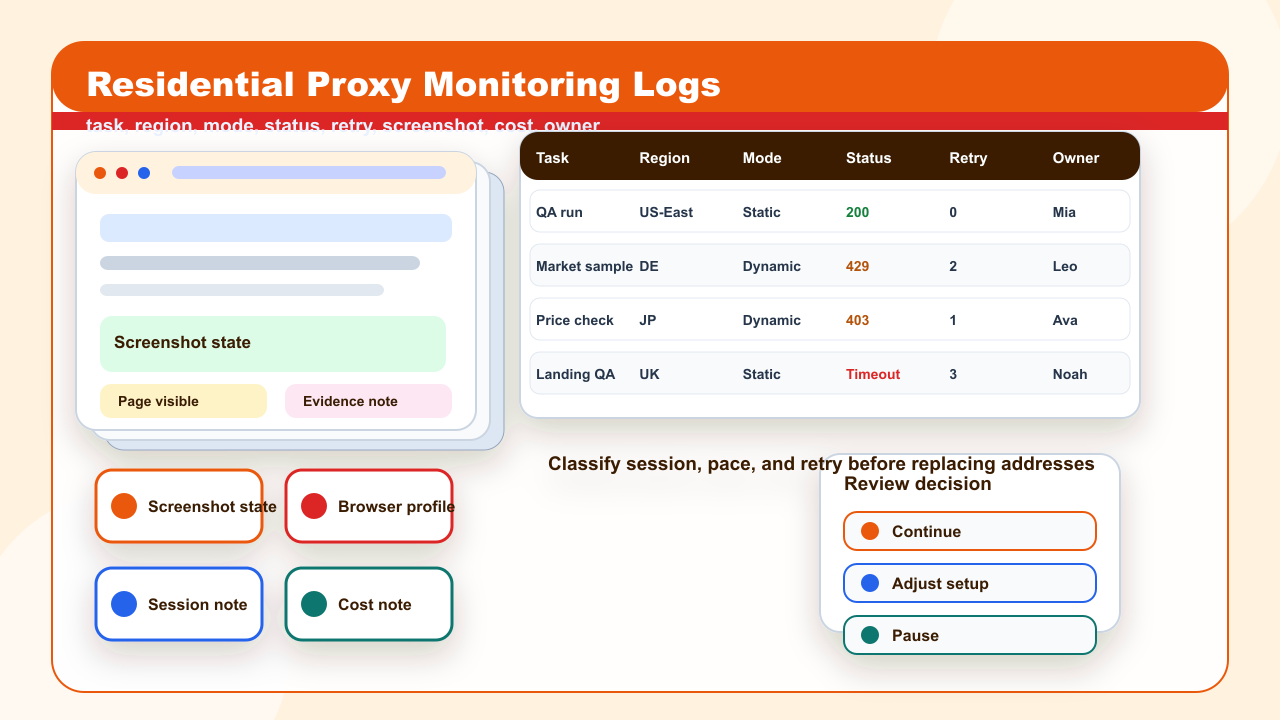
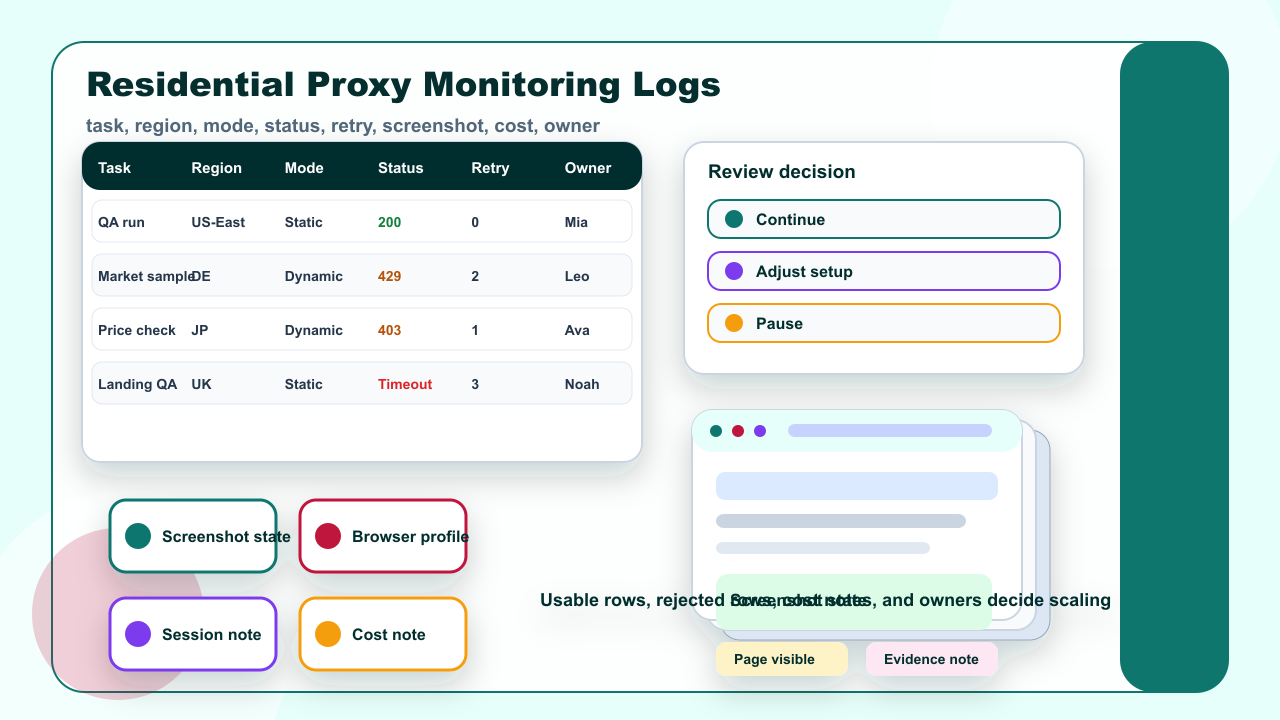
Task, region, and address mode should be visible in the first monitoring log row.Session, pacing, status, and retry reasons should be separated before replacing addresses.Usable rows, rejected rows, cost notes, and owner decisions should be reviewed before scaling.
Frequently Asked Questions
What should a residential proxy monitoring log include?
It should include the task, target page, market or region, address mode, session rule, status code, retry reason, screenshot state, usable result, cost note, and review owner.
How do logs help choose static or dynamic residential addresses?
Static residential addresses fit repeat checks where one network identity should stay stable. Dynamic residential addresses fit broader samples when regions and rotation rules are clearly labeled.
Should every failed request trigger a new address?
No. Teams should first classify whether the failure came from credentials, whitelist, target-page change, pacing, session state, or a true address-mode mismatch.
Keeps the log tied to a decision instead of a raw export.
A log row only becomes useful when every field can be checked later. If the row says “failed” without a target URL, region, retry reason, or reviewer note, the team still cannot decide whether to change the proxy setup. A short but complete monitoring log is stronger than a large sheet full of unclassified errors.
Step 1: record task, region, and address mode
Start the monitoring log with the business task, not with the proxy endpoint. A useful row says what the team was trying to prove: checking a localized landing page, reviewing public product availability, validating a regional page state, or repeating an audit from the same location. That task decides which evidence fields are necessary.
The second field is region. A region label should be specific enough for the decision: country, state, city, or a named market group. If the article, campaign, or monitoring report is tied to one market, a broad region label creates confusion. If the task covers several markets, each market should have its own row group instead of being blended into one average.
The third field is address mode. Static residential addresses support repeat checks where the team wants the same network identity over time. Dynamic residential addresses support controlled sampling when the team needs separate attempts across markets or page states. Both can be valid, but they should not be measured with the same assumptions.
For example, a weekly QA check for one landing page may use a static residential address because the reviewer wants consistency. A marketplace sampling task may use dynamic residential addresses because the reviewer wants several labeled observations. The log should make that choice visible before anyone interprets the result.
Step 2: separate session, pacing, and retry signals
Many proxy problems are not address problems. A failed request can come from a stale credential, a whitelist mistake, a changed target page, a browser profile carrying old state, or a retry rule that is too aggressive. The monitoring log should therefore record session and pacing evidence before the team replaces addresses.
Useful session fields include browser profile, cookie assumption, login or no-login state, and whether the same session must continue across several steps. Useful pacing fields include request spacing, retry cap, timeout, and whether retries happen automatically or after manual review. These fields explain why the same target may behave differently across attempts.
Status codes should be treated as clues, not final answers. A 403, 429, or timeout can mean different things depending on the target page, request pace, authentication state, and region. Teams can use external status-code references as a shared language, but the local log still needs business context. A status code without context rarely tells the full story.
The retry reason should be written in plain language. Instead of “retry 3,” write “credential failed,” “region did not match target,” “session expired,” “target returned rate limit,” or “manual review needed.” This makes the next action visible and prevents teams from rotating through addresses when the real issue is configuration or page state.
Step 3: review usable results before scaling
Scaling should wait until the team has reviewed usable rows and rejected rows. Usable rows are not just successful HTTP responses. They are rows where the page state, region, session assumption, screenshot, and business result match the task. Rejected rows should be classified so the team can see whether one error type dominates.
Cost notes are also part of the monitoring log. A workflow that technically works but produces many rejected rows may still be too expensive or too noisy. The cost note does not need to reveal pricing details. It should say whether retries, timeouts, or manual review load are high enough to change the plan.
A reviewer should make one of three decisions after the first sample: continue with the same settings, adjust the setup, or pause the task. Continuing makes sense when usable rows are consistent and the rejected rows are understood. Adjusting makes sense when one setting, such as region or session rule, explains most failures. Pausing makes sense when the target page, account state, or evidence quality is unclear.
The monitoring log should also preserve what not to do. Do not treat mobile proxy, datacenter proxy, VPN, SERP API, backconnect proxy, or ISP proxy language as an IPIPD product claim. Those terms can appear as comparison context, but IPIPD content and workflows should return to the current supported scope: static residential addresses and dynamic residential addresses.
Quick reference: monitoring log fields
Field group
Minimum evidence
Decision use
Task context
Workflow name, target URL, market, date, and owner.
Confirms what the row was supposed to prove.
Address setup
Static or dynamic mode, target region, endpoint group, and authentication method.
Shows whether to repeat, rotate, or correct setup.
Session signals
Browser profile, cookie assumption, pacing, retry count, and timeout rule.
Separates session drift from address quality.
Result review
Status code, screenshot state, usable or rejected label, cost note, and next action.
Turns a raw log into a decision record.
Use the monitoring log as a decision record, not a punishment report. Its job is to make the next action obvious. If the log cannot explain whether the next action is repeat, rotate, adjust, or pause, the fields are still too weak.
Evidence note: this article uses public HTTP documentation, existing IPIPD static and dynamic residential address guidance, and current product-boundary rules. It does not promise access, ranking, scraping, or account outcomes.
FAQ
What should a residential proxy monitoring log include?
It should include the task, target page, market or region, address mode, session rule, status code, retry reason, screenshot state, usable result, cost note, and review owner.
How do logs help choose static or dynamic residential addresses?
Static residential addresses fit repeat checks where one network identity should stay stable. Dynamic residential addresses fit broader samples when regions and rotation rules are clearly labeled.
Should every failed request trigger a new address?
No. Teams should first classify whether the failure came from credentials, whitelist, target-page change, pacing, session state, or a true address-mode mismatch.
What should teams review before scaling traffic?
They should review usable rows, rejected rows, retry causes, region consistency, cost notes, and whether another reviewer can reproduce the same result.
What should teams review before scaling traffic?
They should review usable rows, rejected rows, retry causes, region consistency, cost notes, and whether another reviewer can reproduce the same result.