Why Check?
IPIPD provides non-direct proxy IPs — Mainland China networks cannot access proxy products directly.
Before using IPIPD proxy IPs, confirm your current device is in a usable overseas environment. If the local network environment is incorrect, it may cause proxy connection failures, test failures, or inability to use normally.
How to Check
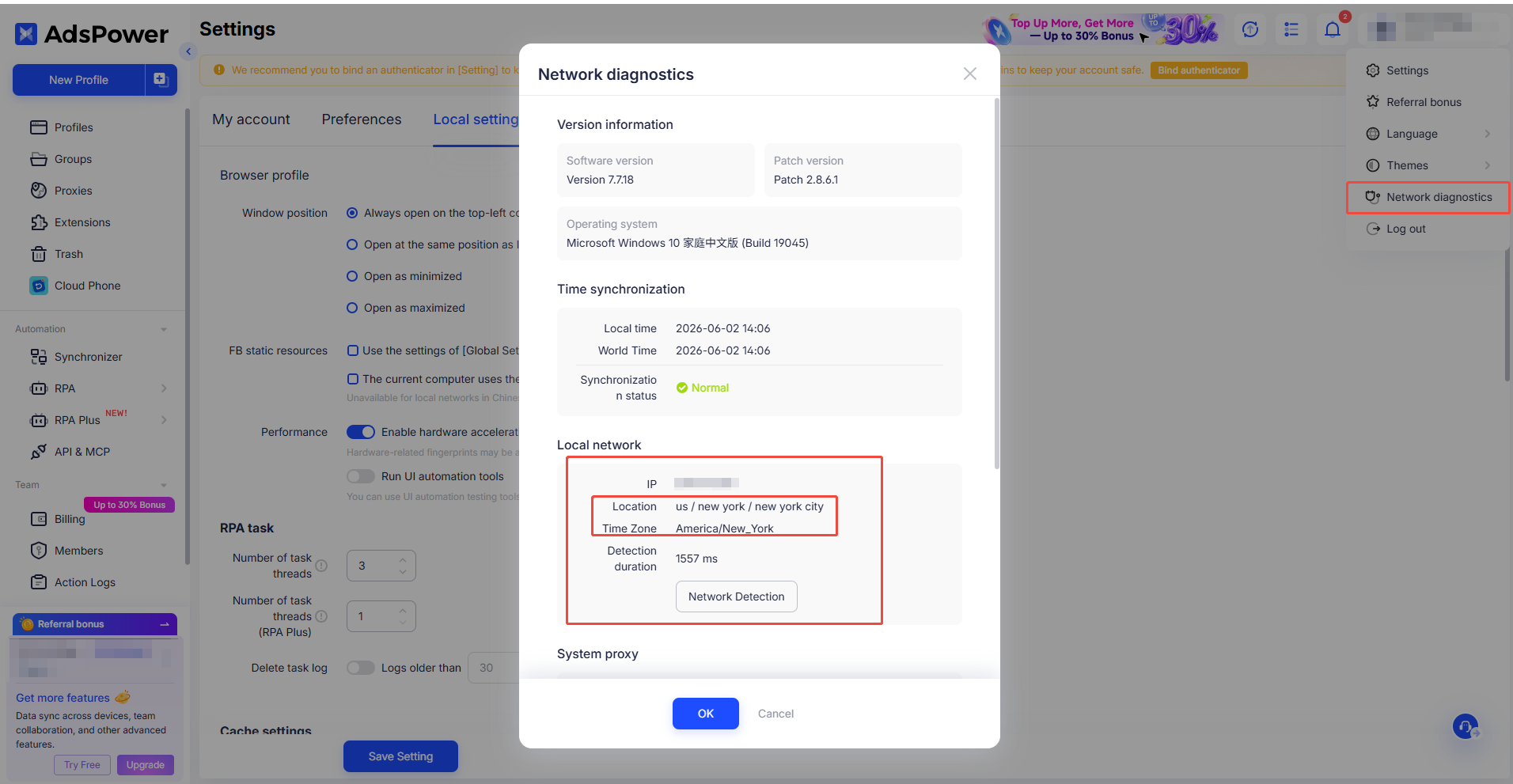
Use the network diagnostic feature in AdsPower fingerprint browser.
Steps
Open AdsPower fingerprint browser
Click the account menu in the upper right corner
Go to Network Diagnostics
Check the local network information on the page
Confirm the following:
Check Item | Description |
|---|---|
IP Address | Shows as overseas IP |
Location | Shows as overseas region |
Timezone | Matches the current overseas environment |
Interpreting Results
Normal
If the location and timezone shown on the diagnostic page are overseas regions, your overseas environment is working. You can proceed with IPIPD proxy IP configuration.
Abnormal
If the result still shows Mainland China, or the location and timezone are clearly incorrect, your overseas environment is not active or the configuration is incomplete.
What If the Result Is Incorrect?
Adjust your overseas environment connection mode to global mode or TUN mode
Reopen AdsPower and run network diagnostics
Once your local network shows an overseas region, proceed with IPIPD proxy IP configuration and testing
Important Notes
IPIPD provides non-direct proxy IPs — Mainland China networks cannot access them directly
All proxy IPs require an overseas environment prepared by the user
For questions, contact online support for assistance